18 GETTING UP AND RUNNING
INSTALLING AND REMOVING A MEMORY CARD
An SD (Secure Digital) Memory card or MultiMediaCard must be inserted for the camera
to operate. If a card has not been inserted, a no-card warning will appear on the LCD
monitor; the shutter can still be released, but no image is recorded.
Always turn off the camera and confirm the indicator lamp is not red and
blinking before changing the memory card, otherwise the card may be
damaged, and data lost.
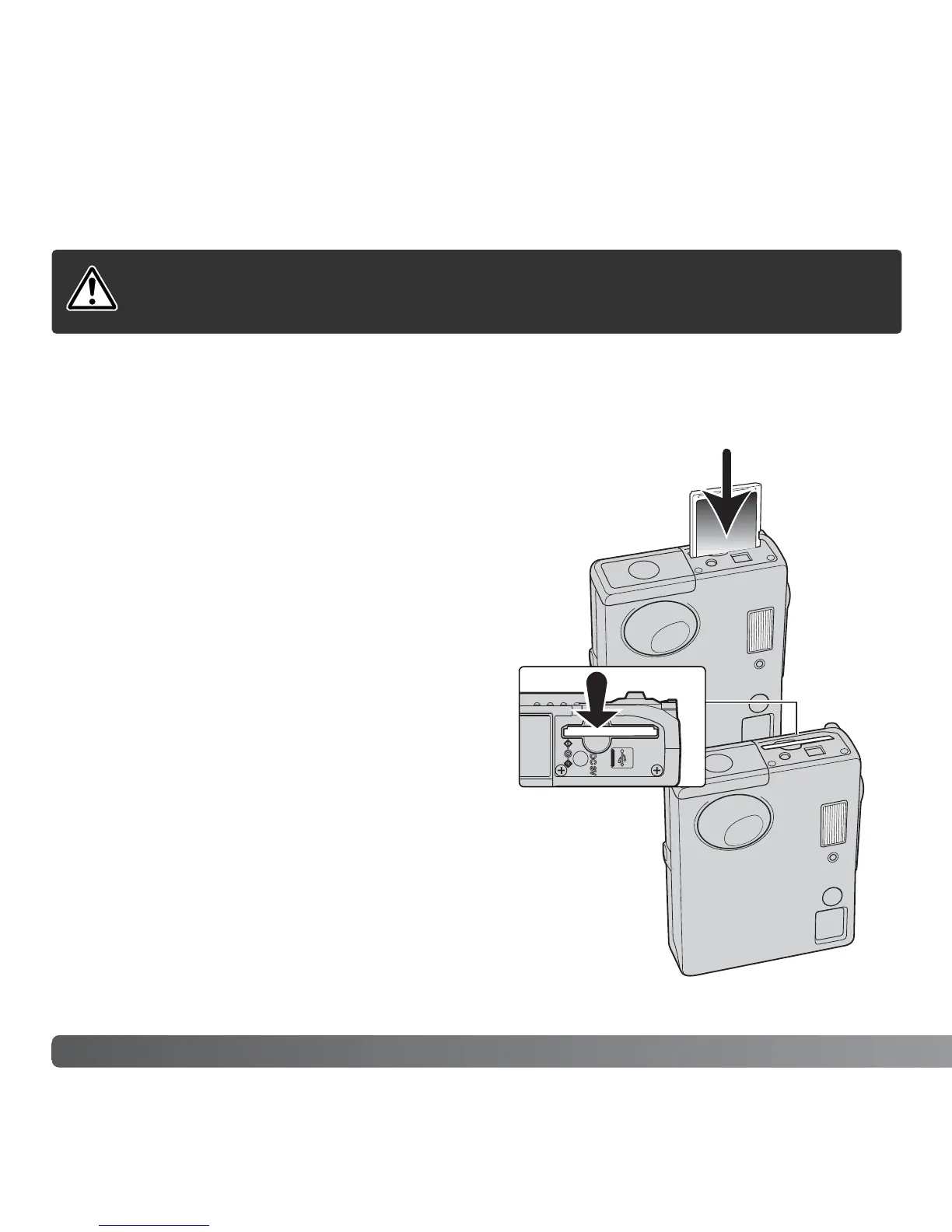
Insert the memory card all the way into the card slot
and then release. The card should catch in the slot.
Insert the card. Make sure the face of the card is
toward the front of the camera. Always push the card
in straight, never at an angle. Never force the card. If
the card does not fit, check that it is orientated
correctly.
To eject a memory card, press the card into the slot
and release. The card can now be pulled out.



 To Next Page
 Loading...











