67
FRAME-SELECTION SCREEN
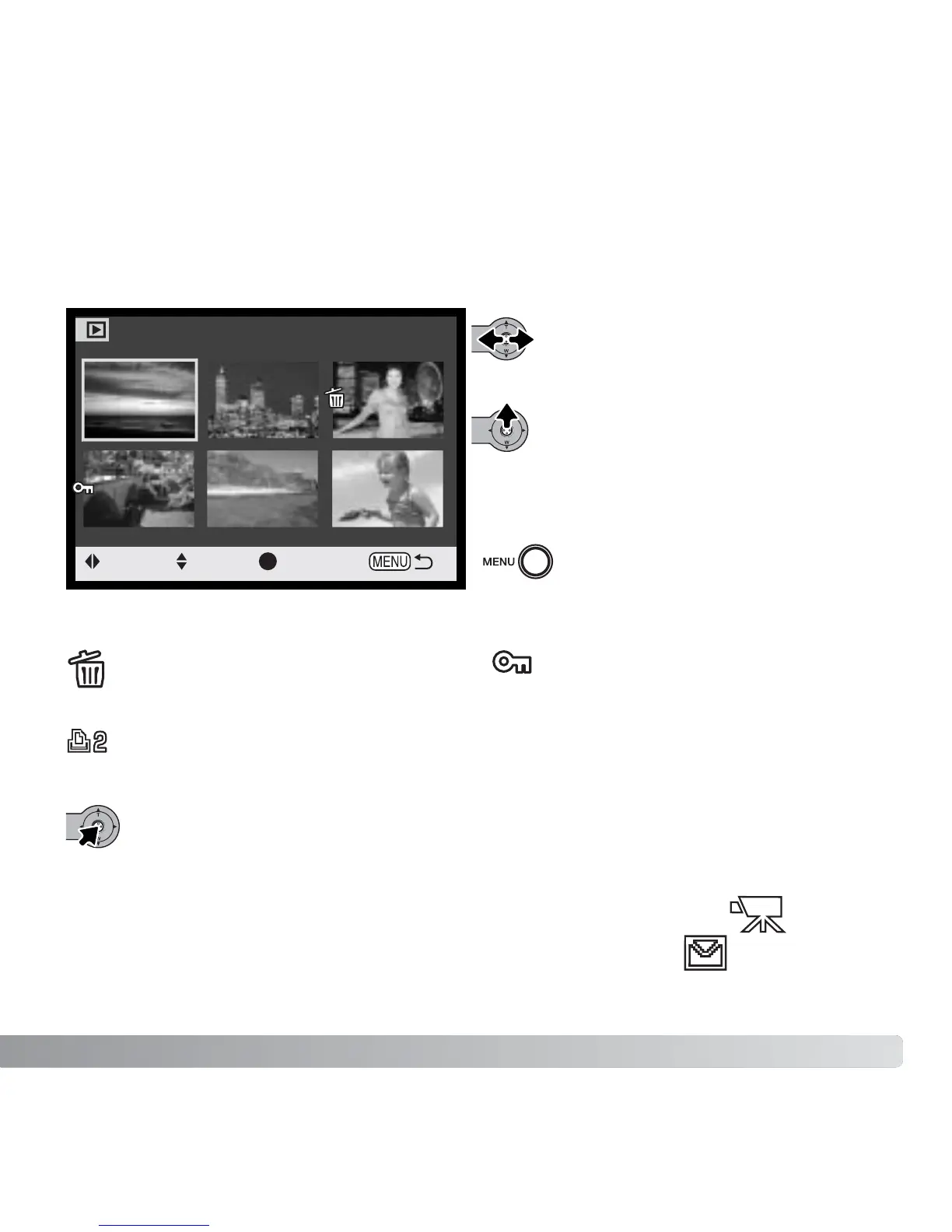
When a marked-frames setting is chosen on the menu, the frame-selection screen will
appear. This screen allows multiple image files to be chosen.
Pushing the controller left and right
moves the yellow border to select the
image.
Moving the controller up selects the
frame; when selected, an indicator will
appear next to the image. Moving the
controller down will deselect the image
removing the indicator.
The menu button cancels the screen
and any operation made.
The garbage-can indicator shows the
image is selected for deletion.
The key indicator shows the image is
locked or selected to be locked.
Press the controller to complete the operation.
The printer indicator shows the image
is selected for DPOF printing. The
number of copies is shown on the right.
:move
:sel. :enter
Movie file
E-mail copy file
Indicators may be displayed on the right of each index image to
indicate movie and E-mail Copy files.



 To Next Page
 Loading...











