71
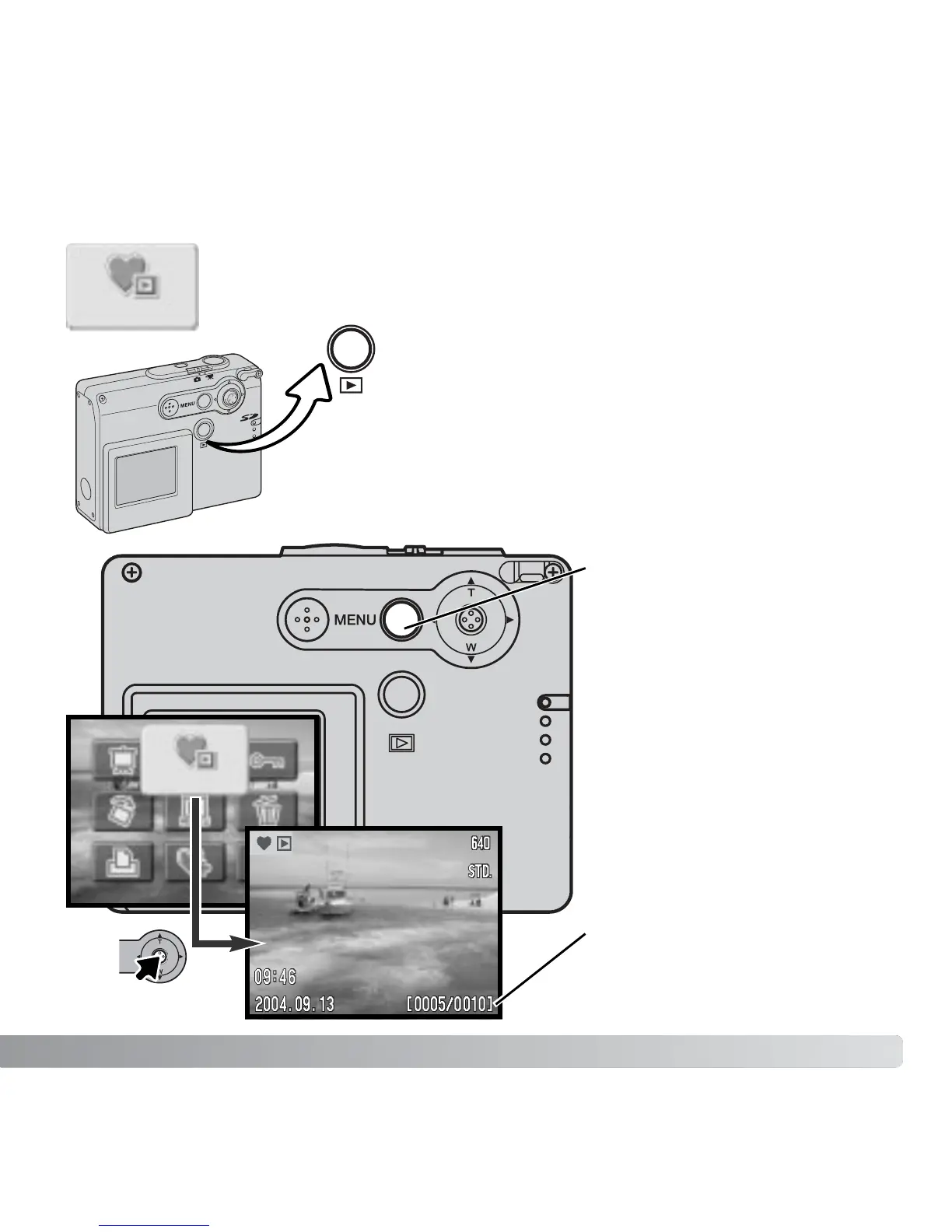
Favorites cannot be viewed when the camera is simply turned on. This is
to protect your personal collection of images from the view of strangers.
VIEWING FAVORITES
Press the menu button to
activate the main menu. Select
the view-Favorites icon. The
last Favorite added is displayed
as well as the Favorites-mode
indicator. If no Favorites are
saved the no-image message
appears.
View
View
Favorites copy number /
total number of Favorites copies
With the camera off or in a recording mode, press
and hold the playback button for a few seconds.
Playback images are displayed. Favorites are
viewed from the main menu.
(Continued on the next page.)



 To Next Page
 Loading...











