VS-211XS, VS-411XS – Using Embedded Web Pages
Selecting Panel Model
To select the panel model:
1. In the Navigation pane, click Automation. The Automation page appears (see
Figure 39).
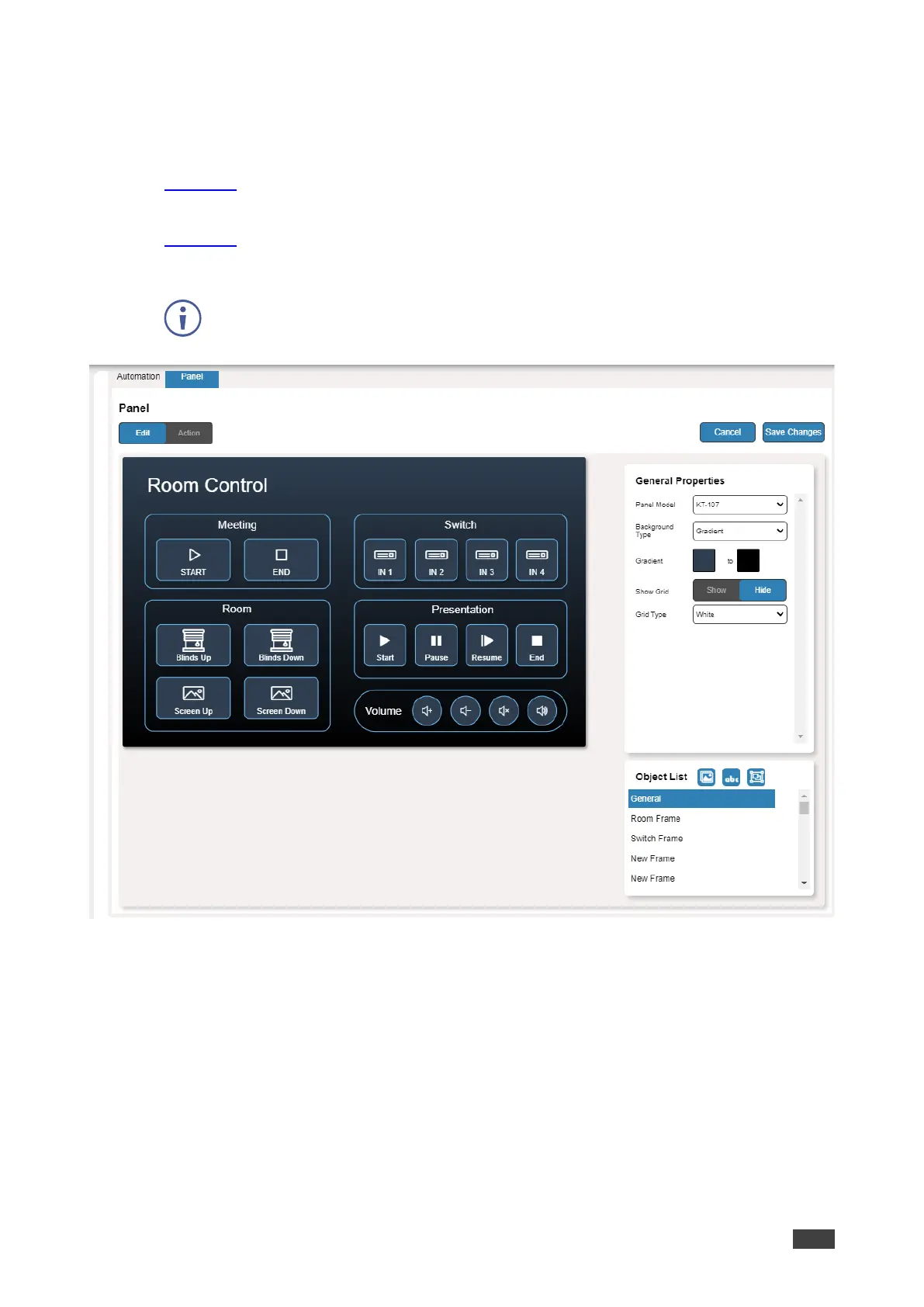
2. Click the Panel tab. The default VS-411XS Maestro Room Control panel appears (see
Figure 43).
3. Click Edit. Edit Panel window appears, showing the General Properties area.
You can also access General Properties by clicking the background panel area.
Figure 44: Automation Page – Editing Panel Window
4. From Panel Model drop-down list (in General Properties), define the panel model.
If Custom is selected, set Panel Size (in pixels).
5. Click Save Changes.
Panel model is defined.



 To Next Page