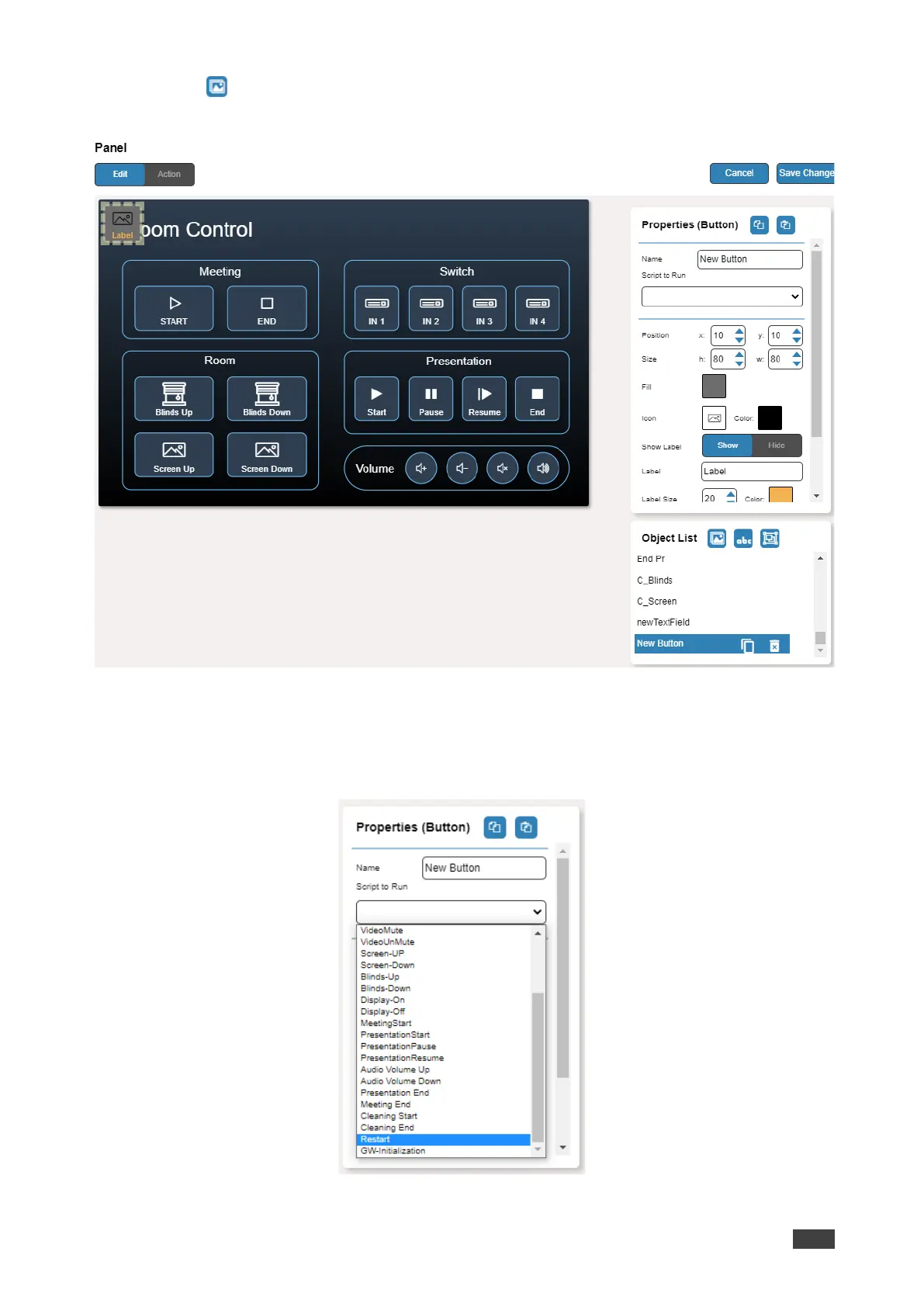
4. Click (add a button object) to add a new button to the panel. A new button is added
to the top left side of the panel.
Figure 51: Adding a New Button
5. Enter the button name. For example, use “Meeting Off” to turn off the devices in the
room when a meeting ends.
6. Assign a script (for example, Restart) to this button from the drop-down list.
Figure 52: New Button – Assigning a Script



 To Next Page