COMBINATION INSTRUMENT 7
27
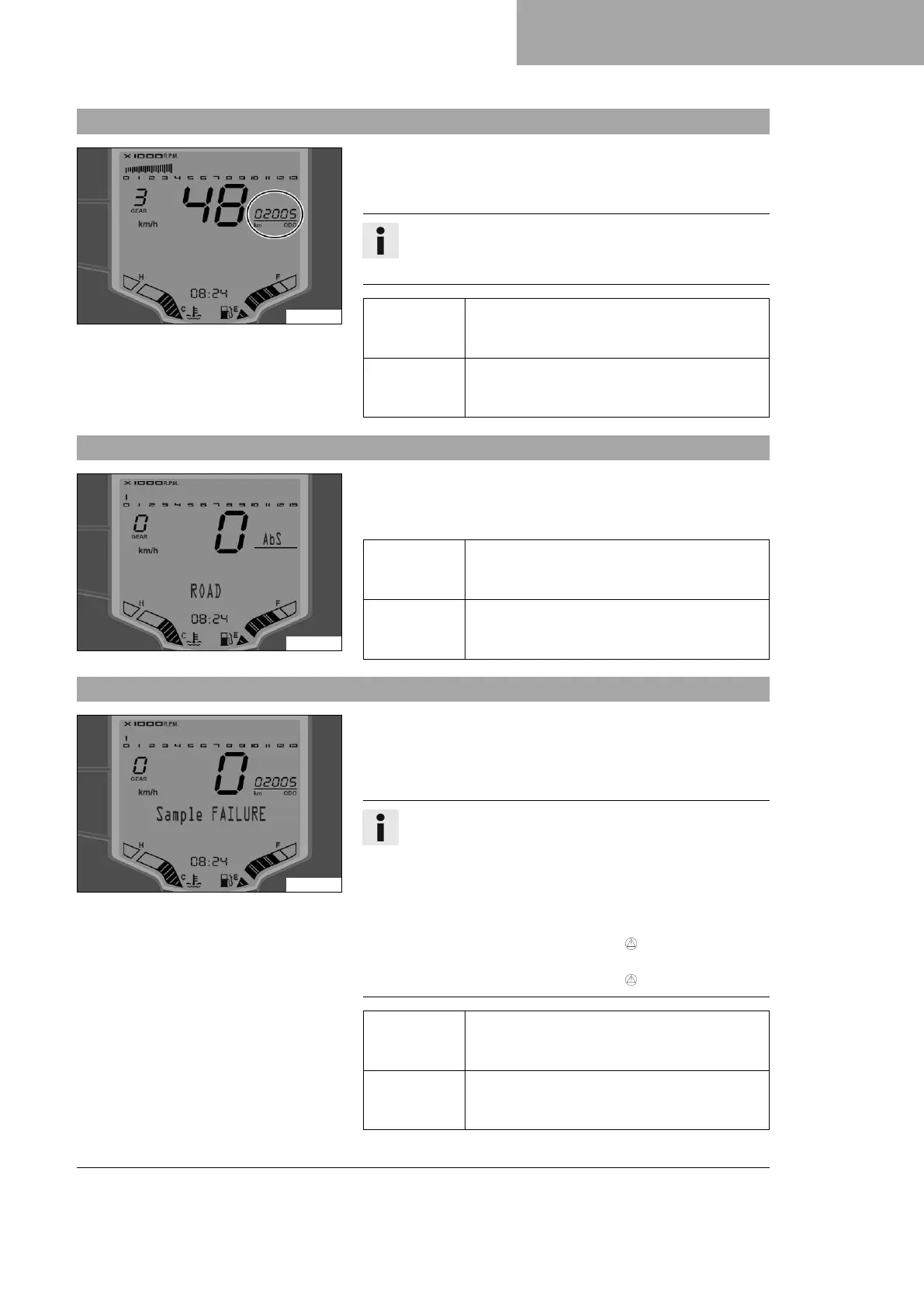
7.10 ODO display
A00975-10
– Press the MODE button briefly and repeatedly until ODO appears
on the display.
ODO displays the total distance covered.
Info
This value is retained, even if the 12-V battery is discon-
nected from the vehicle or the fuse blows.
Press the
SET button
briefly.
Next menu on the display
Press the
MODE button
briefly.
Next display mode in the display
7.11 ABS display
S04227-01
– Press the MODE button briefly and repeatedly until ABS appears
on the display.
ABS indicates the selected ABS mode.
Press the
SET button
briefly.
Next menu on the display
Press the
MODE button
briefly.
Next display mode in the display
7.12 Warnings display
A00974-10
– Press the MODE button briefly and repeatedly until Warnings
appears on the display.
The Warnings menu is available as soon as one or more operating
safety warnings have been detected.
Info
All warnings that have occurred are shown automatically in
succession on the display until they are no longer active.
As soon as a malfunction occurs, the relevant indicator
lamps light up to signal that an indication/warning note for
the operating safety has been detected.
As soon as a warning for operating safety has been
detected, the general warning lamp also lights up.
As soon as several operating safety warnings have been
detected, the general warning lamp also flashes.
Press the
SET button
briefly.
Next menu on the display
Press the
MODE button
briefly.
Next display mode in the display














 To Next Page