7 COMBINATION INSTRUMENT
34
– Press the MODE button and SET button simultaneously.
The RPM2 display disappears and the set shift speed
RPM2 is adopted and saved.
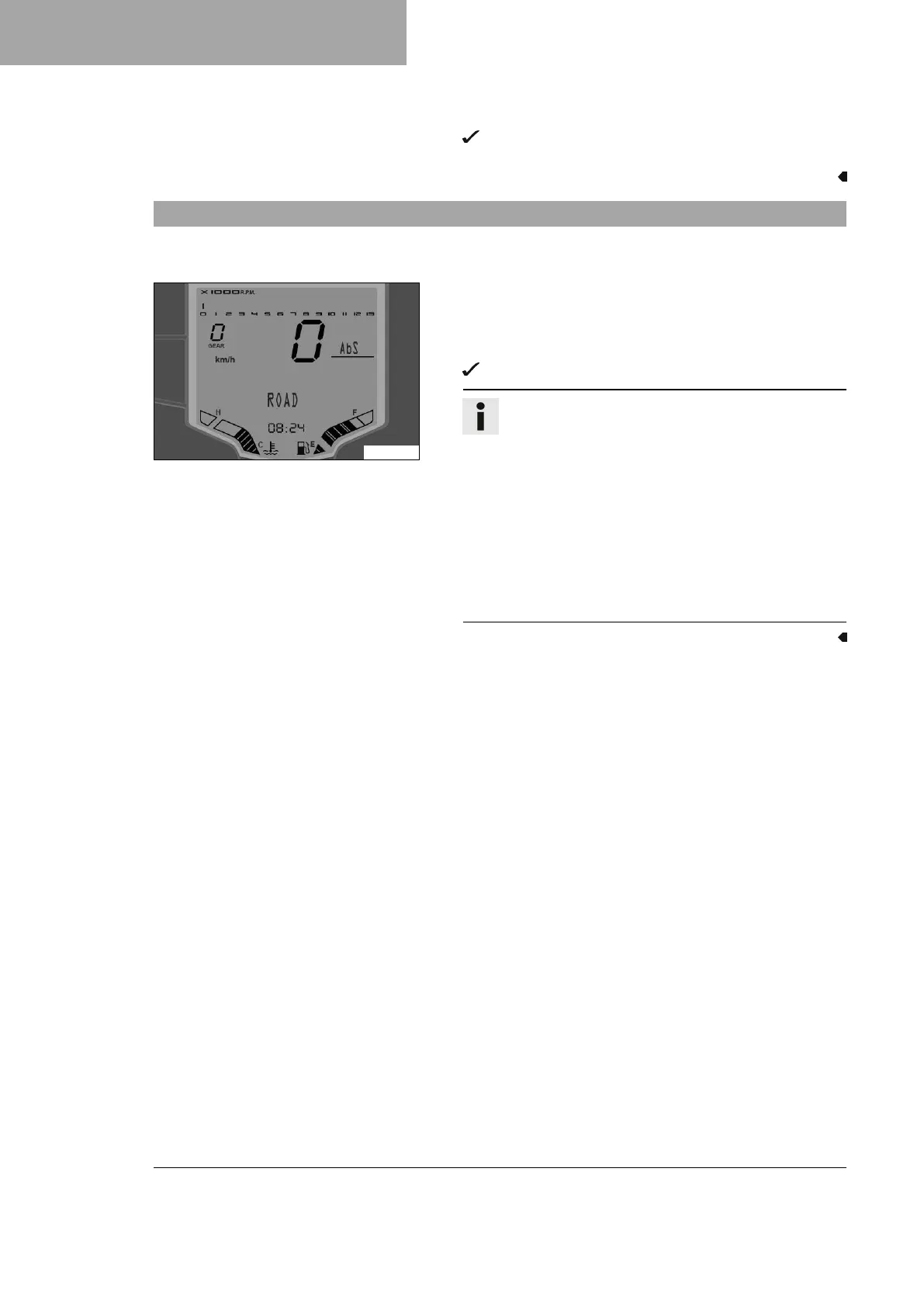
7.28 Adjusting ABS mode
Condition
The motorcycle is stationary.
S04227-01
– Press the Mode button briefly and repeatedly until the ABS
display appears.
– SET -Press and hold the button until Release Button is dis-
played.
The now active ABS mode is shown in the display.
Info
Do not open the throttle during the selection.
If switching ABS mode was unsuccessful, the previ-
ously set ABS mode will remain active.
A flashing ABS mode indicates that the ABS mode dis-
played does not match the actual ABS mode due to a
malfunction.
If ABS mode ROAD is enabled, ABS controls both
wheels.
If the ABS mode SUPERMOTO is enabled, ABS only con-
trols the front wheel. The rear wheel is not controlled by
ABS and may lock during braking maneuvers.







 To Next Page