7 COMBINATION INSTRUMENT
32
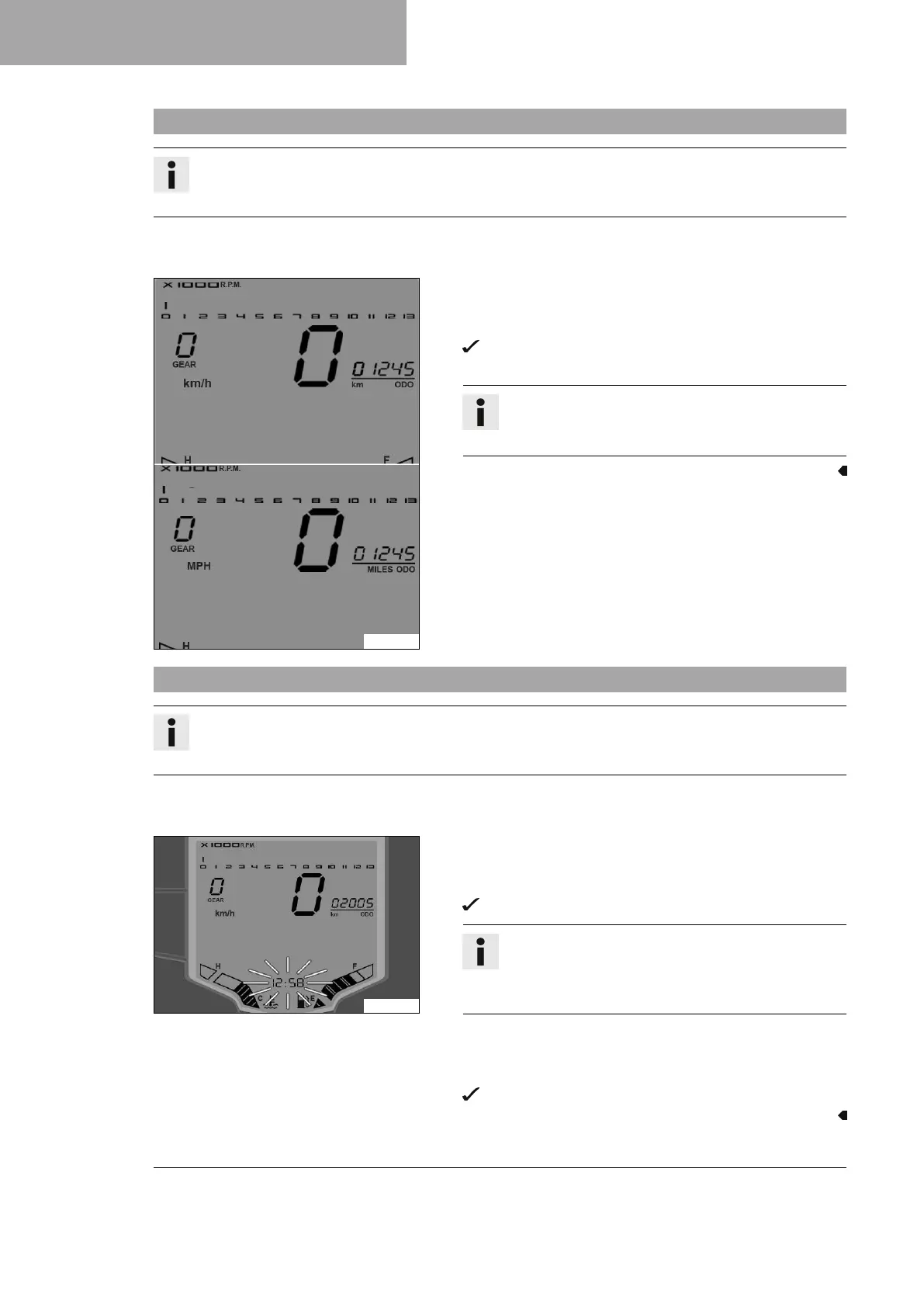
7.24 Setting kilometers or miles
Info
Make the setting according to the country.
If you change the unit, the value ODO is retained and converted accordingly.
Condition
The motorcycle is stationary.
A00980-10
– Press the MODE button briefly and repeatedly until ODO appears
on the display.
– Press the MODE button for 5 seconds.
The display changes from km/h to mph or from mph to
km/h.
Info
The units can be set in the ODO display for each menu
by keeping the MODE button pressed.
7.25 Setting the clock
Info
The time is displayed in 24-hour format.
The time must be reset if the 12-V battery was disconnected from the vehicle or the fuse was removed.
Condition
The motorcycle is stationary.
A00984-10
– Press the MODE button briefly and repeatedly until ODO appears
on the display.
– Press the MODE and SET buttons for 5 - 10 seconds.
The time display begins to flash.
Info
The clock can be set in the ODO display for each menu
by keeping the MODE button and SET button pressed
simultaneously.
– Set the hours display using the MODE button.
– Set the minutes display using the SET button.
– Press the MODE button and SET button simultaneously.
The set time is adopted and saved.






 To Next Page