11 TUNING THE CHASSIS 48
11.16 Adjusting handlebar position
Warning
Danger of accidents Handlebar breakage.
– If the handlebar is bent or straightened it will cause material fatigue, and the handlebar can break. Always replace handle-
bar.
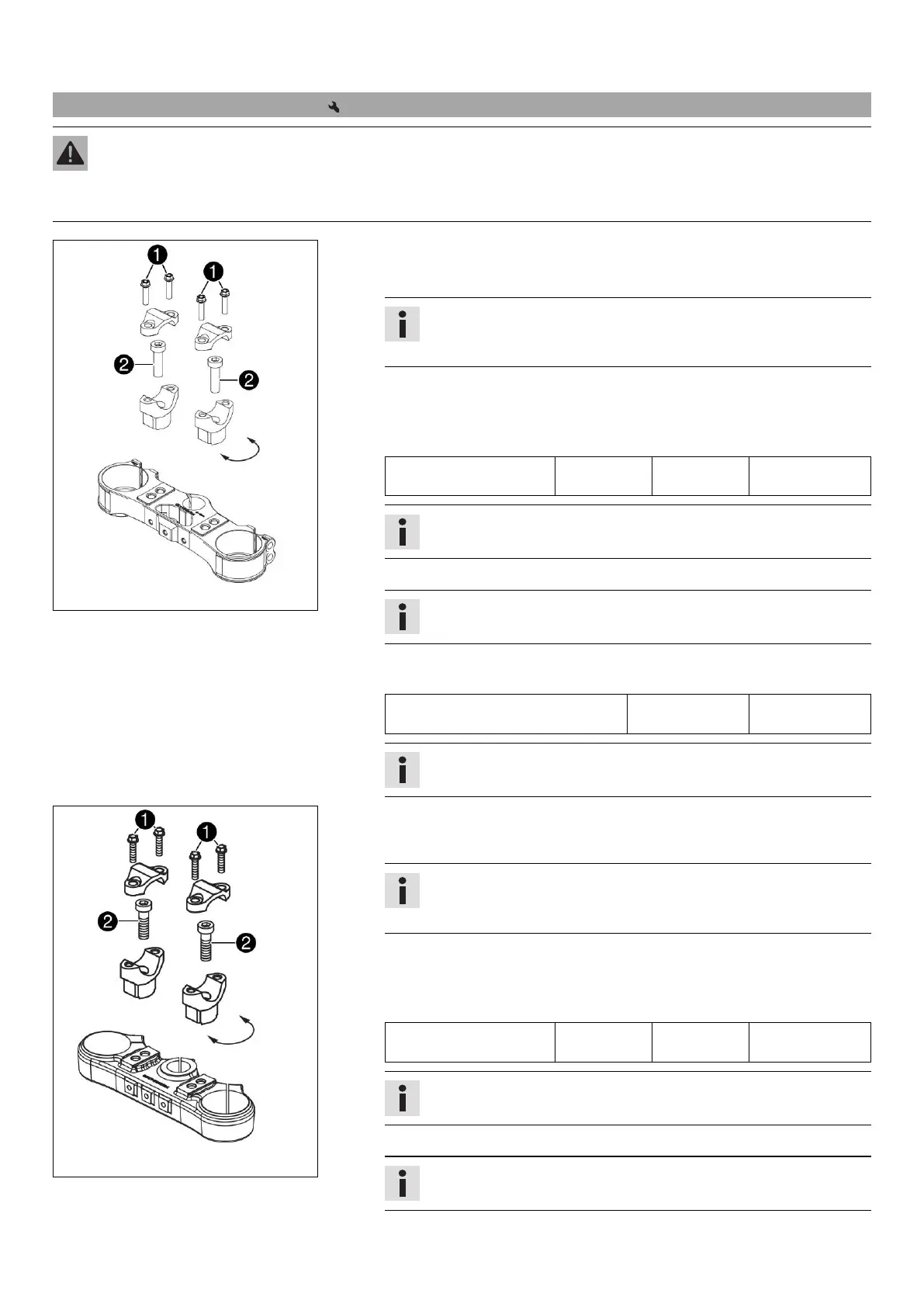
M00987-11
(All EXC models)
–
Remove screws
. Take off the handlebar clamps. Remove the handlebar and
lay it to one side.
Info
Cover the components to protect them against damage.
Do not bend the cables and lines.
–
Remove screws
. Take off the handlebar supports.
– Place the handlebar supports in the required position. Mount and tighten
screws
.
Guideline
Screw, handlebar holder M10 40 Nm
(29.5 lbf ft)
Loctite
®
243™
Info
Position the left and right handlebar supports evenly.
– Position the handlebar.
Info
Make sure the cables and wiring are positioned correctly.
–
Position the handlebar clamps. Mount and tighten screws
evenly.
Guideline
Screw, handlebar clamp M8 20 Nm
(14.8 lbf ft)
Info
Make sure the gap width is even.
M00993-11
(XC‑W)
–
Remove screws
. Take off the handlebar clamps. Remove the handlebar and
lay it to one side.
Info
Cover the components to protect them against damage.
Do not bend the cables and lines.
–
Remove screws
. Take off the handlebar supports.
– Place the handlebar supports in the required position. Mount and tighten
screws
.
Guideline
Screw, handlebar holder M10 40 Nm
(29.5 lbf ft)
Loctite
®
243™
Info
Position the left and right handlebar supports evenly.
– Position the handlebar.
Info
Make sure the cables and wiring are positioned correctly.




 To Next Page