Control box
18
Quantron S
Putting into service
2. Access and menu navigation
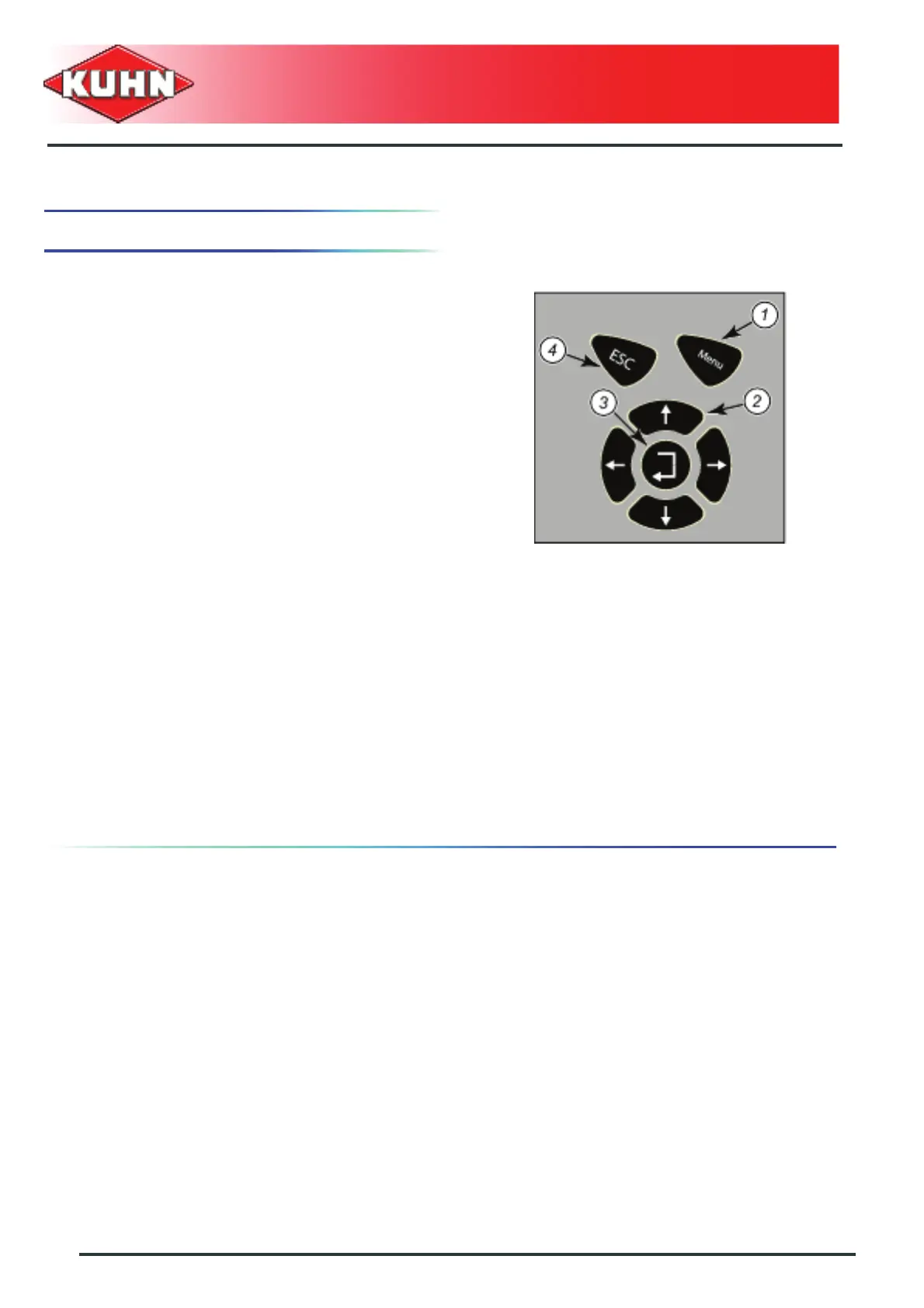
MENU key (1)
- From the work screen, is used to access the menu
(see menu tree structure).
- From the menu, is used to return directly to the work
screen.
Warning: a value which was being changed will not be
recorded.
Displays current operations (2)
- "Up" or "+" key
• Used to select the previous line in the menu
• Used to increase a value being changed
- "Down" or "-" key
• Used to select the next line in the menu
• Used to decrease a value being changed
ENTER key (3)
• Used to select a submenu
• Used to record a modified value and return to the
previous screen
ESC key (4)
- Used to return to the previous screen
Warning: a value which was being changed will not be
recorded.



 To Next Page