Functioning during work
Control box
Quantron S
51
6. Daily counters
- Press on the button ha.
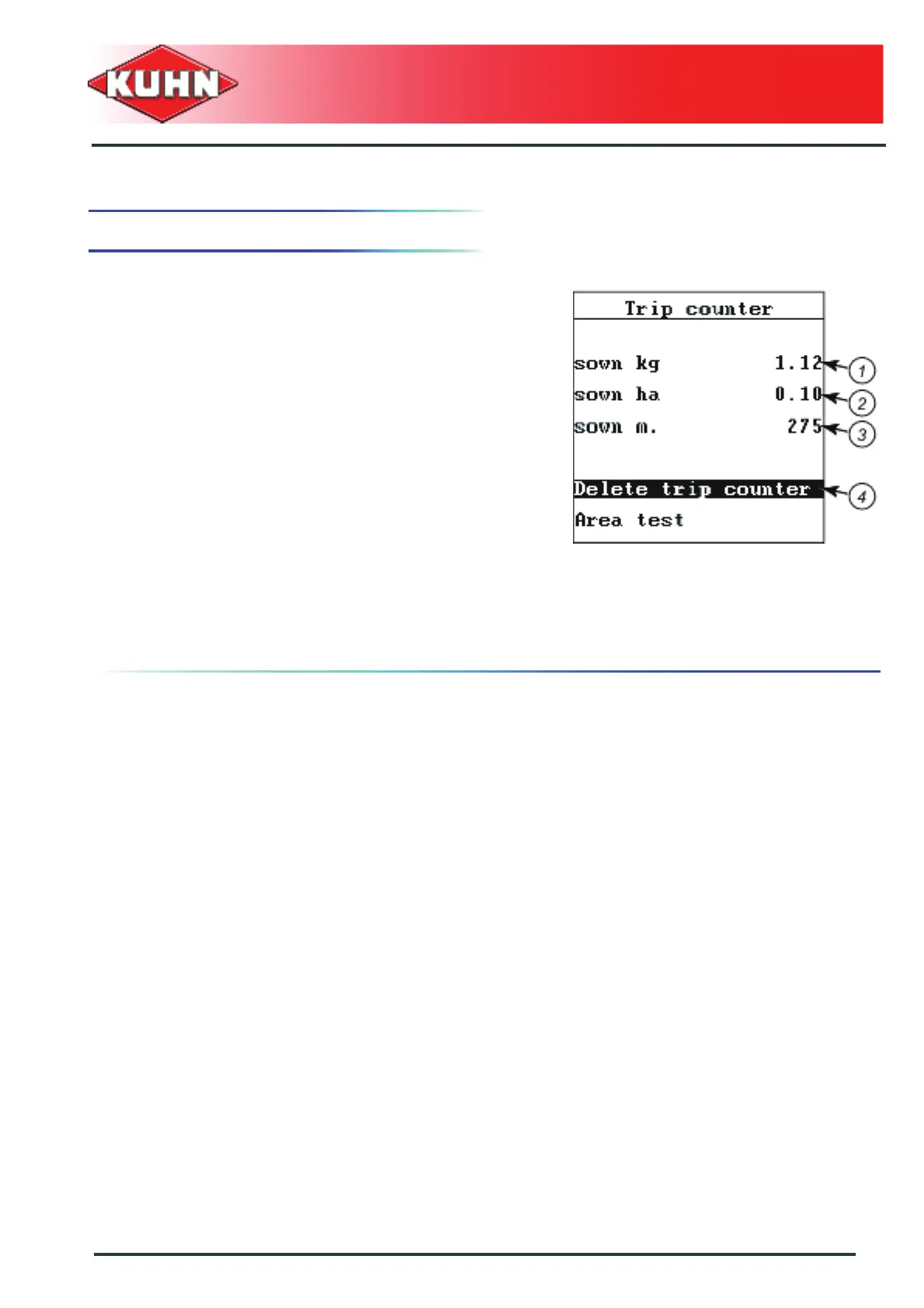
The screen displays:
- Quantity sown (independently from the seed
variety) (1)
- Area sown (2)
- Surface covered (3)
since the last reset.
Deleting the daily counter (4)
- Move browser downwards to select the "Delete trip
counter" sub-menu.
- Press Enter key.
All daily counter values are reset.
- Press on the button ha.
Deleting the daily counter values does not affect the
field data files.


 To Next Page