Machine use
Control box
Quantron S
41
7. Sowing a seed already stored
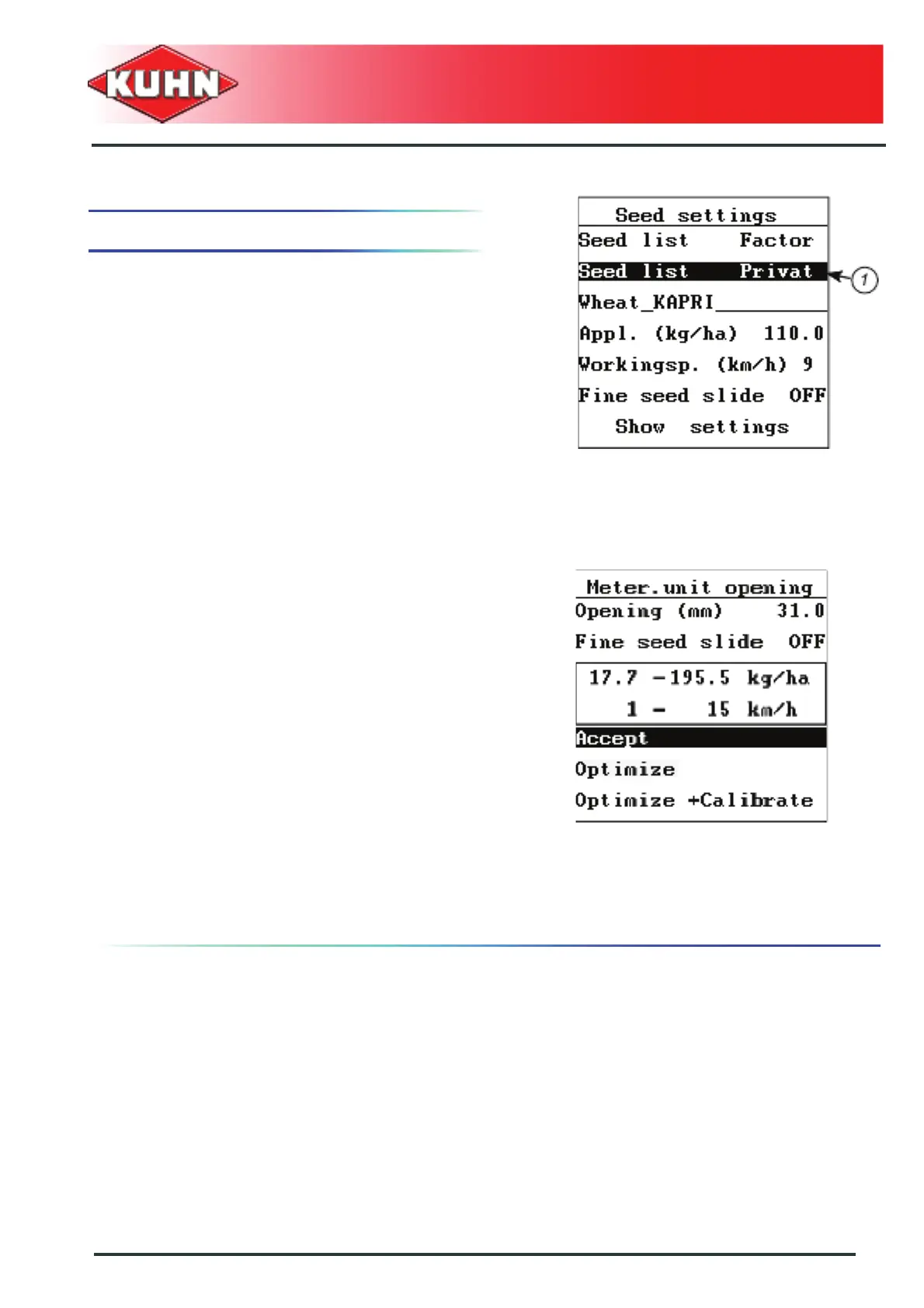
When selecting a seed already stored, the screen
displays the latest values stored.
- As from the "main menu", select the "seed settings"
submenu.
- Select the "Seed list privat" sub-menu (1).
- Press Enter key.
- Select the required seed variety.
The screen indicates the values stored with this seed:
• Dose per hectare
• Work speed in km/h
• Required small seed slide position
- Select the "Seed settings" sub-menu.
- Press Enter key.
The screen displays:
• Metering unit "opening position"
• Required small seed slide position
• Minimum and maximum application rate values
• Minimum and maximum travel speed values
Accept
- If the possible working zones (outlined values) are
convenient, confirm by selecting "Accept".
- Press Enter key.
If the working zones (outlined values)must be optimized,
there are two possibilities:
• Optimize
• Optimize and test
See chapter Modification of the parameters, Page 37.



 To Next Page