Control box
40
Quantron S
Machine use
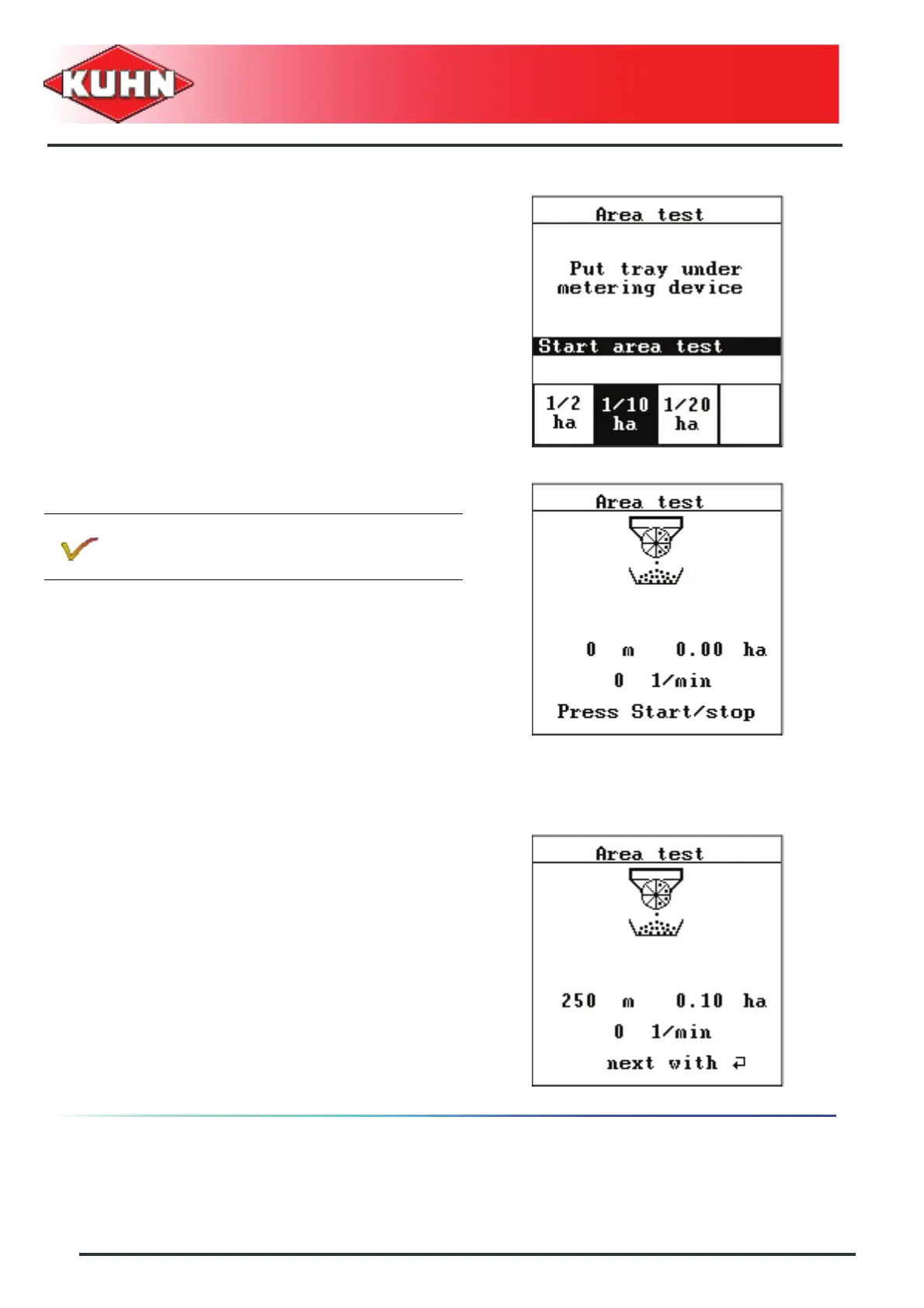
- Choose test area using the corresponding key.
• Example: F2 for 1/10 ha
- Position a container under the metering unit to collect
the seeds.
- Press Enter key.
- Press on the button Start/Stop.
The metering unit rotates until the set theoretical area
is reached.
The metering unit stops automatically.
- Weigh the container and deduct the container weight
(tare) in order to know the quantity collected for the
area of reference used.
- Compare the collected seed quantity with the
instructions in the "Seed settings" menu.
If the quantity collected varies with regards to
the required application rate, proceed with a new
calibration test.
- Press Enter key.
- Shut-off the calibration flap.
- Press Enter key.
If necessary, the test can be stopped (e.g. to
empty the container before it overflows), and
resumed using Start/Stop key.


 To Next Page