Machine use
Control box
Quantron S
27
3. Preliminary adjustments at work
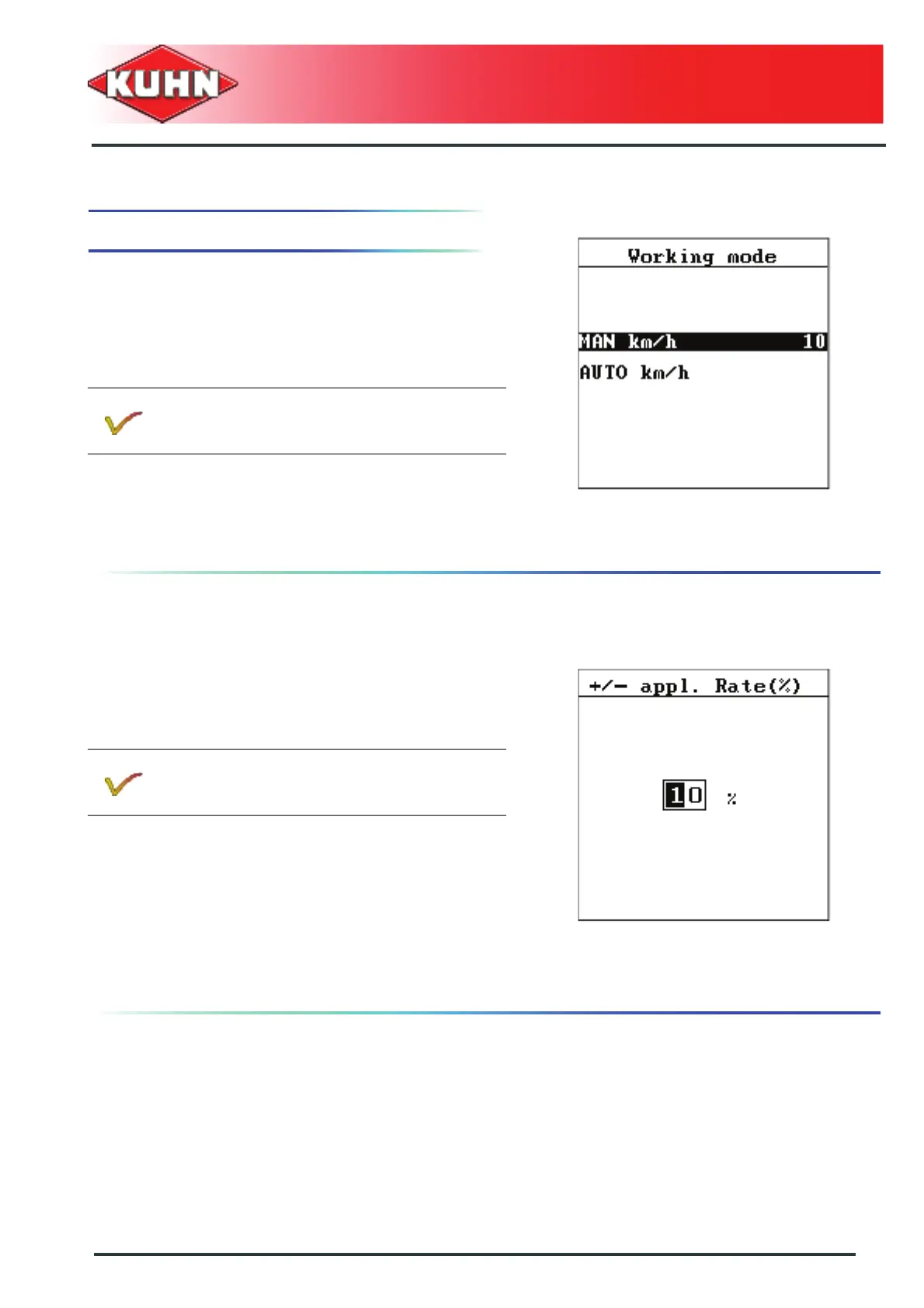
Working mode
Drilling can be carried out in MANUAL or AUTOMATIC
mode.
The normal working mode is the AUTOMATIC mode.
- Starting from the "main menu", select "hopper
configuration".
- Select the "working mode" submenu.
- Select the required working mode.
- Press Enter key.
Application rate adjustment
During work, the application rate can be adjusted in
percentage (in addition or deduction) if the conditions
require it (soil condition,...) (See chapter Metering unit
display).
Setting the adjustment rate
The 100% basis is the opening value for the metering
unit.
- Starting from the "main menu", select "hopper
configuration".
- Select the "+/- appl." submenu.
- Enter the percentage rate for adjusting the
application rate during work. See chapter Variation of
the seed rate.
- Press Enter key.
The manual working mode can be used for ex.
if the speed sensor is faulty.
This function is only accessible on hydraulically
or electrically driven machines.


 To Next Page