Control box
50
Quantron S
Functioning during work
Deleting one or several files
Deleting a file:
- As from the "Field data" menu, select the "Delete file
data" submenu.
- Press Enter key.
- Select the file to delete in the list
- Delete the file by pressing Enter key.
The screen displays the previous menu.
Deleting all files
- As from the "Field data" menu, select the "Delete all
files" submenu.
- Press Enter key.
A buzzer sounds. An alarm message appears.
- Validate using START key.
- Press on the button ESC: all files will be deleted.
5. Variation of the seed rate
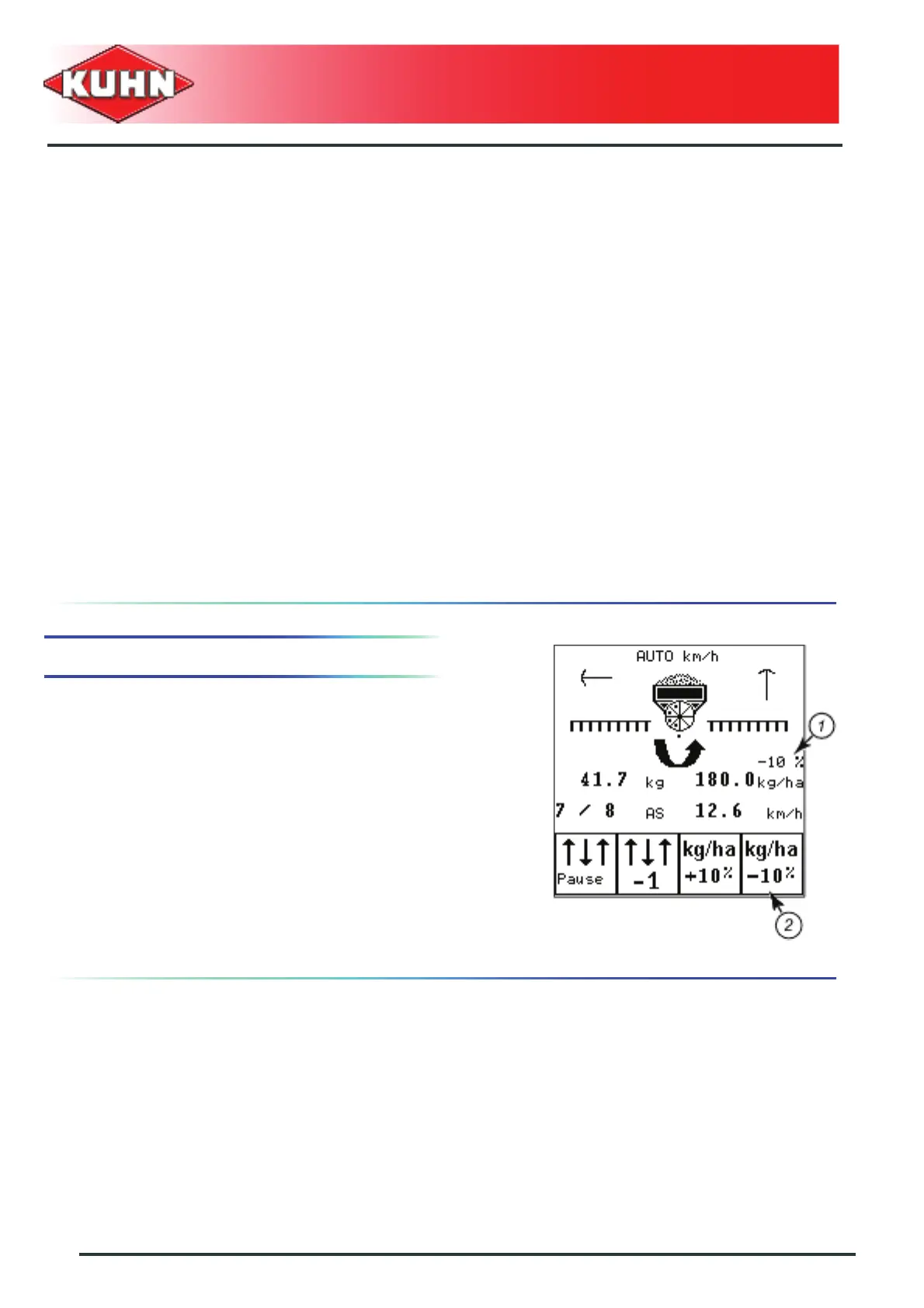
During work, the application rate can be adjusted using
keys F3/F4. See chapter Application rate adjustment.
Key C/100% cancels the adjustment and the normal
application rate restarts.
Use during work:
- Press on function F3: The normal applicartion rate is
increased by the programmed adjustment rate.
- Press on function F4: The normal applicartion rate is
decreased by the programmed adjustment rate.
• The applied variation of seed rate is indicated above
the seed rate (1).


 To Next Page