Putting into service
Control box
Quantron S
19
3. Basic adjustments
Basic adjustments are set in the "System/Test" menu.
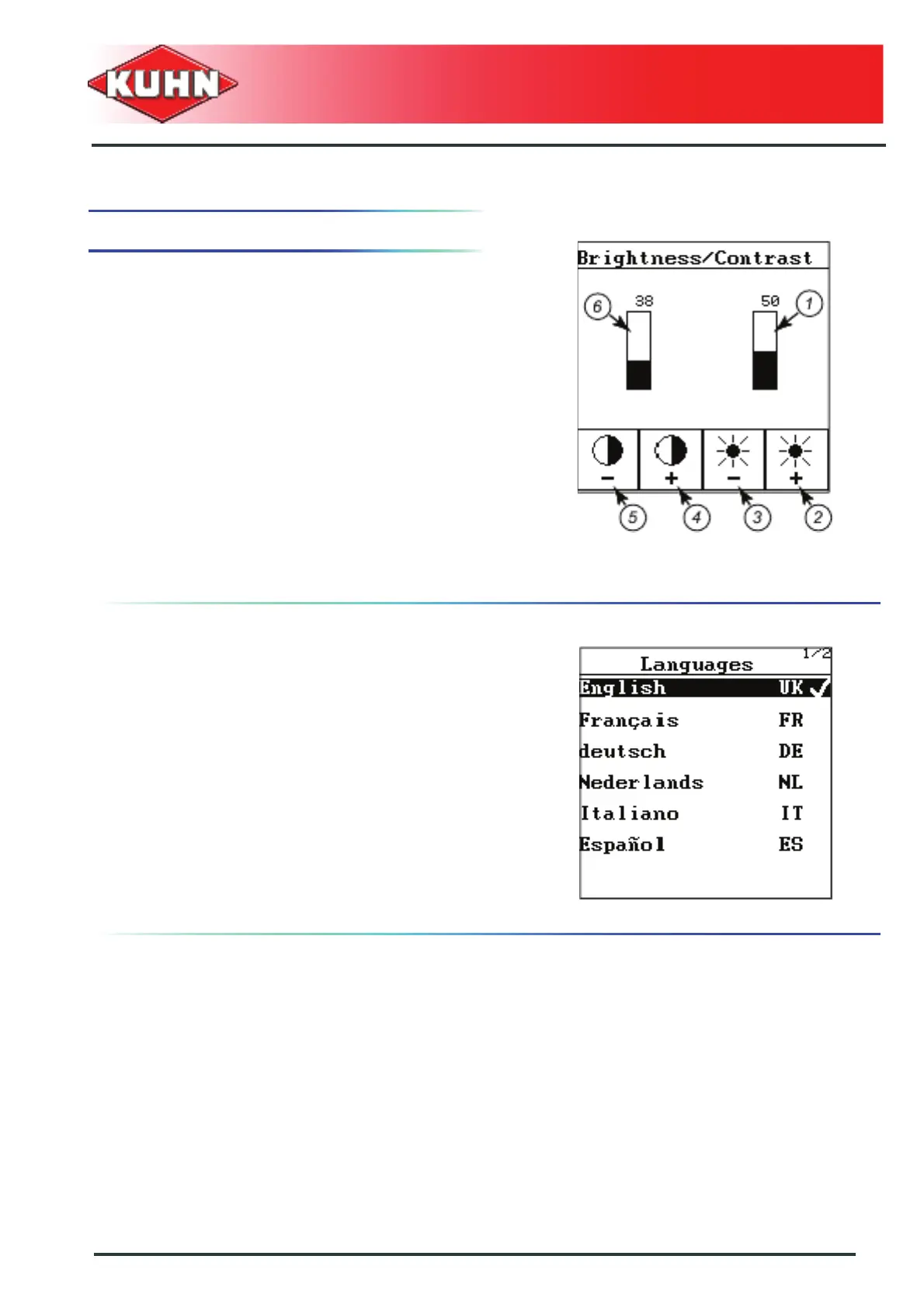
Brightness/Contrast
- Press on the button «F3 (-)» (3), to reduce the
brightness (1).
- Press on the button «F4 (+)» (2), to increase the
brightness (1).
- Press on the button «F1 (-)» (5) to reduce contrast (6).
- Press on the button «F2 (+)» (4) to increase
contrast (6).
Language
There are 12 different languages available to navigate in
the control box menus.
- Select the "Language" submenu.
Page 1 out of two appears on the screen.
The other languages are listed on page 2/2.
- Move downwards using the arrow key until page 2/2
appears.
- Choose country language.
- Confirm your choice by pressing Enter key.
The control box comes ON again. The menus are
displayed in the new language.



 To Next Page