Operating the oven
46
User's guide
11. Operating the oven
The fan is switched on and off in the case of some programmes, but this is not an indication of
a fault.
11.1. Symbols
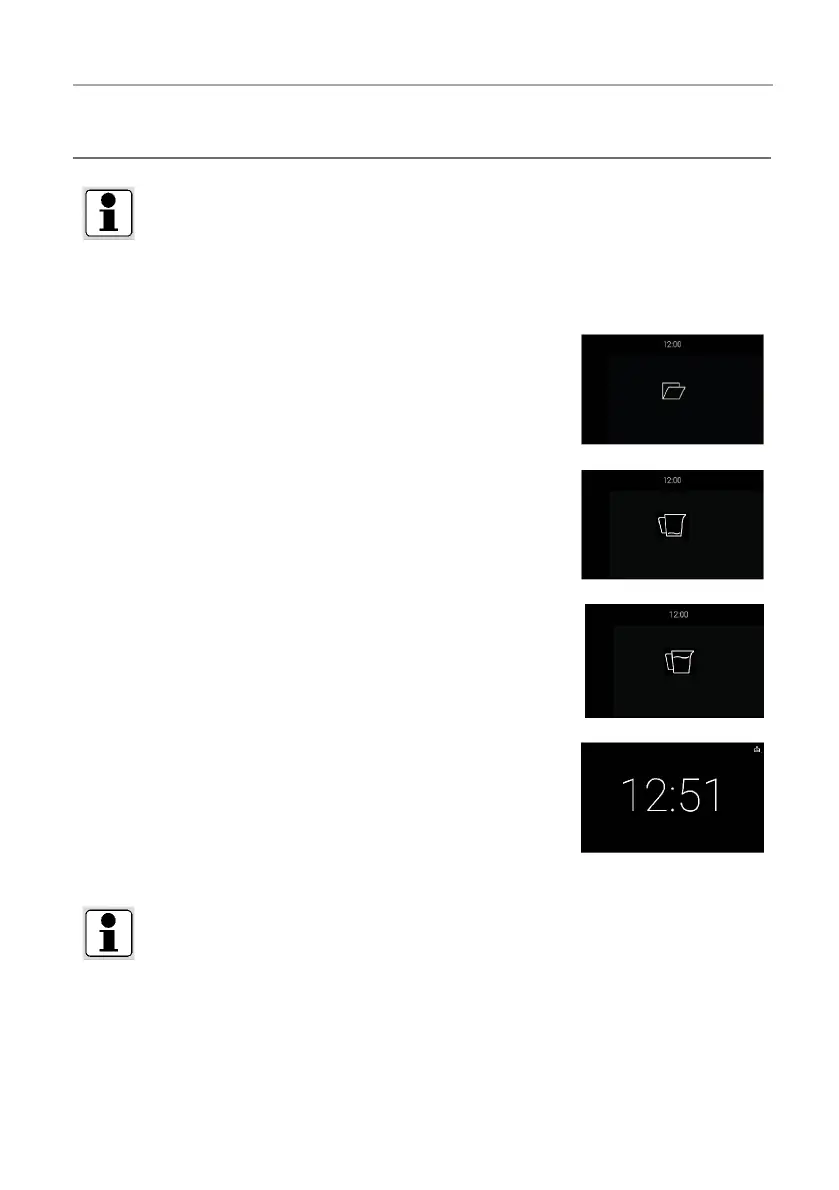
The opening sensor has been activated and the panel opens. The dis-
play remains active until the fi nal opening angle has been reached. You
can manually open the panel when the indicator is off.
□ The water tank is empty. Please fill the water tank to continue or
start the process.
□ The remaining water was pumped back into the water tank. Please
empty the water tank.
The remaining water will now be pumped back into the water tank.
Please do not remove the water tank while the symbol is visible. The
pump down process is interrupted when the appliance door is opened.
When the door is closed, the pumping process starts again.
GENERAL INFORMATION
When opening the door during or after a process, hot steam may escape. Please open the door
with a certain distance.
Risk of burning!
When opening the door, steam can escape. This collects below the door in a "collecting channel".
Please wipe this channel after each operation. Please use always the not perforated cooking
container as drip pan.









 To Next Page