Operating the oven
User's guide
49
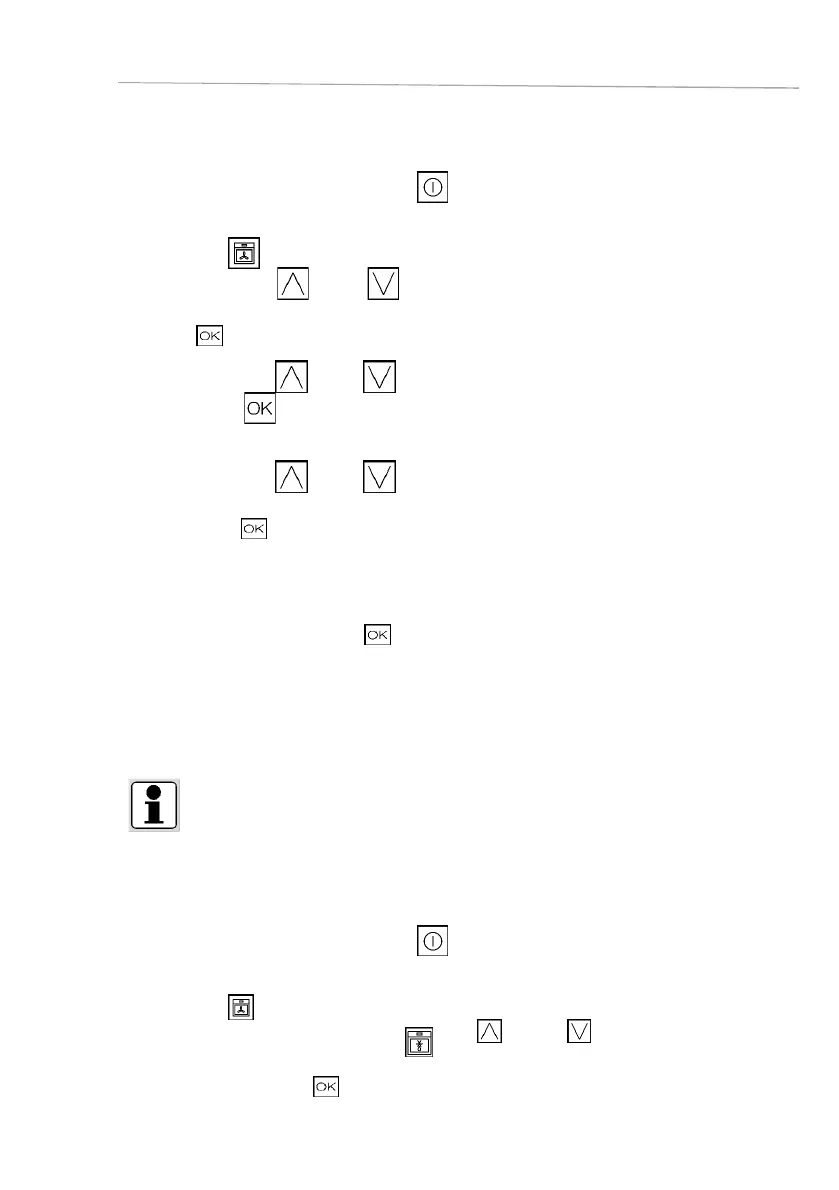
11.5. Selecting a cooking function
□ Switch the oven on by touching symbol
.
□ Select the tile on the home screen.
□ Press the symbol
(up) or (down) to select the cooking
functions.
□ Press
to confirm your setting.
□ Press the symbol (up) or (down) to select the function.
□ Confirm with
.
□ Press the symbol (up) or (down) to select the cooking
temperature.
□ Confirm with .
Go to the settings overview. You can also set the cooking time or the
fi nish time. (See chapters Cooking time setting/ End of cooking time
setting.)
□ To confirm the settings, press
. The cooking process will be
commenced.
11.6. Selecting a special function
INFO
Some of the special functions work with steam. In these cases it is necessary to fi ll the water
tank in advance.
You will fi nd an overview of the special functions in chapter 10. Overview of the steam cooker
functions
□ Switch the oven on by touching symbol
.
□ Select the tile on the home screen.
□ Select the desired special function
with (up) or
(down).
□ Confirm the setting with
.









 To Next Page