Apps and Entertainment 109
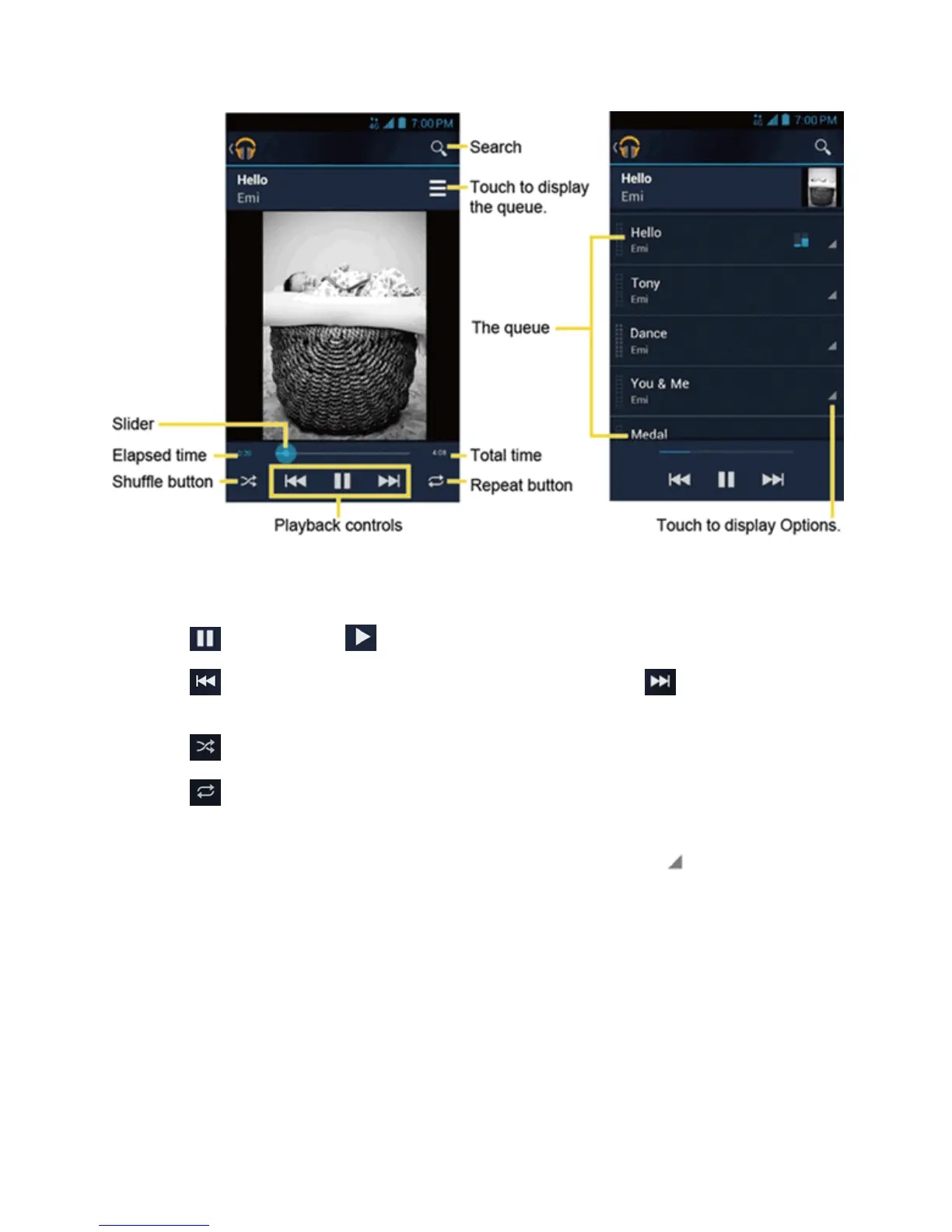
Thefollowingoptionsareavailableforthecontrol:
n Dragtheslidertorewindorfast-forward.
n
Touch topause.Touch toresumeplaying.
n
Touch togobacktothestartofthecurrentlyplayedpiece.Touch tojumptothestartof
thenextpiece.
n
Touch totoggleshuffleonoroff.
n
Touch tocyclethroughtherepeatmodes:Repeating all songs,Repeating current
song,orRepeat is off.
WhileusingtheMusicapplicationyoucantouchthetriangularmenubutton nexttoanysong,
album,artist,orplaylisttoviewadditionaloptions.Theseoptionsmayvarydependingonthemusic
data.
n Play nexttoplaythesongnext.
n Add to queuetoaddthesongtothequeue.
n Add to playlisttoaddthesongtotheplaylist.
n Remove from queuetoremovethesongfromthequeue.
n More by artisttoshowanotheralbumoftheselectedartist.











 To Next Page