Phone Basics 23
Tip:FortipsonusingSwype,touchandholdtheSwypekey andthentouchHelp>How to
Swype.
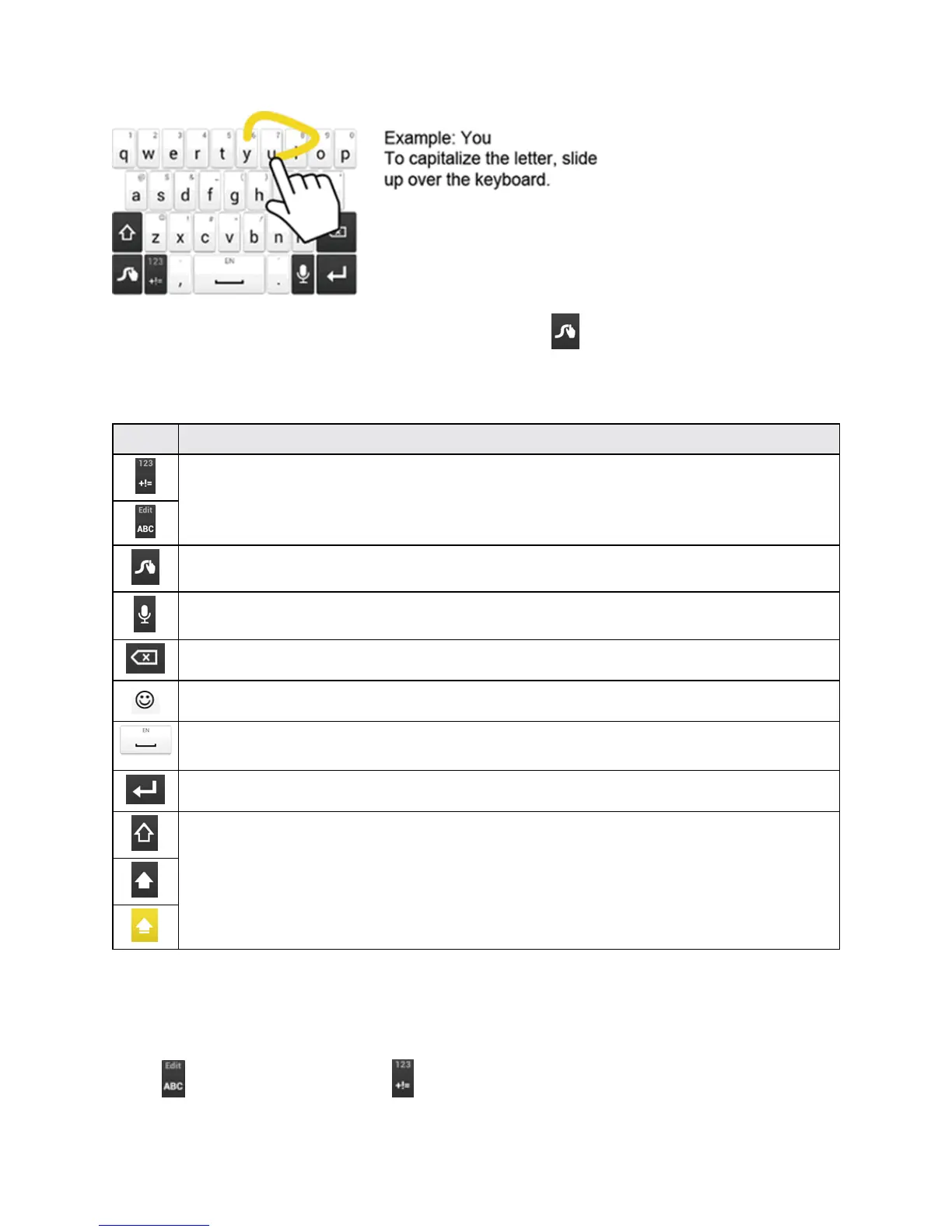
SomeofthekeysontheSwypekeyboardaregivenbelow:
Key Description
Text mode:TouchtotogglebetweentheAlphabetkeyboardandNumber&Symbol
keyboard.
Swype:TouchandholdtoaccessthetipsorthesettingsofSwype.
Voice input mode:Touchtoentertextusingyourvoice.
Backspace:Touchtodeleteacharacter.Touchandholdtodeletemultiplecharacters.
Smiley:Touchtoinsertasmiley.Touchandholdtoviewandselectothersmileys.
Space:Touchtoinsertaspace.Thelettersonthekeyshowthekeyboard’slanguage.
TouchandholdtobringuptheLanguagesscreentoselectanotherlanguage.
Enter:Touchtoconfirmyourentryormovetoanewline.
Shift:Touchtotogglebetweenthelowercase,uppercase,andcapslocktextinput.
Text Mode
ABCmodeisprimarilyusedforenteringletterswhileNumber&Symbolmodefornumbersand
symbols.
Touch toselectABCmode.Touch toselectNumber&Symbolmode.











 To Next Page