Camera and Video 139
l Dragthedotonthetimelinetorewindorforwardthevideo.
Working with Pictures
Youcanmanageyourpicturesandvideos.
Picture Options Menu
Withapicturedisplayed,pressMenu toshowthefollowingmenu.
n Slideshow:Startstheslideshowofthepicturesstored.
n Edit:Editsthepicture.SeeEditaPicture.
n Rotate left/Rotate right:Rotatesthepicture.
n Crop:Cropsthepicture.SeeCropaPicture.
n Set picture as:Setsthepictureasthecontactphotoorwallpaper.
n Details:Showsthedetailedinformationoftheimage.
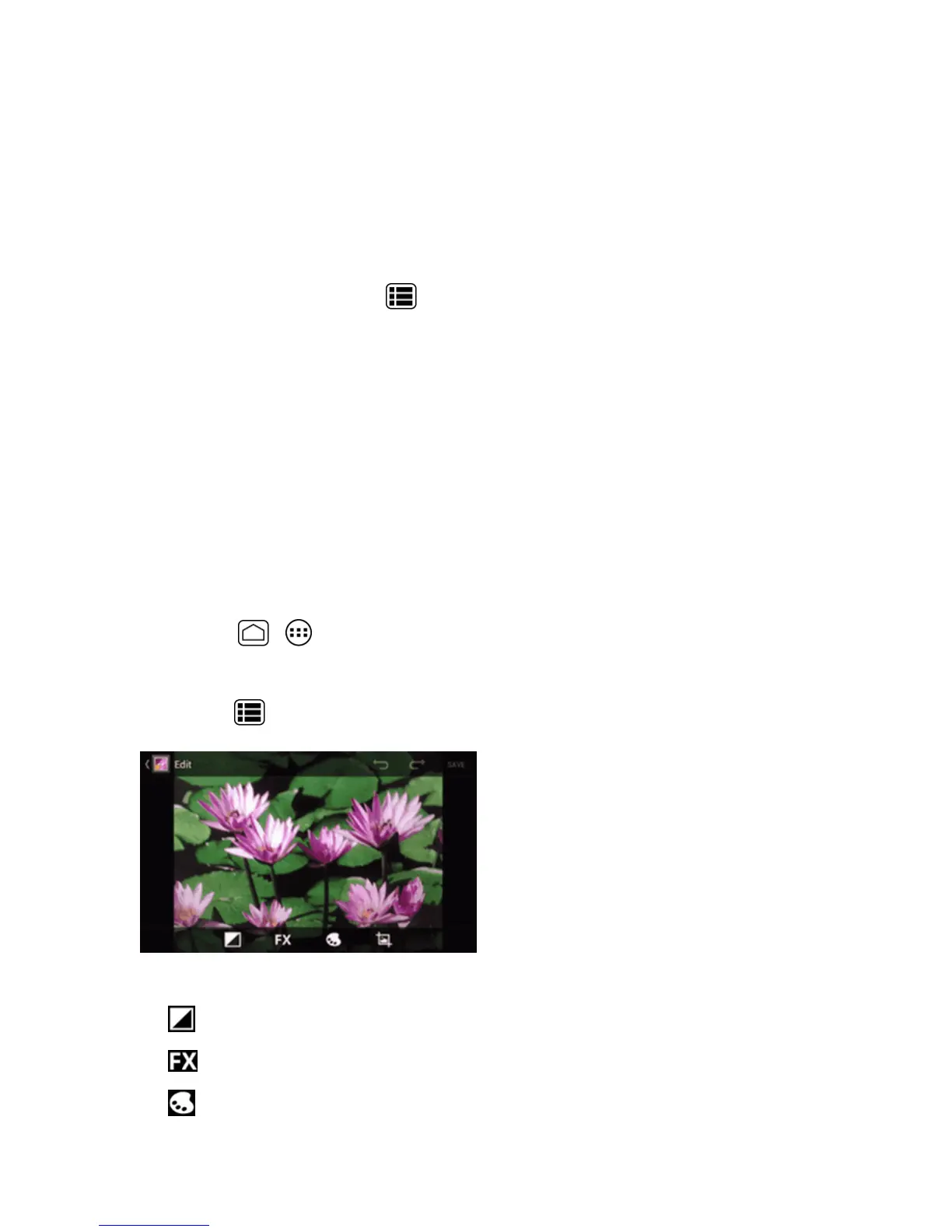
Edit a Picture
Yourphonehasabuiltineditingtoolandyoucanalterthepictureyoutookeasily.
1.
PressHome > >Gallery.
2. Touchanalbumandthentouchapicture.
3.
PressMenu >Edit.
4. Touchthefollowingicontoeditthepictureandscrollleftandrighttoselectyourfavoriteeffect.
l
toaddexposureeffect.
l
toaddartisticeffect.
l
toaddcoloreffect.











 To Next Page