Sprint Direct Connect 64
1.
PressHome >Menu >System settings>Direct Connect settings>Group call
options.
2. Selectanoption:
l Allow the call to continue.:Keepsthecallactiveevenafteryouhangup.Thecallwill
remainactiveuntilthelastmemberdisconnects.
l End the call for everyone.:Terminatesthecallsessionforallconnectedmemberswhen
youhangup.
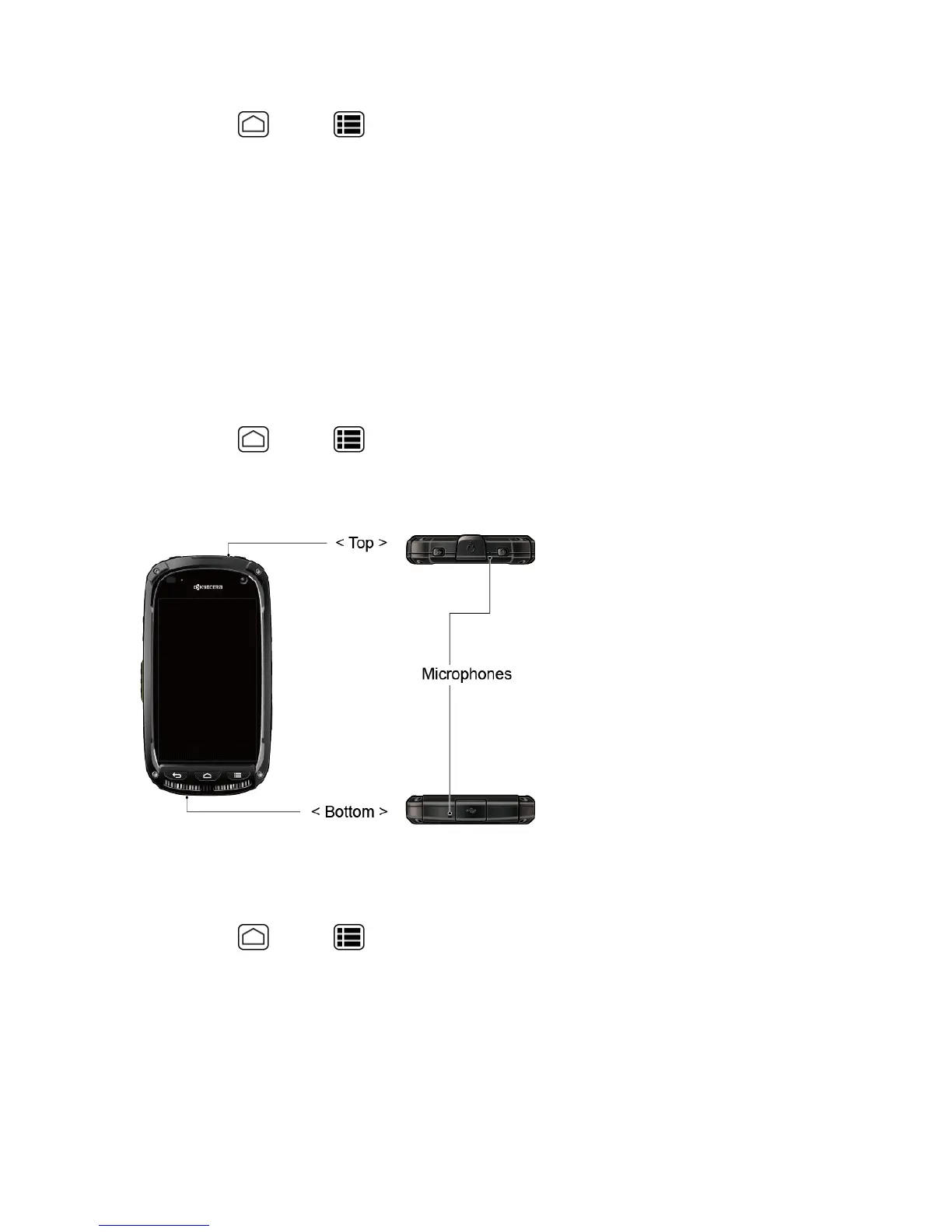
Active MIC in DC Speaker Mode
YourphoneisequippedwithtwomicrophonesandyoucanchoosewhichonetouseforDCspeaker
calls.
1.
PressHome >Menu >System settings>Direct Connect settings>Active MIC
in DC Speaker mode.
2. SelectToporBottom.
DC Headset Mode
YoucanusetheheadsetbuttonastheDC Button.
1.
PressHome >Menu >System settings>Direct Connect settings.
2. SelecttheDC headset modecheckboxtoenablethefunction.
One Touch DC
YoucanselectthefunctionoftheDC Buttonwhenyoupressitinstandbymode.Bydefault,it
displaysyourDirectConnect(includingCallAlertandInvite)Calllogs.Youcanalsoselecttoenable











 To Next Page