Get Started 2
Set Up Your Phone
Youmustfirstinstallandchargethebatterytobeginsettingupyourphone.
Insert and Charge the Battery
Followthestepsbelowtoinsertthebatteryandchargeit.
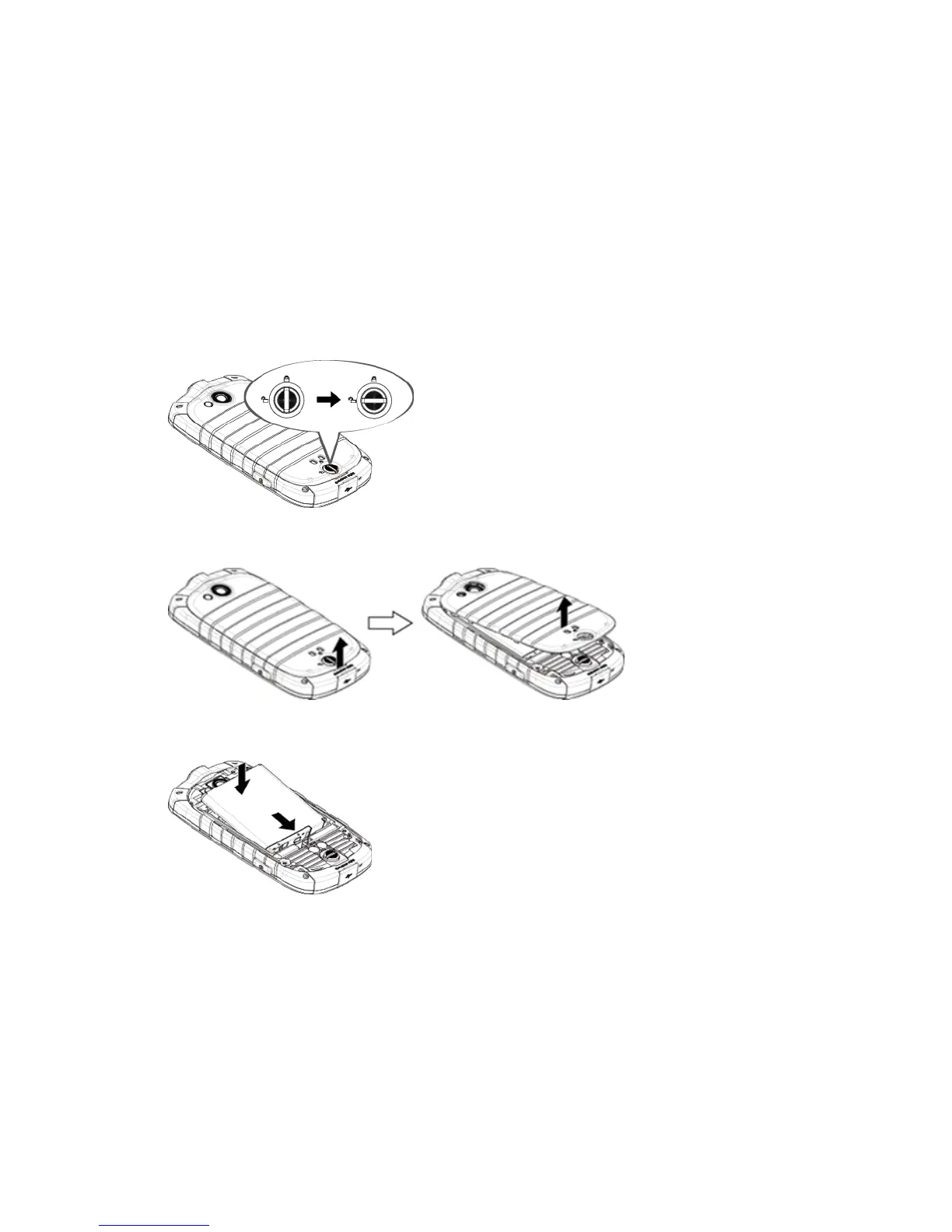
1. Installthebattery.
l Turnthebatterycoverlockcounter-clockwisetotheunlockedposition.
l Insertyourthumborfingernailintotheslotandliftthebatterycovergently.
l Insertthebattery,contactsendfirst,andgentlypressthebatteryintoplace.
l Replacethebatterycover,makingsureallthetabsaresecureandtherearenogapsaround
thecover.











 To Next Page