Get Started 3
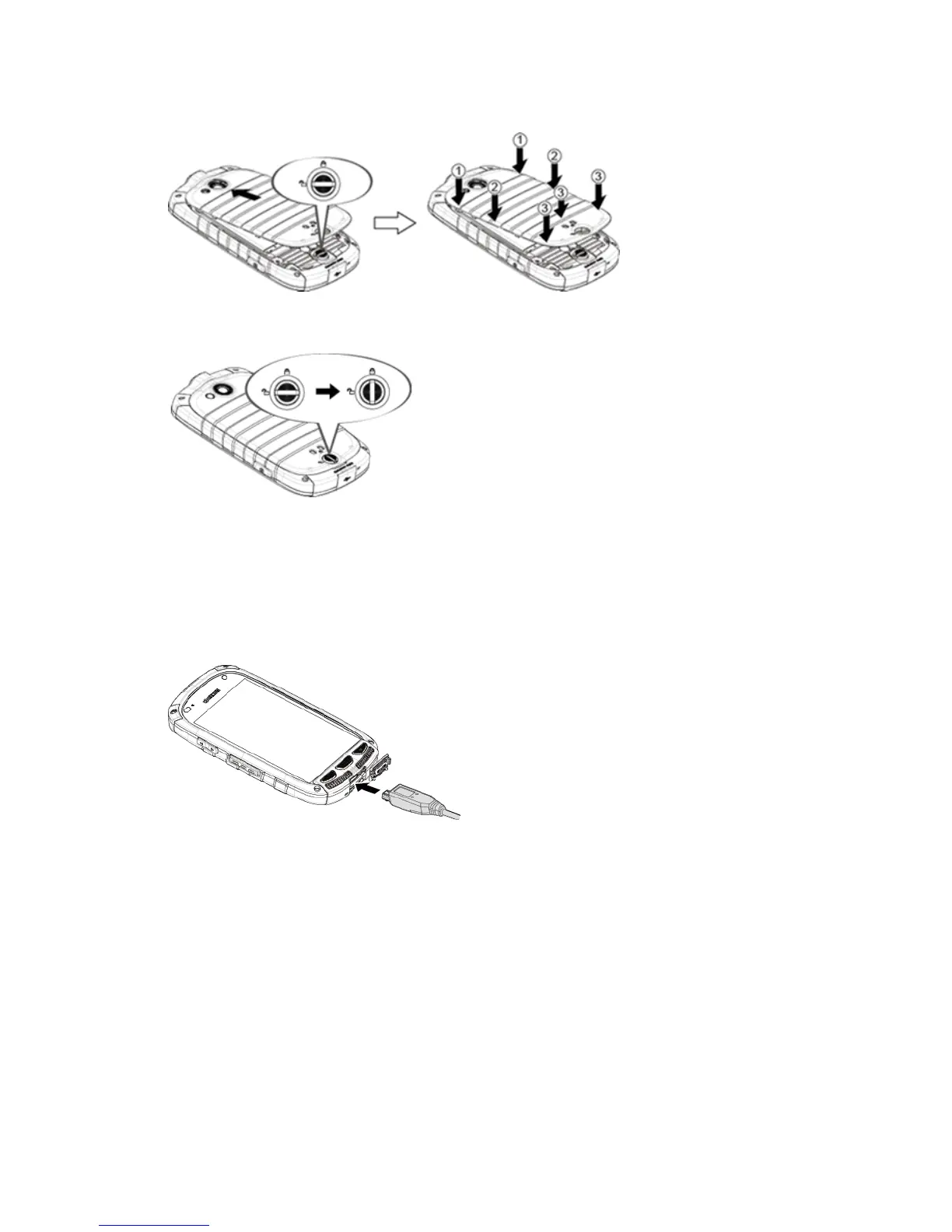
l Turnthebatterycoverlockclockwisetothelockedposition.
Note:Whenyouinsertthebattery,yourphonemaypoweronautomatically.
2. Chargeyourbattery.
l Openthecoverofthecharger/accessoryjack.
l PlugthesmallerendoftheUSBcableintothephone’scharger/accessoryjack.
l PlugtheotherendoftheUSBcableintothecharger,andthenplugthechargerintoan
electricaloutlet.
Note:Yourphone’sbatteryshouldhaveenoughchargeforthephonetoturnonandfindasignal,
setupvoicemail,andmakeacall.Youshouldfullychargethebatteryassoonaspossible.
3. PressandholdthePower Buttontoturnthephoneon.
l Ifyourphoneisactivated,itwillturnonandsearchforSprintservice.
l Ifyourphoneisnotyetactivated,seeActivateYourPhoneformoreinformation.











 To Next Page