Camera and Video 132
l Tozoominandout,slidethescreenwithyourfingerupanddown.Thezoomsliderappears
onthescreen.
5. Frameyoursubjectonthescreen.
Tip:Holdthephoneverticallywhentakingportraitshotsorholdthephonehorizontallywhentaking
landscapeshots.
6.
Touch totakethepicture.
7. Choosewhatyouwanttodowiththepictureyou’vejusttaken.SeeReviewScreenfordetails.
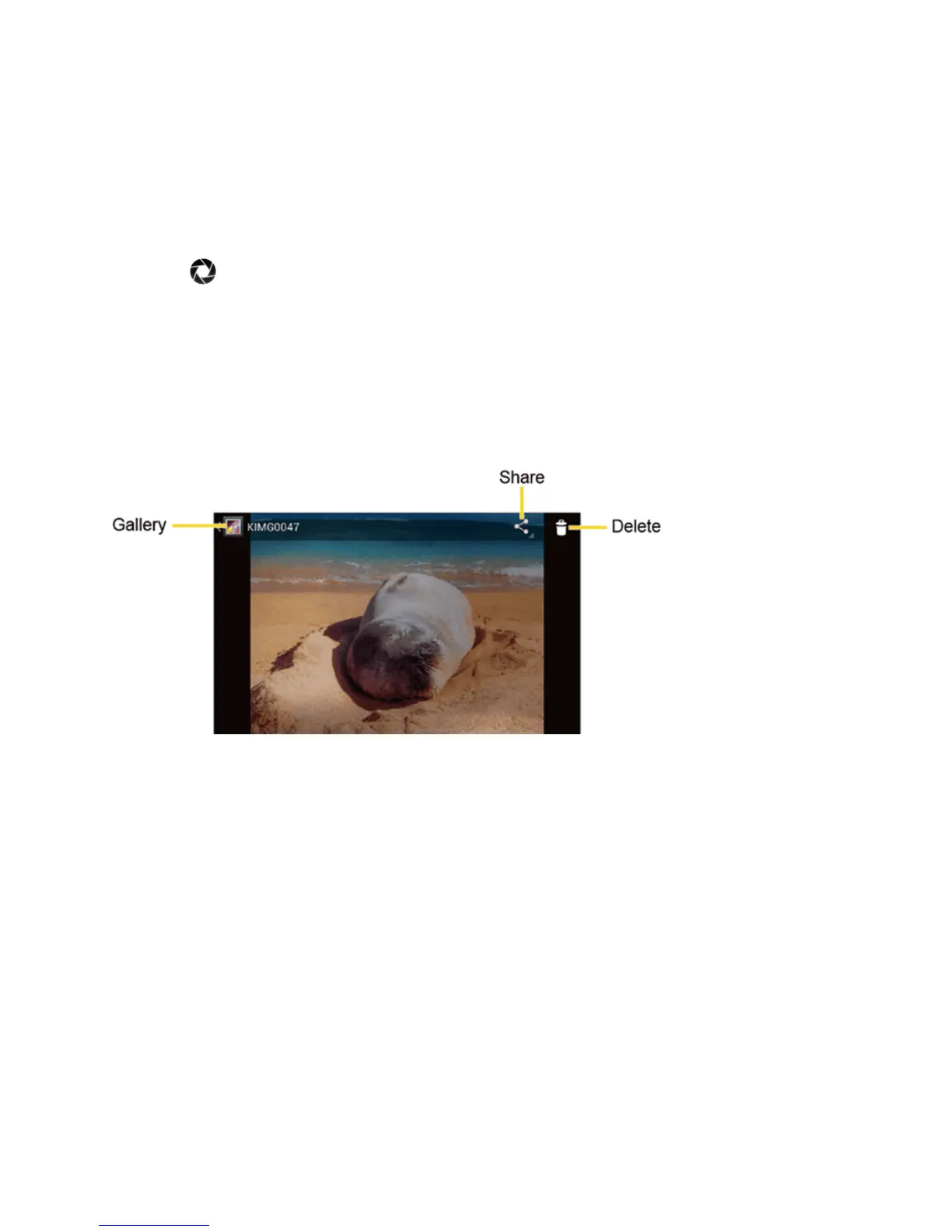
Review Screen
Aftercapturingapictureorvideo,touchthethumbnailimagetoseetheiteminthereviewscreen.
Fromthere,youcaninstantlyshareyourphotosorvideos,(seeSharePicturesandVideos)ortouch
theGalleryicontoedityourphotosorvideos(seeViewPicturesandVideos).
n Gallery:OpenstheGalleryapplication.SeeViewPicturesandVideosUsingGallery.
n Share:Displaystheavailableapplicationstoshareyourimage.
n Delete:Deletethecurrentlydisplayedimage.ConfirmthedeletionbytouchingOK.
Record Videos
Thefollowingtopicsteachyouhowtorecordvideoswithyourphone’svideocamera.
Video Viewfinder Screen
Theviewfinderscreenletsyouviewyoursubjectandaccessvideocameracontrolsandoptions.











 To Next Page