Phone Calls 31
Phone Calls
WiththeSprintNationalNetworkandyourphone’scallingfeatures,youcanenjoyclearphonecalls
acrossthecountry.
Note:Thecallinginformationinthefollowingtopicsrefertotraditionalwirelessphonecalls.For
informationonmakingandansweringDirectConnectcalls,GroupConnectcalls,andTeamDC
calls,seeSprintDirectConnect.
Make Phone Calls
Thereareseveralconvenientwaystoplacecallsfromyourphone.
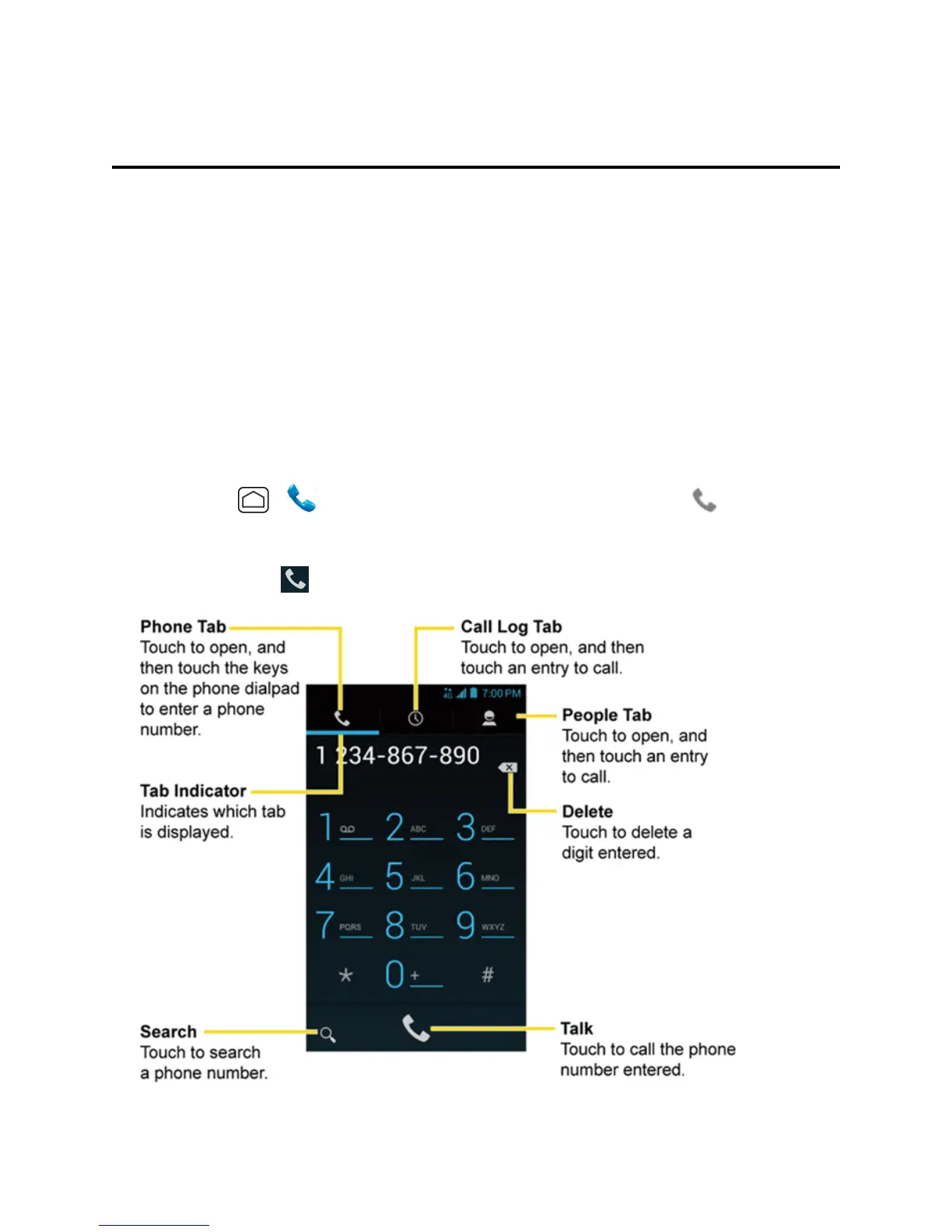
Call Using the Phone Dialpad
Themost“traditional”waytoplaceacallisbyusingthephone’sdialpad.
1.
PressHome > .Ifthedialpadisnotdisplayed,touchthePhonetab .
2. Touchthenumberkeysonthedialpadtoenterthephonenumber.
3.
TouchtheTalkkey tocallthenumber.











 To Next Page