Tools and Calendar 146
2. Dooneofthefollowing:
l TouchSnoozeundertheeventnametopostponetheeventreminderforfiveminutes.
l Touchtheeventnametoaccesstheremindersettings.
o
Vieworedittheremindersettings.
o
Touch >OKtodeletetheevent.
o
Touch toaccesstheeventsettings.
l
PressBack tokeepthereminderpendinginthenotificationsareaofthestatusbar.
Tosetremindersettings:
n
OnanyCalendarview,pressMenu >Settings>General settings,andsettheitems
underREMINDER SETTINGS.
View Calendar Events
YoucandisplaytheCalendarindaily,weekly,monthly,oragendaview.TochangetheCalendar
view,touchthedatedisplayedattheupperleftcorner,andtouchDay,Week,Month,orAgenda.
Thecoloroftheeventsindicatesthetypeofcalendarthatincludestheevent.Tofindoutwhateach
colorrepresents,pressMenu >Calendars to display.
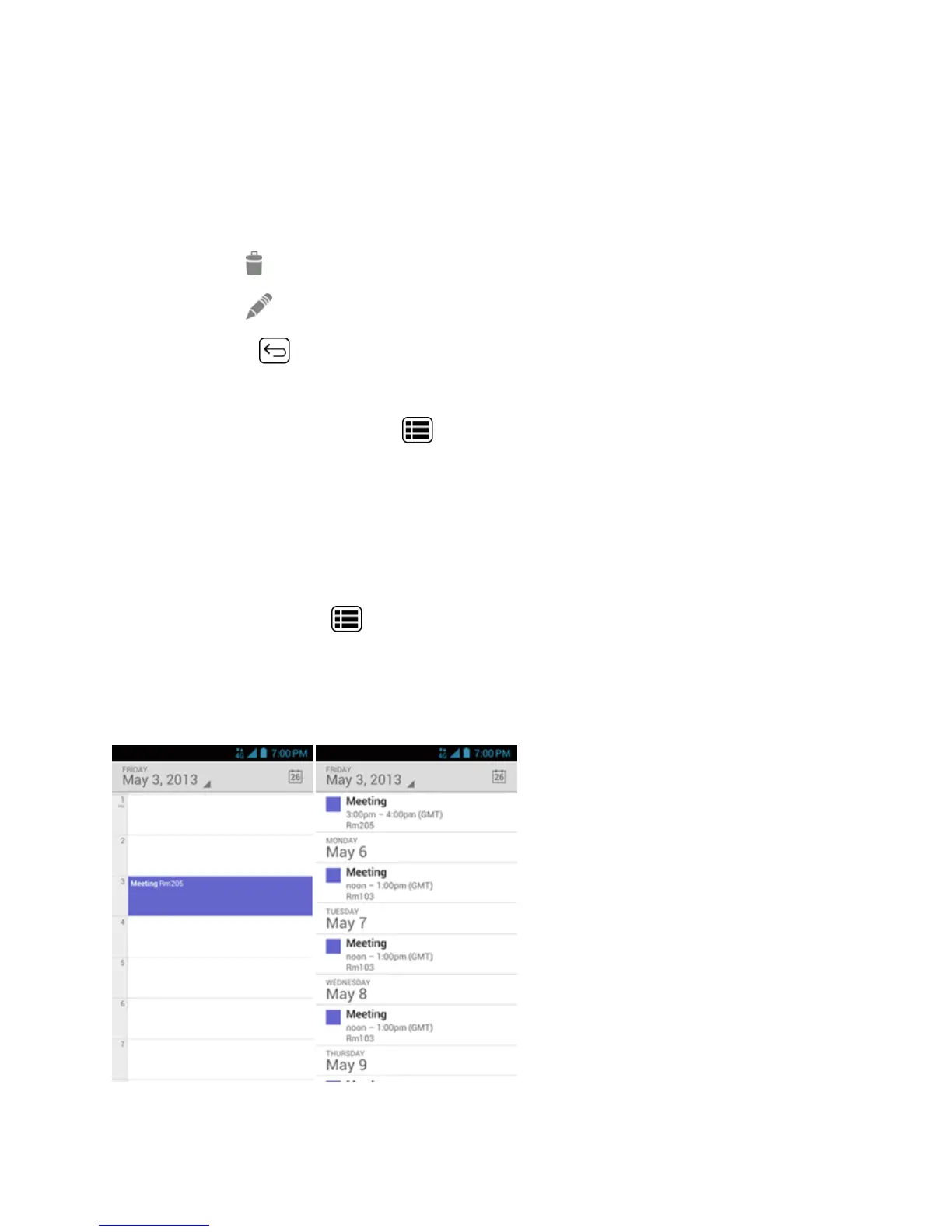
Day and Agenda Views
Dayviewdisplaysalistoftheeventsofoneday.Agendaviewshowsalistofallyoureventsin
chronologicalorder.
WheninDayview,slideleftorrightacrossthescreentoviewearlierorlaterdays.











 To Next Page