Phone Basics 16
Note:TheAuto-rotate screencheckboxneedstobeselectedforthescreenorientationto
automaticallychange.PressHome >Menu >System settings>Display>Auto-rotate
screen.
Your Home Screen
Thehomescreenisthestartingpointforyourphone’sapplications,functions,andmenus.Youcan
customizeyourhomescreenbyaddingapplicationicons,shortcuts,folders,widgets,andmore.
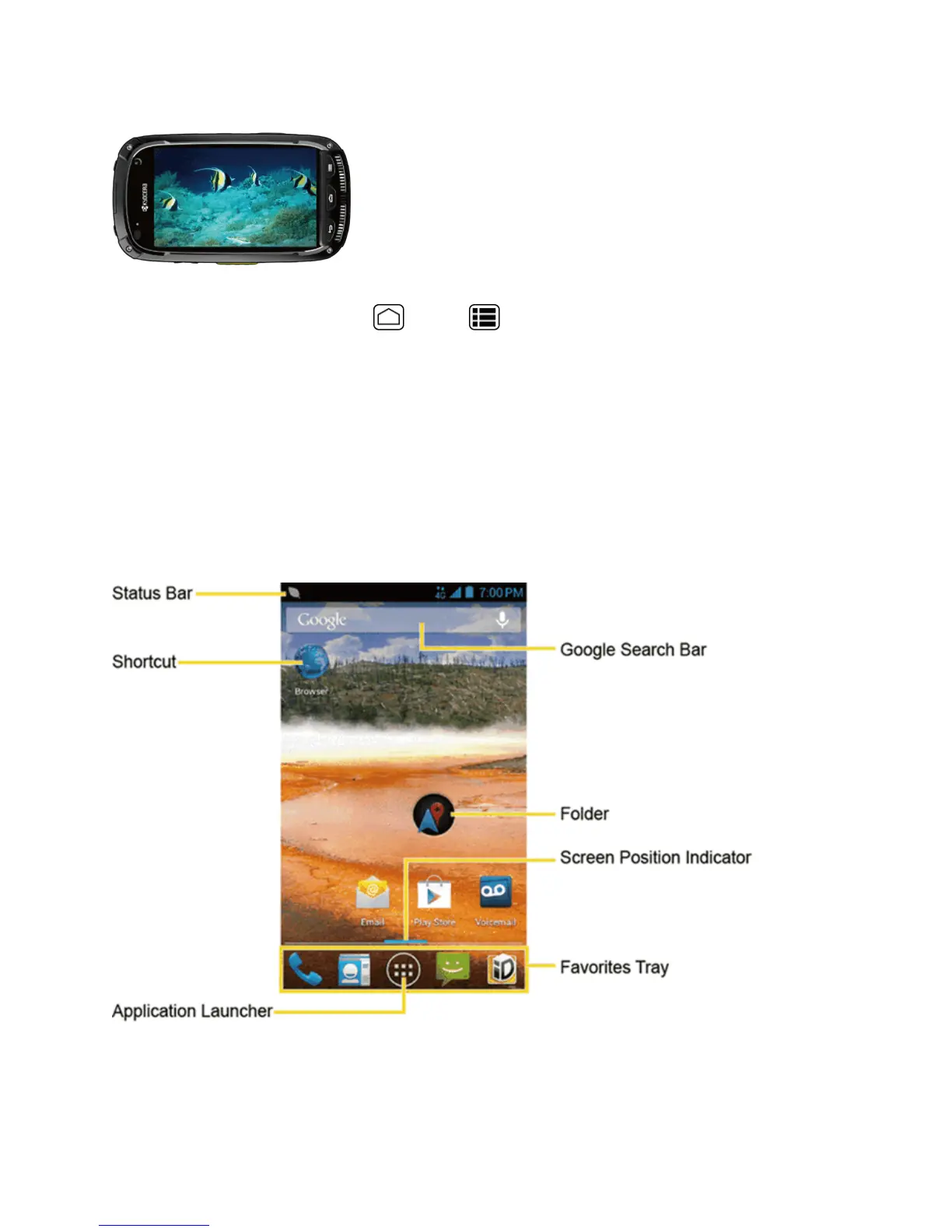
Home Screen Overview
Yourhomescreenextendsbeyondtheinitialscreen.Swipethescreenleftorrighttodisplay
additionalscreens.
n Status Bar:Displaysthetime,notification,andphonestatusicons.Slidedowntodisplaythe
Notificationspanel.
n Shortcut:Allowsuserstoquicklylaunchapplications.











 To Next Page