Get Started 5
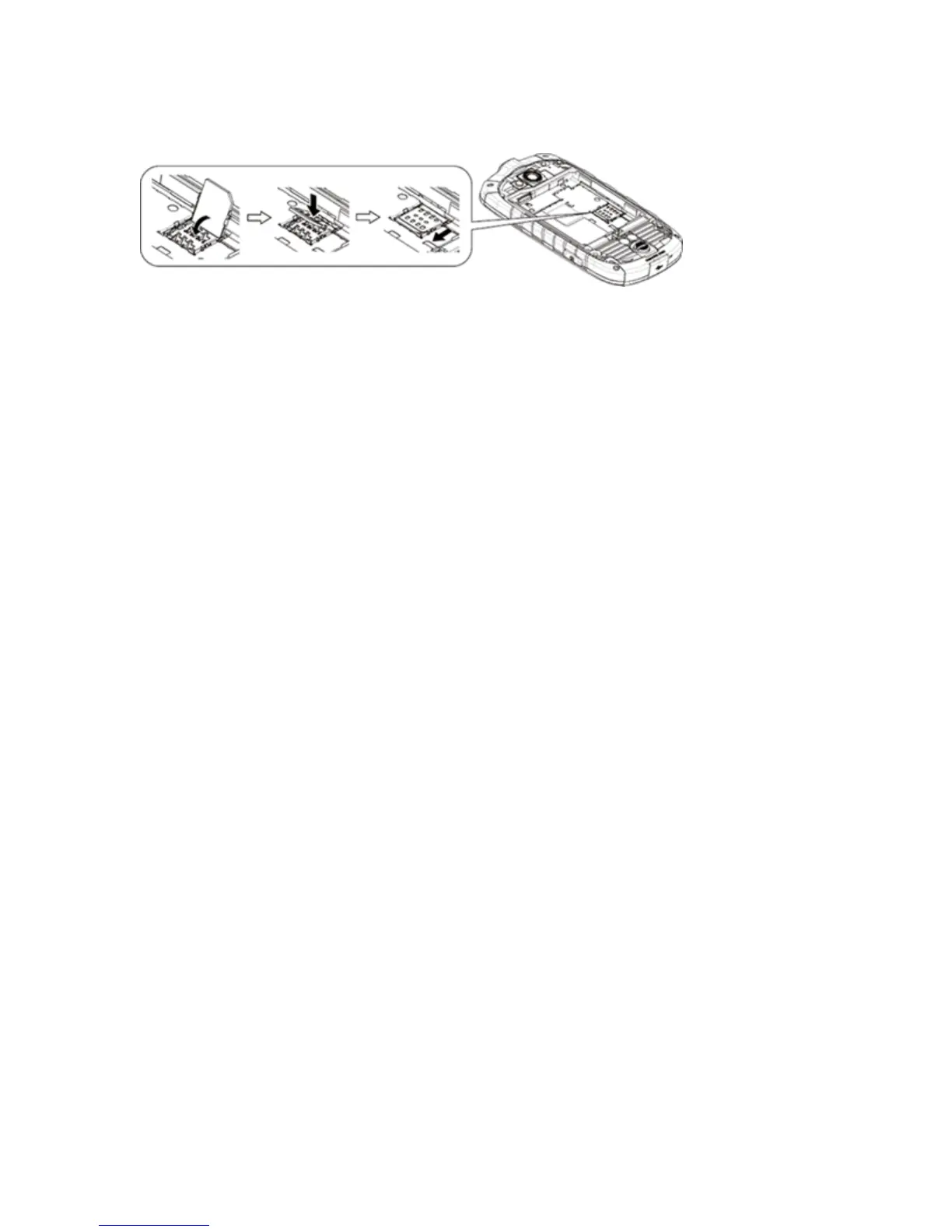
5. ReplacetheflapoftheSIMcardholderandslidetheflapinthedirectionofthearrowtolockit.
6. Replacethebatteryandthebatterycover.SeeInsertandChargetheBattery.
Activate Your Phone
Followtheinstructionsbelowtoactivateyourphoneifithasnotalreadybeenactivated.Depending
onyouraccountorhowandwhereyoupurchasedyourphone,itmaybereadytouseoryoumay
needtoactivateitonyourSprintaccount.
n IfyoupurchasedyourphoneataSprintStore,itisprobablyactivatedandreadytouse.
n IfyoureceivedyourphoneinthemailanditisforanewSprintaccountoranewlineofservice,it
isdesignedtoactivateautomatically.
l Whenyouturnthephoneonforthefirsttime,youshouldseeaHands Free Activation
screen,whichmaybefollowedbyaPRL UpdatescreenandaFirmware Updatescreen.
Followtheonscreeninstructionstocontinue.
n Ifyoureceivedyourphoneinthemailandyouareactivatinganewphoneforanexistingnumber
onyouraccount(you’reswappingphones),youcanactivateonyourcomputeronlineordirectly
onyourphone.
l Activate on your computer:
o
Gotosprint.com/activateandcompletetheonlineinstructionstoactivateyourphone.
l Activate on your phone:
o
Turnonyournewphone.(Makesuretheoldoneisturnedoff.)Yourphonewill
automaticallyattemptHands-FreeActivation.
o
Ifanerroroccurs,touchActivatetooverrideauto-activationandstartthemanual
activationwizard.
o
Followtheon-screenpromptstocompletetheactivationprocess.
Toconfirmactivation,makeaphonecall.Ifyourphoneisstillnotactivatedoryoudonothaveaccess
totheInternet,contactSprintCustomerServiceat1-888-211-4727forassistance.
Tip:DonotpressthePower Buttonwhilethephoneisbeingactivated.PressingthePower
Buttoncancelstheactivationprocess.
Note:Ifyouarehavinganydifficultywithactivation,visitsprint.com/support.











 To Next Page