Tools and Calendar 151
2.
Touch onthescreen.
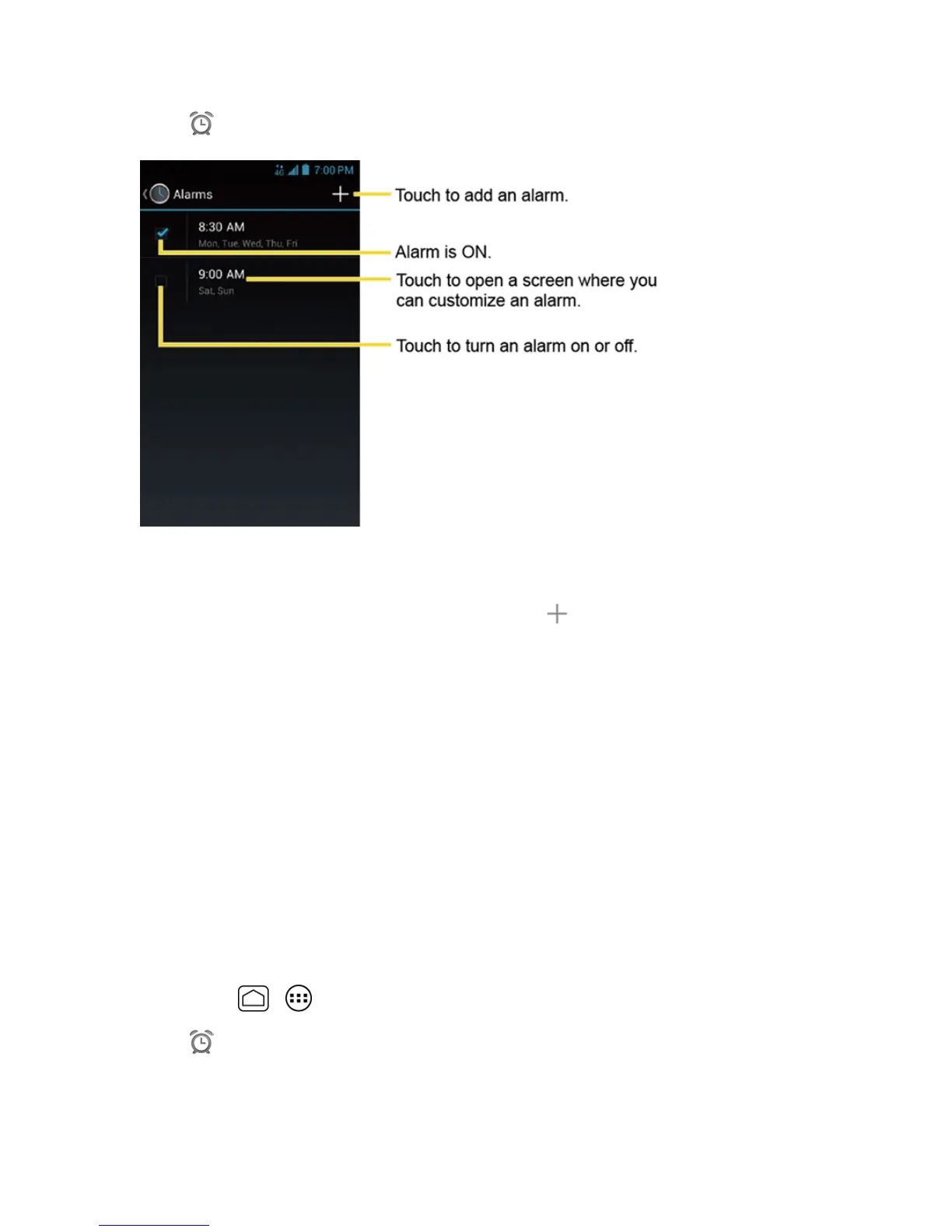
Note:Whenyoufirstopenthealarms,twoalarmsaresetupbydefaultandreadyforyouto
customize.Thesealarmsareturnedoffbydefault.
3.
Touchanexistingalarmtochangethesettingsortouch toaddanewoneandsetthealarm
time.
4. TouchTimetoadjustthehourandminutebyscrollingeachvalue.
5. TouchRepeattoselectarepeatstatusforthealarm.
6. TouchRingtonetoselectaringtonethatwillplayasanalarm.
7. SelecttheVibratecheckboxtoaddavibrationfeaturetothealarm.
8. TouchLabeltoenteranameforthealarm.
9. SelecttheTurn alarm oncheckboxtosetthealarmon.
10. Whenyou’refinished,touchDONE.(Alarmsthataresetarecheckedinblue.)
l Touchthecheckboxnexttoanalarmtoturnitonoroff.
Delete an Alarm
1.
PressHome > >Clock.
2.
Touch onthescreen.











 To Next Page