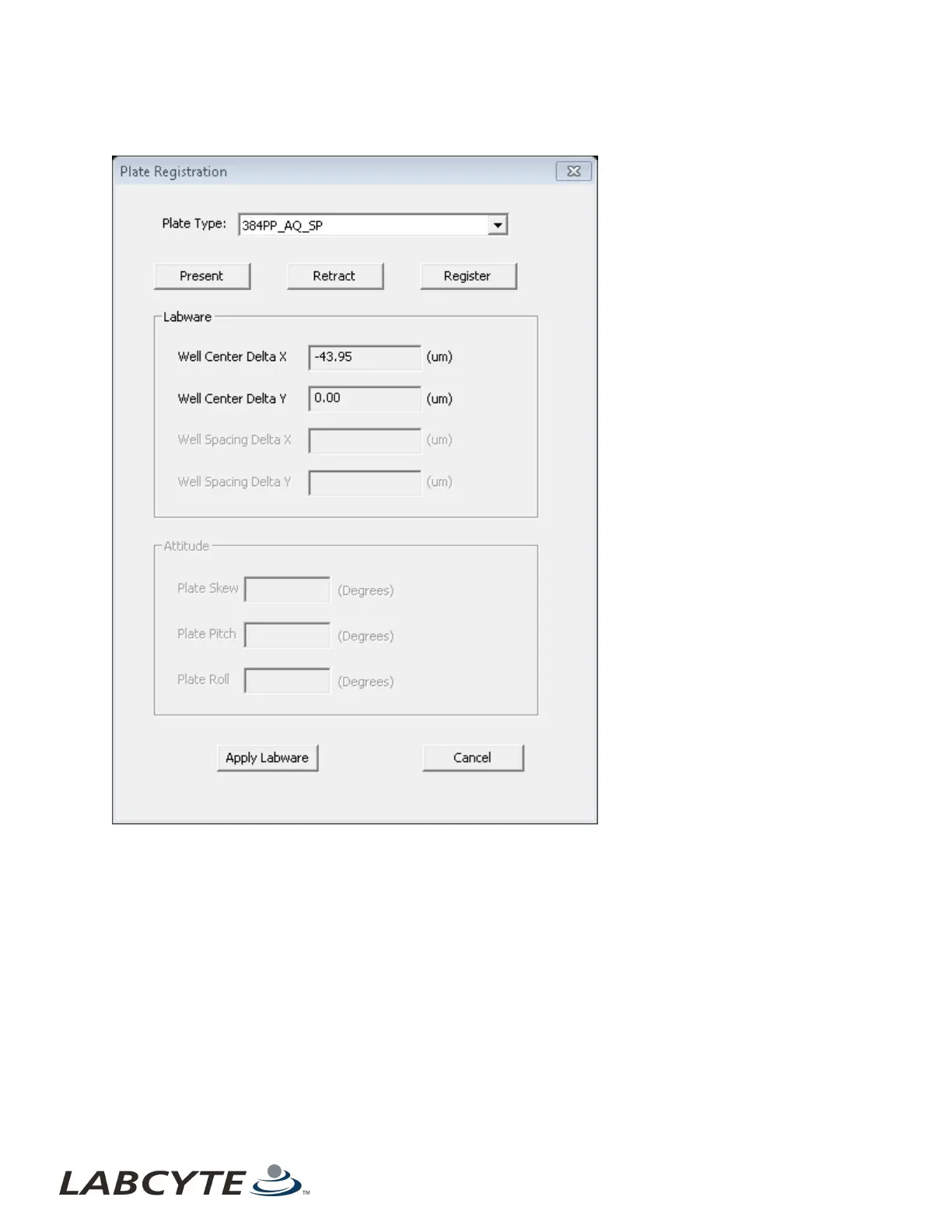
1. Click Register in the Calibration window. The Plate Registration window opens.
Figure 90: Plate registration window
2. Select the source plate type from the drop-down menu.
3. Click the Present button to extend the source plate gripper stage.
4. Place the source plate on the plate gripper.
5. Click the Retract button to draw the plate into the instrument.
6. Click the Register button. The Echo Liquid Handler calibrates the well position and displays the new well center values.
7. Click the Apply Labware button at the bottom of the dialog box, then Yes in the Confirmation Update dialog box, to update
the database.
Echo Liquid Handler Software CHAPTER 5 | Software
134



 To Next Page