System Overview
The topics below describe the front and back panel of the Echo 525 Liquid Handler.
l Front Panel
l Back Panel
Front Panel
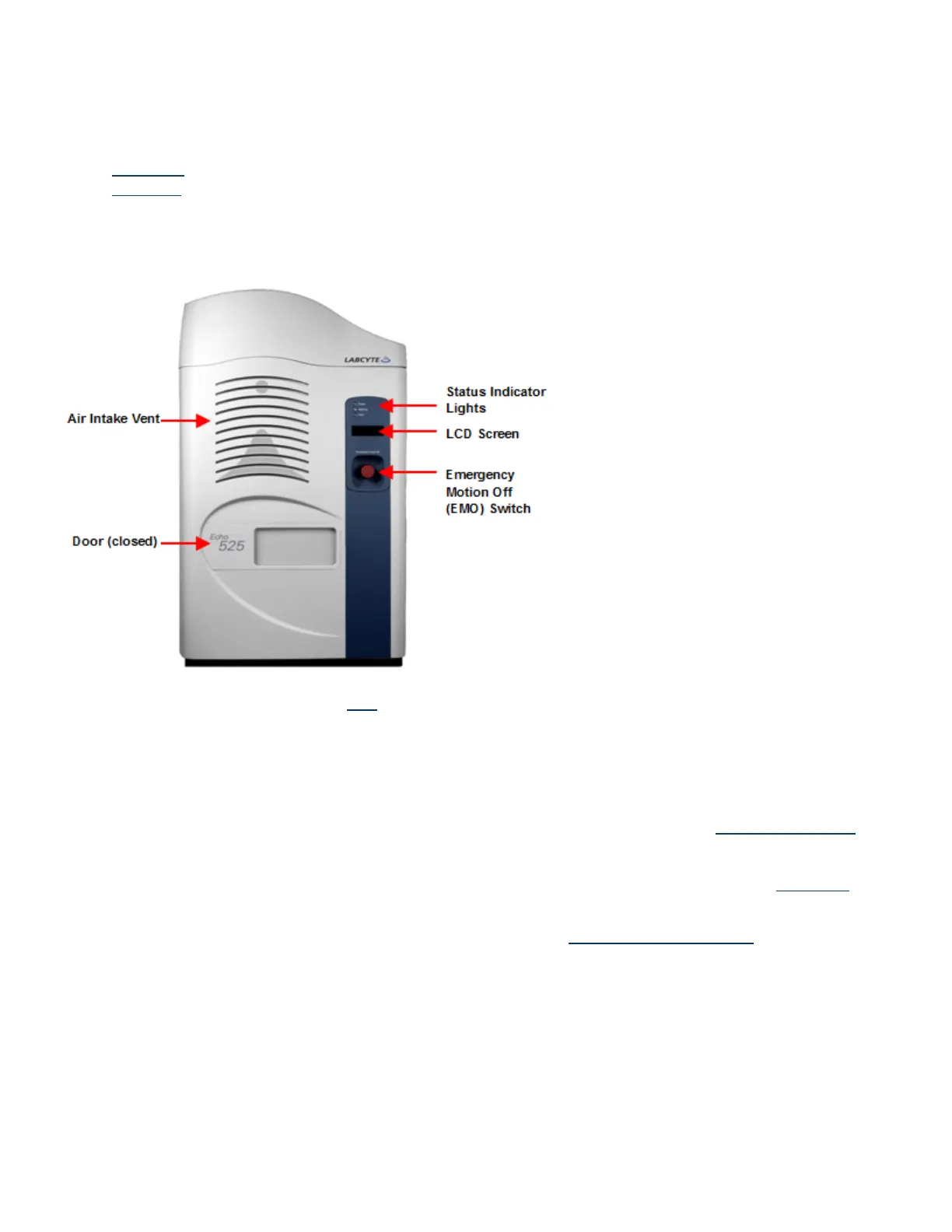
This topic provides a brief description of the components located on the front panel of the Echo 525 Liquid Handler.
Figure 10: Echo 525 Liquid Handler front panel
l Door: The door protects the operator from the moving mechanisms blocks stray light emitted by the barcode scanner
lasers. For more information, see the Door topic.
l Air Intake Vent: The Echo uses fans to cool its internal components, therefore the air intake vent should be unobstructed.
l Status indicator lights: There are three status indicator lights on the front of the Echo Liquid Handler:
l Power (green): The Echo Liquid Handler is on and ready.
l Warning (yellow): A component is out of position or a parameter is out of range and may require attention.
l Fault (red): A problem has occurred that stops the current task and requires immediate attention.
These status indicator lights are also provided on the back panel. For more information, see the Status Indicator Lights
topic.
l LCD screen: The LCD screen on the front of the Echo Liquid Handler reports what the Echo Liquid Handler is doing or what
operator action is required. This display is also provided on the back panel. For more information, see the LCD Screen
topic.
l Emergency motion off: The EMO (Emergency Motion Off) switch shuts down all mechanical Echo Liquid Handler activity.
This switch is also available on the rear panel. For more information, see Emergency Motion Off Switch.
27 PN | 001-11665
USER GUIDE | Echo® 525 Liquid Handler User Guide System Overview



 To Next Page