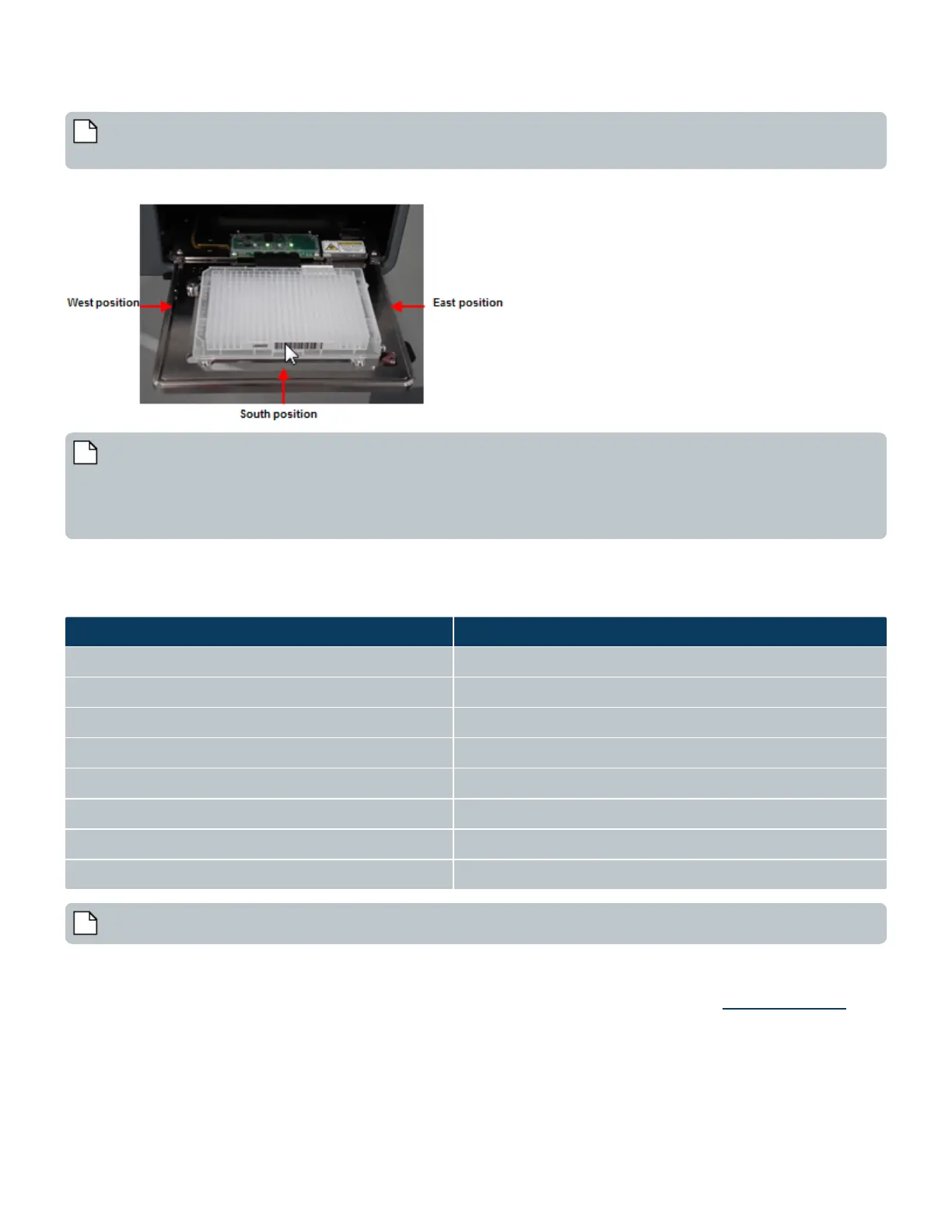
Note: Several terms are used to specify barcode locations on a microplate. Standing in front of an Echo Liquid Handler,
the two readable barcode locations are identified as follows:
Figure 23: Barcode label locations
Note: The default configuration is to place side barcode labels on the left side of both source and destination
microplates. The Echo Liquid Handler uses the barcode scanner on the left side to read the barcode on the source plate,
but uses the barcode scanner on the right side to read the barcode on the destination plate-after it is inverted. A third
barcode scanner can be added in the front to support reads on both source and destination plates. However, this is
typically not used.
Labcyte supports the following barcode scanner codes:
Compatible barcode reader formats Readable bar width (mm)
CODE 39 0.19 - 1.0
ITF 0.19 - 1.0
INTERLEAVED 2 of 5 0.19 - 1.0
CODABAR 0.19 - 1.0
UPC/EAN 0.19 - 1.0
CODE 128 0.25 - 1.0
COOP 2 of 5 0.19 - 1.0
CODE 93 0.25 - 1.0
Table 2: Barcode Reader(s)
Note: The readable bar width expresses the range in which the width of thin barcode bars (narrow bar width) is readable.
The Echo Liquid Handler can be configured to read four different barcode formats. By default, Labcyte installs the barcode formats
in bold listed above.
Contact Labcyte Service and Support to install or move the barcode scanners. For more information, see Contact Information.
37 PN | 001-11665
USER GUIDE | Echo® 525 Liquid Handler User Guide Component Description



 To Next Page