Controls and Indicators 79
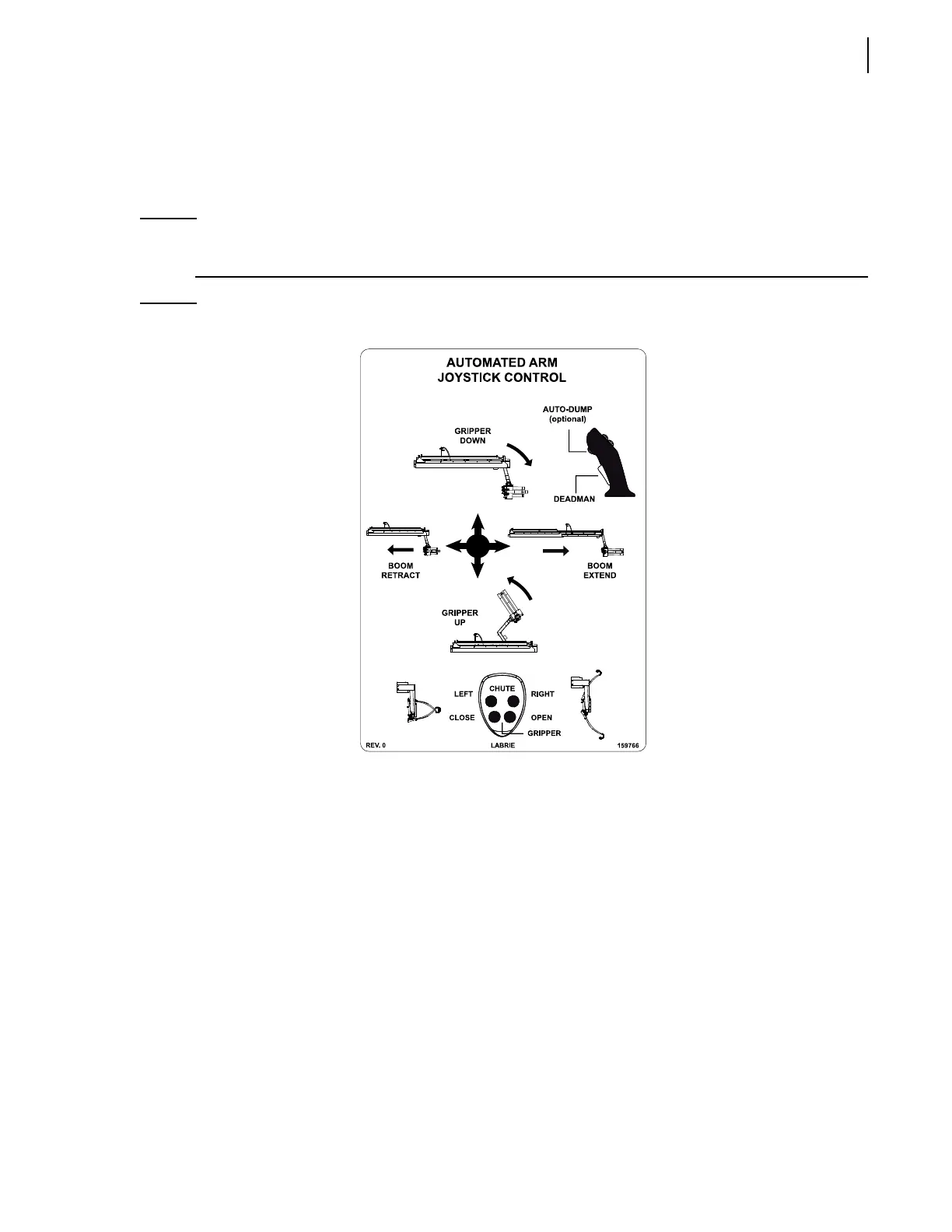
Shift the joystick backward at 45° between the gripper up and arm retract lettering to raise the
gripper and retract the arm at the same time.
Shift the joystick backward at 90° to the gripper up lettering to raise the gripper only.
Shift the joystick toward the curbside at 90° to the arm extend lettering to extend the arm only.
NOTE: The joystick can also control the up and down movements of the bucket. Move the joystick
forward to lower the bucket, backward to raise it.
Figure 3-28
Automated arm joystick control
Cab Dashboard
The following is a short description of the dashboard buttons and warning indicator lights.
Parking Brake
The parking brake must be used every time the AUTOMIZER
TM
HELPING-HAND is stopped on idle
position other than at regular traffic stops (see Figure 3-29).


 To Next Page