29
ENGLISH
INTRODUCTION SETUP GUIDE
CLINICAL
SIMULATION PC UTILITIES
DETAIL
SPECIFICATIONS
TROUBLE-
SHOOTING
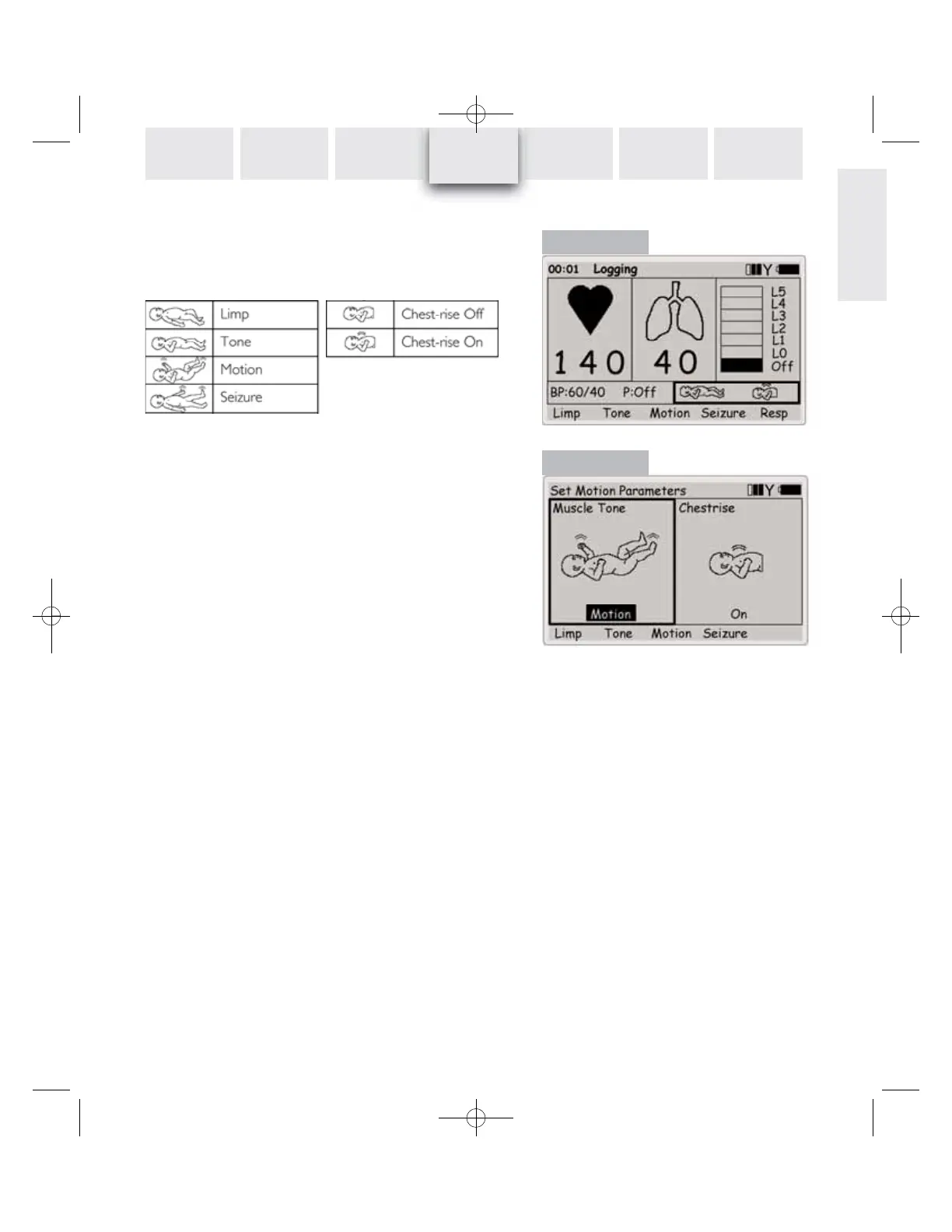
Patient Motions control
On the main display, use the navigation keys to select the
Patient Motions functional area (Figure 19), which shows the
manikin’s current muscle tone and chestrise settings as descri-
bed below:
Use the
Limp - Tone - Motion - Seizure quick execution keys
to select muscle tone state.
The
Resp quick execution key toggles the manikin’s chest-rise
on /off. When breathing rate is 0 there will be no chest rise.
When the Patient Motions functional area is selected, press OK
to open the Set Motion Parameters menu (Figure 20). The op-
tions are the same as above, but showing larger pictograms.
Press OK to activate selections.
REMOTE
CONTROL
Figure 19
Figure 20














 To Next Page