HVM200 Reference Manual Electrical Characteristics A-5
Power Button Functions
A.4 Electrical Characteristics
A.4.1 Power Consumption
• USB Power: 130 mA in station mode; 180 mA in access point mode
• Battery run time: 12 hours in station mode; 9 hours in access point mode
A.4.2 Power Supply
• User replaceable rechargeable lithium-ion battery
• Charge time: 3.5 hours with Larson Davis PSA035 power supply
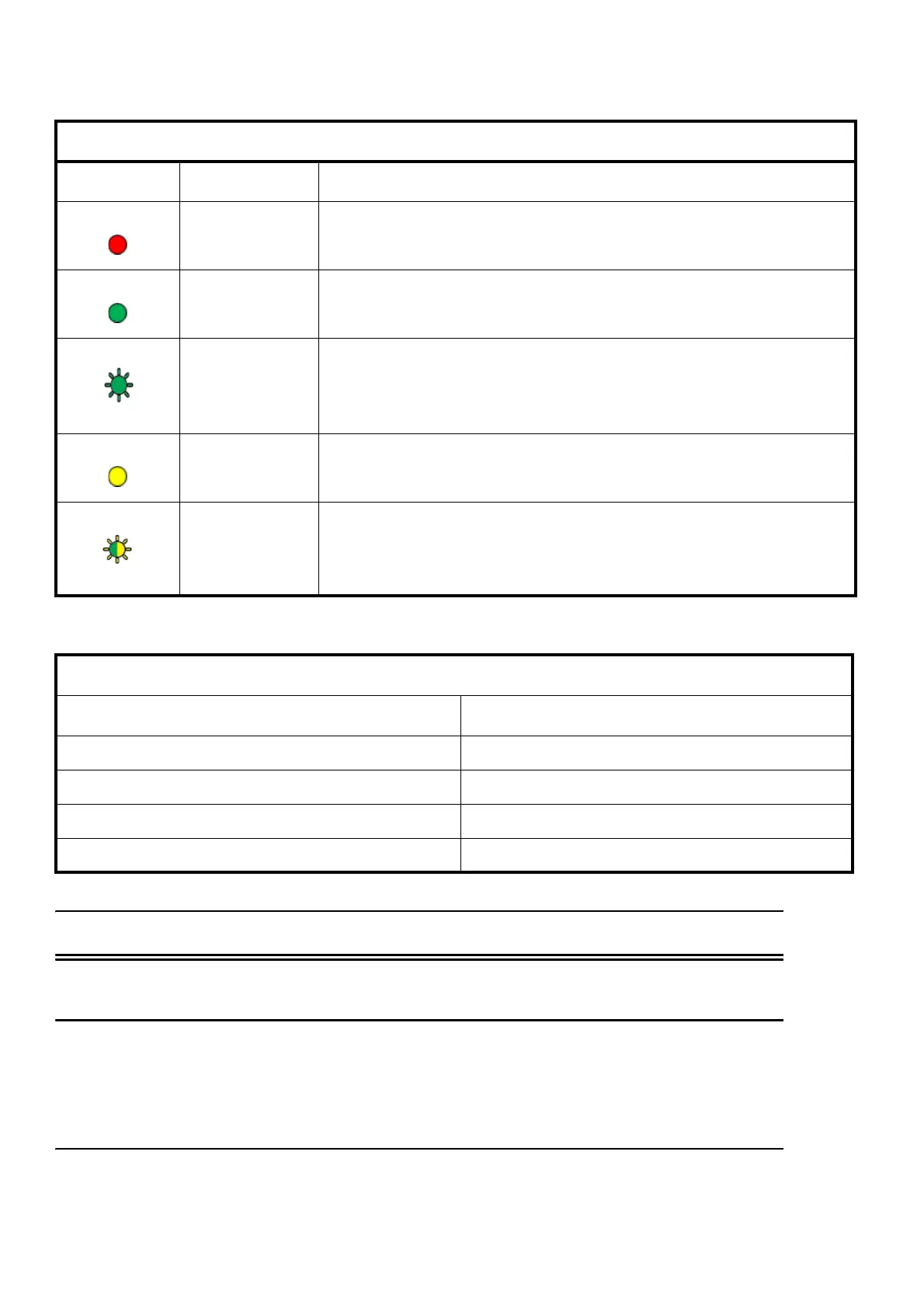
Status LED
Indication State
Additional Information
Measurement
Stopped
The HVM200 is not running a measurement.
Measurement
Running
The HVM200 is in the process of taking a measurement.
(Blinking)
Measurement
Run Pending
The HVM200 is stabilizing for an impending measurement, which
may last up to 60 seconds, or is awaiting a delayed start set from the
scheduling tab.
Overload
A signal from the accelerometer is currently exceeding the calibrated
input range of the HVM200.
(Blinking)
Overloaded
An overload has occurred in this measurement.
Power Button Functions
Action Press Power Button
Turn on power At least one second until Power LED is blue
Turn off power Until Power LED is blue and Status LED is dark
Start or stop toggle for manual measurement After turning on meter, less than three seconds
Shut down (if unresponsive) At least 16 seconds



 To Next Page