PLMNL0243 REV. A, Effective Date: 03/24/16 16 FiberMINI ™ 2.0 Operation Manual
For a Laser Mechanisms’
collimator:
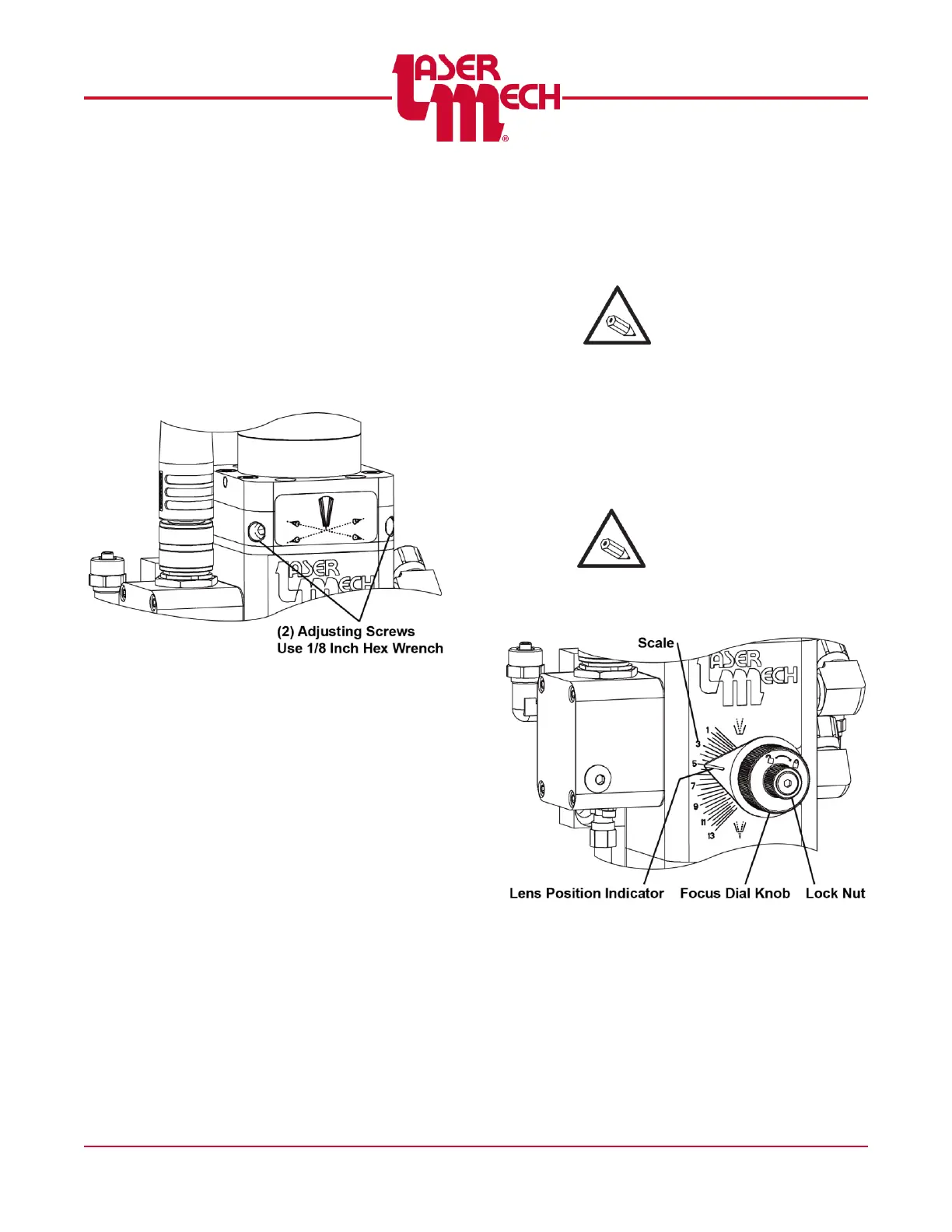
7. See Figure 22 and center the beam
inside the tip orifice using the
following:
a. Use a 1/8 inch hex wrench to
loosen or tighten the (2) adjuster
screws until the beam is centered
in the tip orifice.
DO NOT OVERTIGHTEN.
Figure 22
For any collimator:
8. Once the beam is centered, verify that
the (2) adjusting screws are snug
again to finger tight (1 Nm max).
4.3 Setting the Focus Position
FiberMINI
®
2.0 is equipped with an
adjustable lens holder that allows you to
move the laser focal point to optimize the
laser processing.
The lens has a total of 13mm of
movement.
The scale reads in 1mm increments.
The scale provides an approximation
of the focal position. The actual
desired setting varies based on optical
settings.
The position of the focal point will be
approximately at the end of the tip
when the Focus Dial Knob is set at 4.
For example, when the
Focus Dial Knob is at 5, the
focus is 1mm outside of the
tip, NOT 5mm outside.
To adjust the focus position
(see Figure 23):
1. Loosen the Lock Nut by rotating it
counterclockwise.
2. Turn the Focus Dial Knob to the
desired position.
Larger numbers on the scale
indicate a focus position
further outside the tip.
3. Tighten the Lock Nut by rotating it
clockwise.
Figure 23



 To Next Page