PLMNL0243 REV. A, Effective Date: 03/24/16 39 FiberMINI ™ 2.0 Operation Manual
5.11 Accessing FiberMINI
®
Mirrors
The mirrors used in FiberMINI
®
heads,
can be changed while the head is
mounted to the machine.
Before opening any part of the head,
clean off the dust and/or process
debris using an exterior cleaning
towel (PLTLS0023) or equivalent.
Always wear powder free gloves or
finger cots when handling optics and
optic holders.
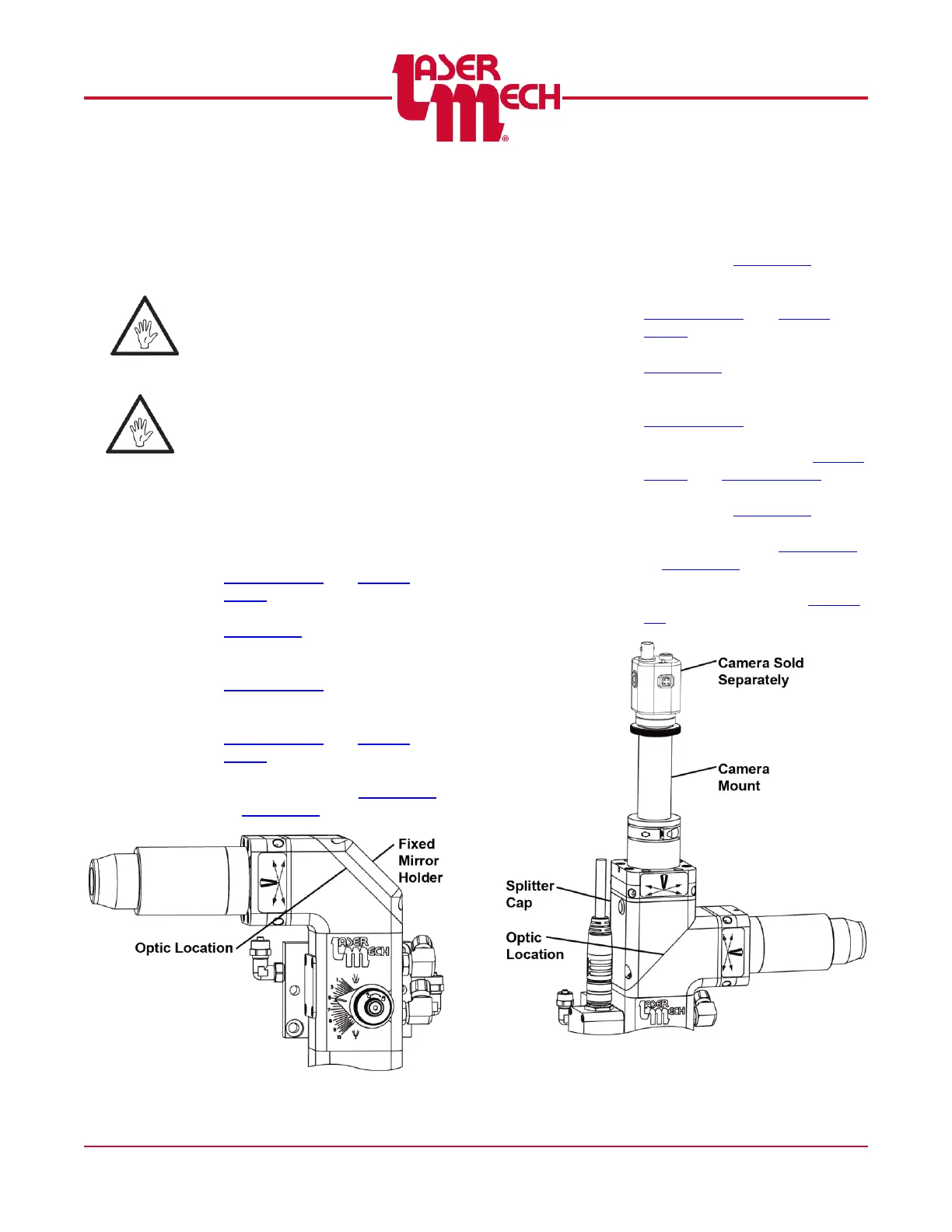
5.11.1 Right Angle Non-Vision
To service the optic, see Figure 56:
1. Remove the fixed mirror holder
and mirror retainer according to
Section 5.10.1 and Section
5.10.2.
2. Clean the optic according to
Section 5.2.
OR
Replace the optic according to
Section 5.10.2.
3. Replace the mirror retainer and
fixed mirror holder according to
Section 5.10.2 and Section
5.10.1.
4. Center the beam in the tip
orifice according to Section 4.1
or Section 4.2.
Figure 56
5.11.2 Straight Vision
To service the optic, see Figure 57:
1. Remove the camera mount
according to Section 5.9.
2. Remove the splitter cap and
mirror retainer according to
Section 5.10.4 and Section
5.10.2.
3. Clean the optic according to
Section 5.2.
OR
Replace the optic according to
Section 5.10.2.
4. Replace the mirror retainer and
splitter cap according to Section
5.10.2 and Section 5.10.4.
5. Replace the camera mount
according to Section 5.9.
6. Center the beam in the tip
orifice according to Section 4.1
or Section 4.2.
7. Align the camera mount as
necessary according to Section
5.9.
Figure 57



 To Next Page