PLMNL0243 REV. A, Effective Date: 03/24/16 40 FiberMINI ™ 2.0 Operation Manual
5.11.3 Right Angle Vision
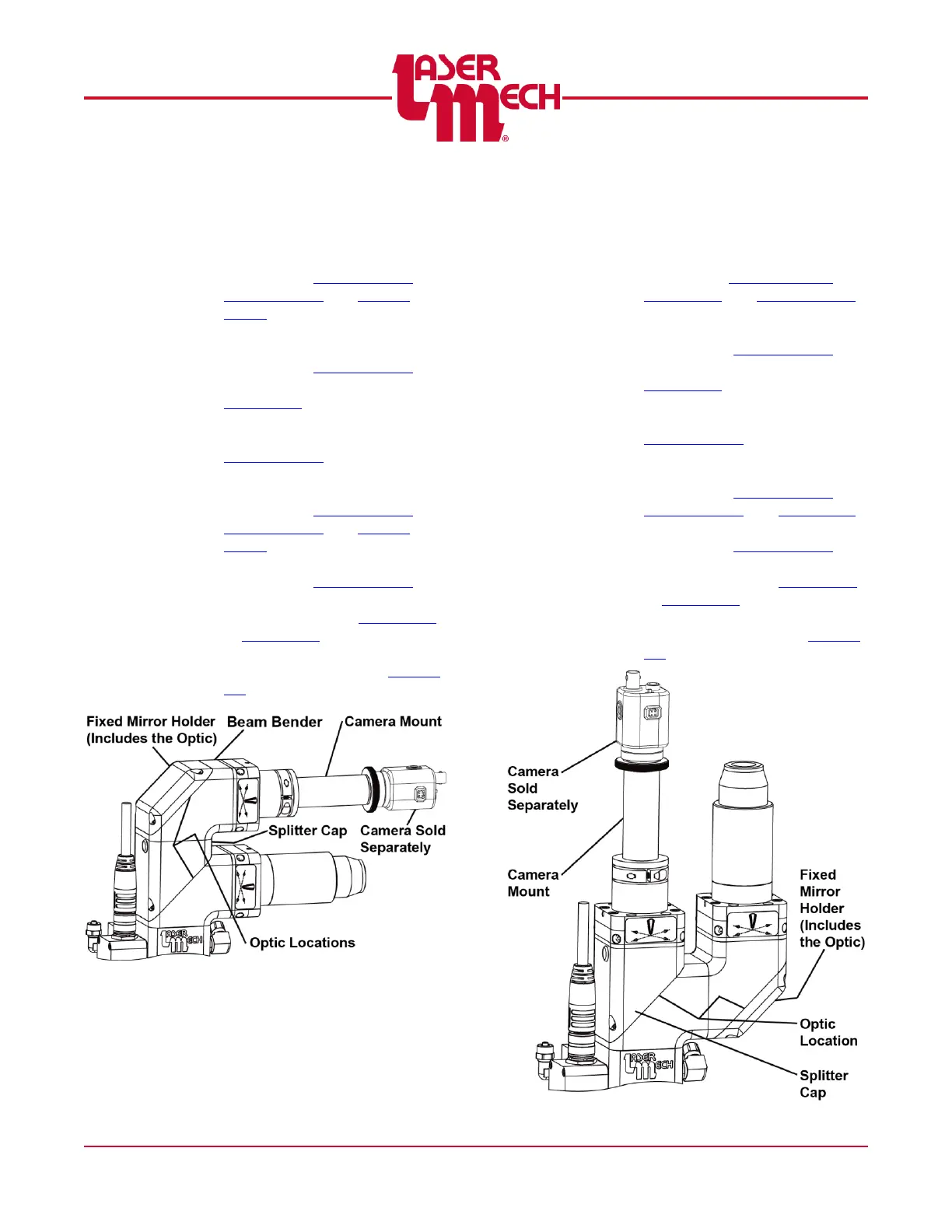
To service the optic, see Figure 58:
1. Remove the fixed mirror holder,
beam bender and splitter cap
according to Section 5.10.1,
Section 5.10.3 and Section
5.10.4.
For one or both optics:
2. Remove the mirror retainer
according to Section 5.10.2.
3. Clean the optic according to
Section 5.2.
OR
Replace the optic according to
Section 5.10.2.
4. Replace the mirror retainer,
splitter cap and beam bender
according to Section 5.10.2,
Section 5.10.4 and Section
5.10.3.
5. Replace the fixed mirror holder
according to Section 5.10.1.
6. Center the beam in the tip
orifice according to Section 4.1
or Section 4.2.
7. Align the camera mount as
necessary according to Section
5.9.
Figure 58
5.11.4 Offset Vision
To service the optic, see Figure 59:
1. Remove the fixed mirror holder,
camera mount and splitter cap
according toSection 5.10.1,
Section 5.9 and Section 5.10.4.
For one or both optics:
2. Remove the mirror retainer
according to Section 5.10.2.
3. Clean the optic according to
Section 5.2.
OR
Replace the optic according to
Section 5.10.2.
4. Replace the mirror retainer,
splitter cap and camera mount
according to Section 5.10.2,
Section 5.10.4 and Section 5.9.
5. Replace the fixed mirror holder
according to Section 5.10.1.
6. Center the beam in the tip
orifice according to Section 4.1
or Section 4.2.
7. Align the camera mount as
necessary according to Section
5.9.
Figure 59



 To Next Page