LAUNCH
X-431 PRO5 User Manual
51
1
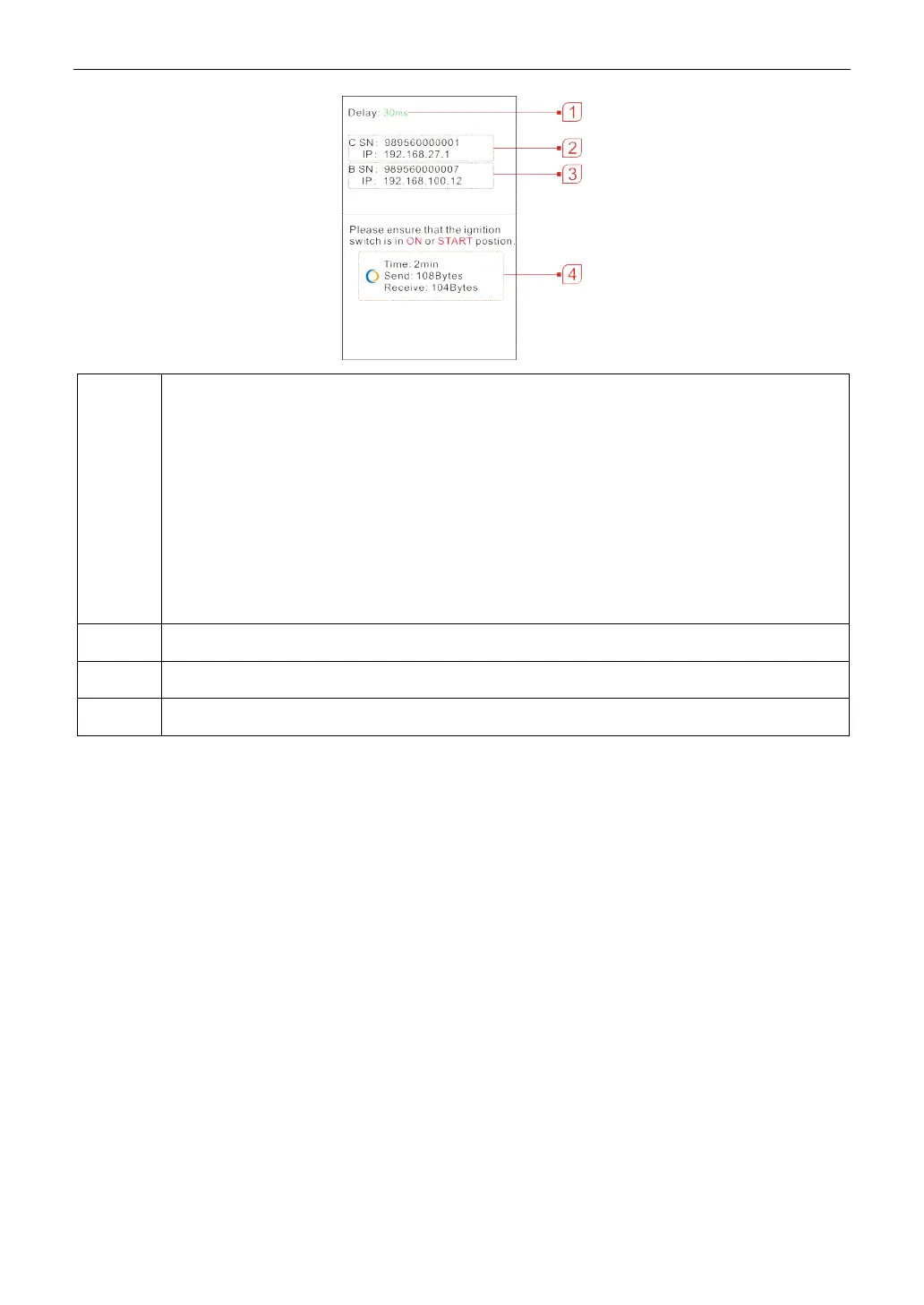
Network delay status: Indicates the quality of the current network. Different colors represent different
delay status. There are three states of network delay:
• Green: Indicates the network is normal. It is recommended that the diagnosis operation be
performed when the network delay is green. Otherwise, the communication with the vehicle may
fail or the incorrect system detection may occur.
• Yellow: Indicates the network is not stable. Please keep it stable.
• Red: Indicates the network delay is serious and not suitable for remote diagnosis or the network
is disconnected.
*Remarks: If the displayed network is poor, there may be too many people using the network in the LAN and
some users are downloading. It is recommended to use a stable network for remote diagnosis.
2 The Serial Number and IP address of the current SmartLink C device.
3 The Serial Number and IP address of the connected SmartLink B device.
4 The duration of diagnosis process and package size of sent data/received data.
*Notes:
Please do not interrupt the vehicle or network connection during a remote diagnostic process.
Please make sure that the network delay is in green state when performing a remote online programing process.
7. Unplug the crossover cable when a SmartLink operation is completed.



 To Next Page