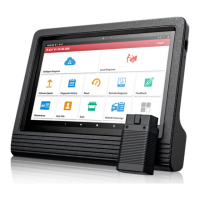
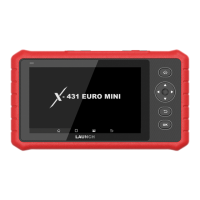
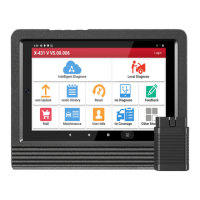
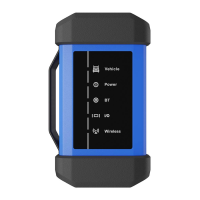
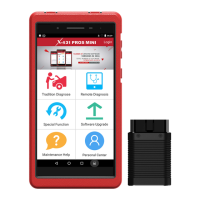
LAUNCH X-431Diagun User's Manual
iv
Contents
1 Introduction ..........................................................................1
2 X-431Diagun ........................................................................ 2
2.1 X-431Diagun Component Descriptions...................... 2
2.2 Port and Indicator Descriptions.................................. 2
2.3 X-431Diagun General Components ........................... 3
2.4 X-431Diagun Specifications ....................................... 5
2.5 X-431Diagun Start...................................................... 5
2.5.1 Power on..........................................................5
2.5.2 Calibrate Touch Screen.................................... 6
2.5.3 Taskbar ............................................................7
2.6 Battery and Charger................................................... 8
2.6.1 Battery.............................................................. 8
2.6.2 Recharging Method.......................................... 8
2.6.3 Description of the Power Indicator State.......... 8
2.6.4 Description of the Battery State........................ 8
2.7 Settings.................................................................... 10
2.7.1 Language....................................................... 10
2.7.2 Bluetooth match............................................. 11
3 Use X-431Diagun to diagnose vehicles.............................. 12
3.1 Automotive Diagnosis Preparation and Connection . 12
3.1.1 X-431Diagun preparations ............................. 12
3.1.2 TF Card Installation........................................ 12
3.1.3 Connect X-431Diagun.................................... 13
3.2 Begin to Diagnose Vehicle ....................................... 14
3.2.1 Diagnostic Program .......................................15
3.3 How to Diagnose...................................................... 17
3.3.1 Read Fault Code............................................ 18
3.3.2 Print ...............................................................19
3.3.3 Read Datastream........................................... 21
3.3.4 Actuation Test................................................. 23
3.3.5 Driving Record Administration........................ 25
3.4 Flow chart for diagnose procedure........................... 26
3.5 How to diagnose two cars at a time ......................... 28
3.5.1 Read the datastream of the first car........................... 28
3.5.2 Read the datastream of the sencod car...................... 31


 To Next Page
 Loading...