FAQ
39
Chapter 11 FAQ
11.1 USB Stick Indicator Light
11.1.1 Functionality
MPC6575 is installed inside a machine, so that the user can’t see the indicator lights in the
controller. With a USB stick, the user can download the processing data to MPC6575 easily and
observe the download status easily with an LED by leading out the indicator light of USB stick to the
control panel of the machine. PAD03 will also display the status during the download progress.
11.1.2 Instruction
Pin OUT3 (USB stick indicator light signal) in MPC6575/MCV1.1 board can be used for driving
relay or LED to show the download status.
11.2 Customize PAD03 Control Panel
11.2.1 Functionality
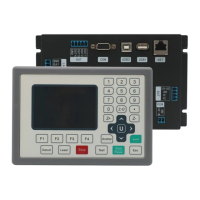
PAD03 is composed of control panel, LCD and main board. Standard PAD03 control panel is as
descripted in Chapter 5. If the user wants to customize the panel, please refer to the following
interface description figure.
11.2.2 Instruction
The control panel is connected to the main board through a 9pin header. Refer to the pin
description as follows:


 To Next Page