Version 3.3 107
GPS Operator’s Manual
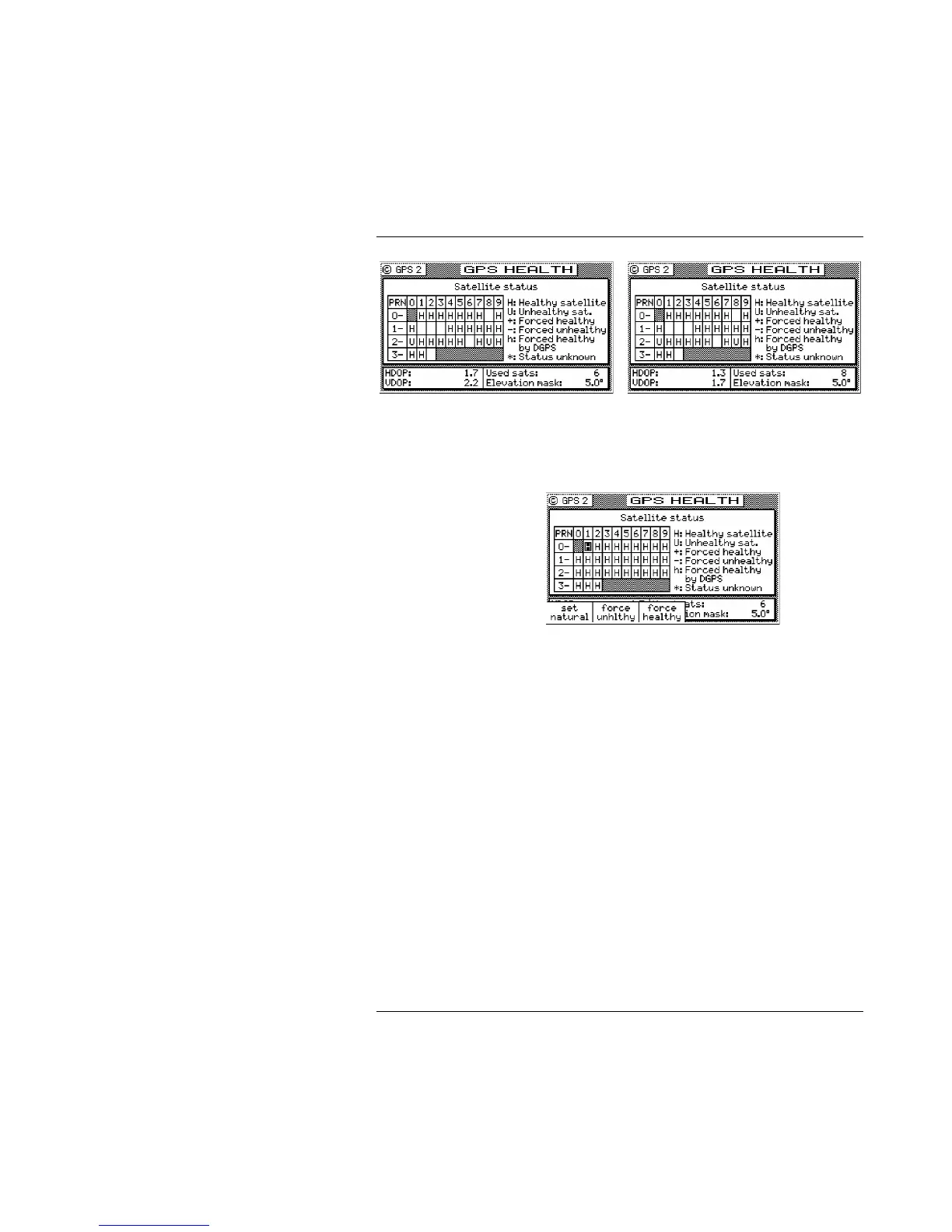
6 Channel Screen 12 Channel Screen
The legend to the right of the table explains what each of the
satellite indicators represent.
H Healthy Satellite - This satellite is healthy and available for
navigation as reported by the US Department of Defense.
U Unhealthy Satellite - This satellite is unhealthy and is not
recommended for navigation as reported by the US Department
of Defense. However, there may be circumstances when using
an Unhealthy satellite is practical. For example, if you only have
four healthy satellites with bad geometry (high HDOP) and an
unhealthy satellite would allow you to get a position fix where a
fix with possible errors is better than no fix at all, you might
choose to force the Unhealthy satellite to Healthy.
+ Forced Healthy - This satellite is forced to be used in the receiver
navigation solution by the user, regardless of the DoD health
setting. This is accomplished by pressing the E key. Use the
cursor key to move the flashing cursor over the satellite ID you
want to change. Next, press the Force Healthy softkey. Press the
E key when finished. Read the Unhealthy Satellite description
above for an example of the use of this setting.
- Forced Unhealthy - This satellite is forced not to be used in the



 To Next Page