178 Version 3.3
Operator’s Manual Appendix C - Engineering Mode
Hold the right most softkey down while applying power to the
receiver; continue holding the softkey until you hear a
normal key click for the softkey.
Release the softkey.
Press the POS function key. If the position reads N 00° 00.0000,
W 000° 00.0000, then the receiver was properly reset. If it
does not read this, try the procedure again.
GPS - GPS Receiver Troubleshooting
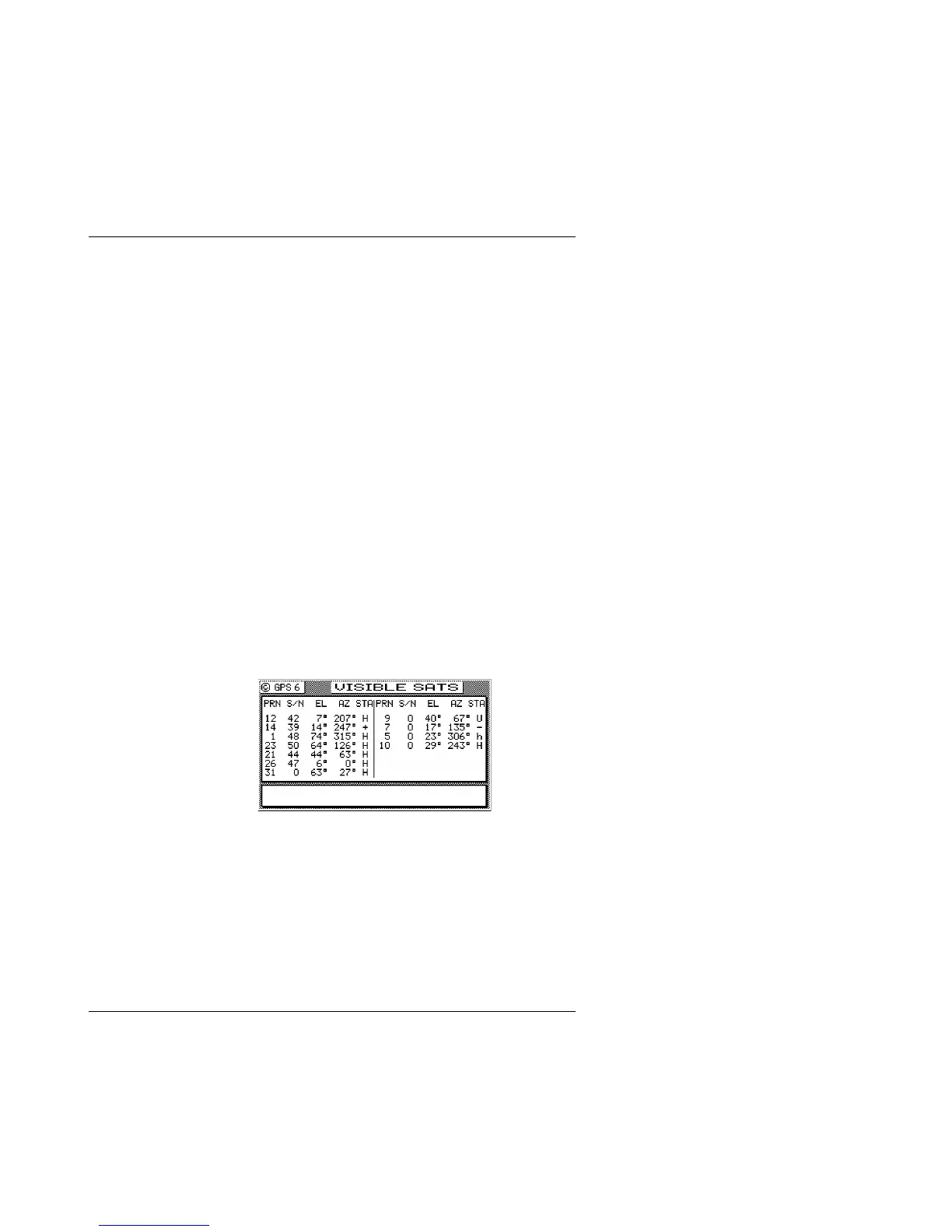
GPS6 - Visible Satellite Information
This screen provides some basic information about the GPS
receiver performance, in that it is basically an extension of GPS1
and GPS2 screens. It tells you what satellites are available to track
at the moment under the PRN number. The signal strength of
satellites under track is in the second column labeled S/N. The
weakest signal strength that the receiver can track is 25. However,
any satellite with a signal strength under 32 is considered troubled,
and the receiver will not use that satellite in the navigation solution.
Troubled satellites tend to cause position jumps and greatly reduce
the accuracy of the receiver. If you see all of the satellites popping
in and out of track, and/or with weak signals, you might have
corrupted RAM and should perform a cold start as described above.
While on the subject of memory corruption, this condition can be
caused by a number of different means. For example, you could
have the receiver antenna(s) located too close to a high power
transmitter, such as a radar, or satcom. Even though you might not
completely block the GPS or beacon RF signals, these types of high
power devices normally transmit in a pulse fashion. The induced
voltage from successive transmissions can slowly overwrite



 To Next Page