Version 3.3 113
Configuration Operator’s Manual
Configuration
There is one CFG screen in the receiver during normal operation.
Additional configuration screens can be activated for special
purposes, as described in the Engineering Mode section for ex-
ample. The CFG screen includes setup and control of all of the
receiver’s primary functions. There are more than 20 separate
configuration items in this screen. The display is divided into two
windows. The left hand window identifies the primary configura-
tion item. The right hand window displays the current settings. Use
the cursor key to select a configuration item of interest, then press
the E key to edit the actual settings. There are some settings which
can not be changed; however, these are displayed so that you have a
better understanding of exactly how the receiver is configured. The
Item list is arranged alphabetically based on the language chosen.
This section of the manual is arranged alphabetically for English.
You may choose to skip to only the items that interest you at first,
then read this complete section at a later time.
Note: This option lists is too long to display on one
page of the display. Be sure you have viewed
all of the configuration options, by scrolling
through to the bottom of each list with the
cursor key.
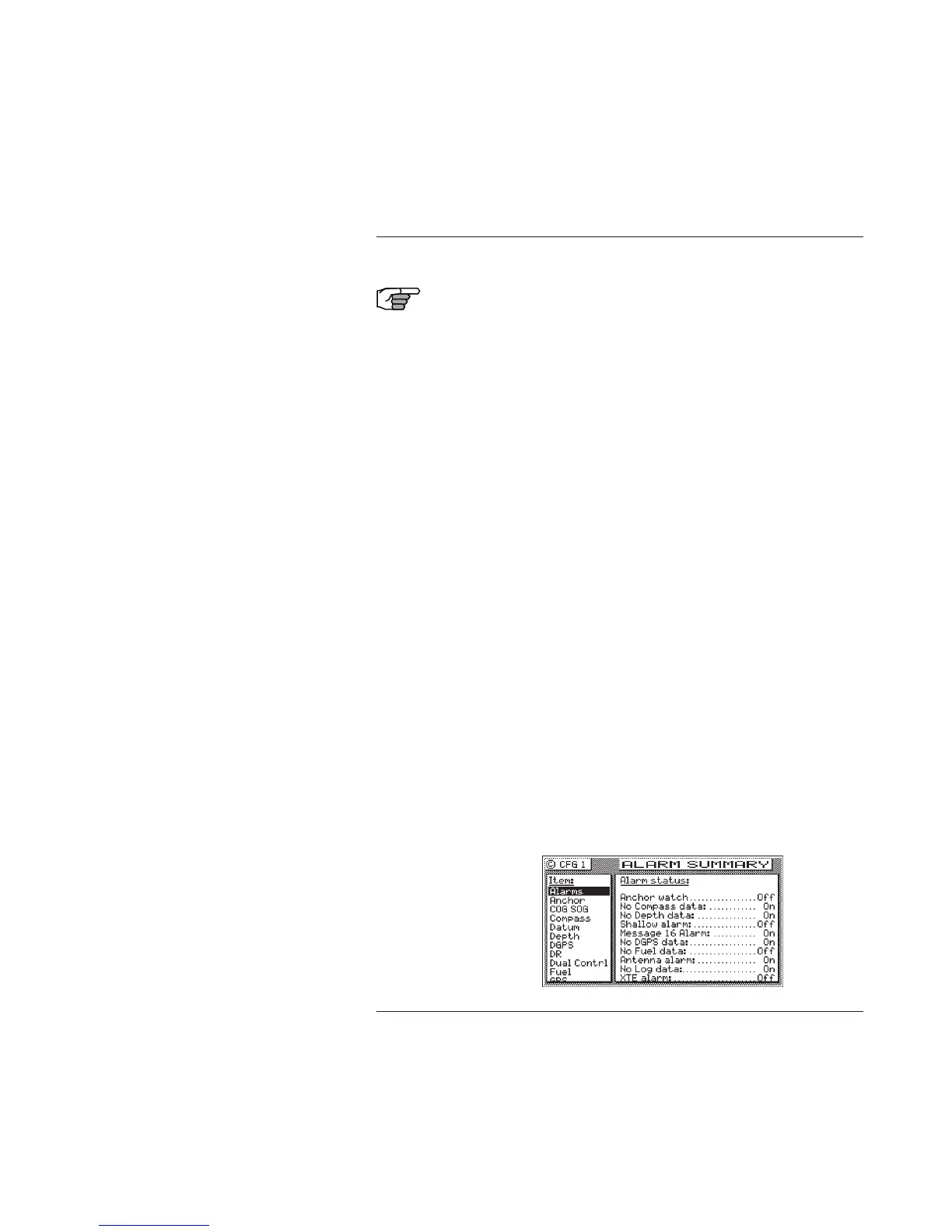
Alarms
This screen allows you to quickly see which alarm’s are active and
inactive. The list of available alarms is interactive with the remain-
ing screens described in this section. Therefore, changing the state
of the alarm in a screen such as Anchor from Off to On will also
cause the anchor alarm in this screen to go from Off to On. Like-
wise, if you turn the anchor alarm from On to Off in this screen the
Anchor screen will also match this one.



 To Next Page