Version 3.3 33
Route Operator’s Manual
You can enter waypoints using different datums into
the route
The RTE1 screen is where you are likely to do most of your trip
preparation. There are several methods you can use to create routes,
you are sure to find one or more methods which meet your needs in
the sections which follow.
Creating A Route Using The GOTO Key:
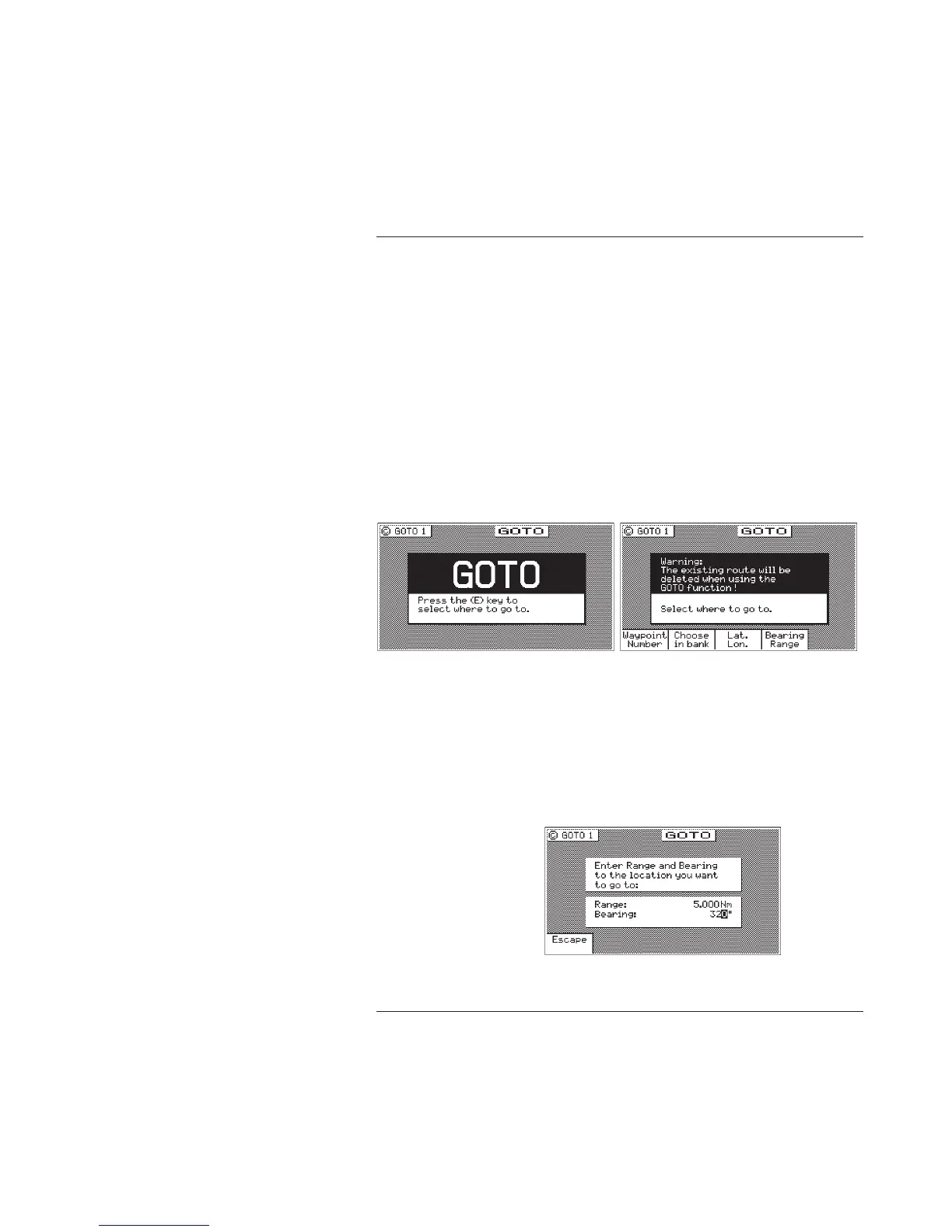
Using the GOTO function key is the fastest way to create a single
leg route. Using this method will cause the existing active route to
be erased and overwritten with the new position you define.
1. From any screen, press the GOTO key.
2. Press the E key.
3. Select the waypoint determination method you want:
Waypoint Number - allows you to choose a waypoint stored
in the Waypoint Bank. This feature is nice to use if you
already know the waypoint number that you want to go to
and you don’t want to waste time scrolling through the
available waypoints. Enter the number of the waypoint,
verify that the coordinates are correct, and press the E key
to copy the waypoint to the active route.



 To Next Page