10 Version 3.3
Operator’s Manual Keypad & Display Description
Keypad & Display Description
NAV
PLOT
POS
E
TIDE
GPS
CFG
RTE
A U X
DGPS
C
WPT
6289-01A.400
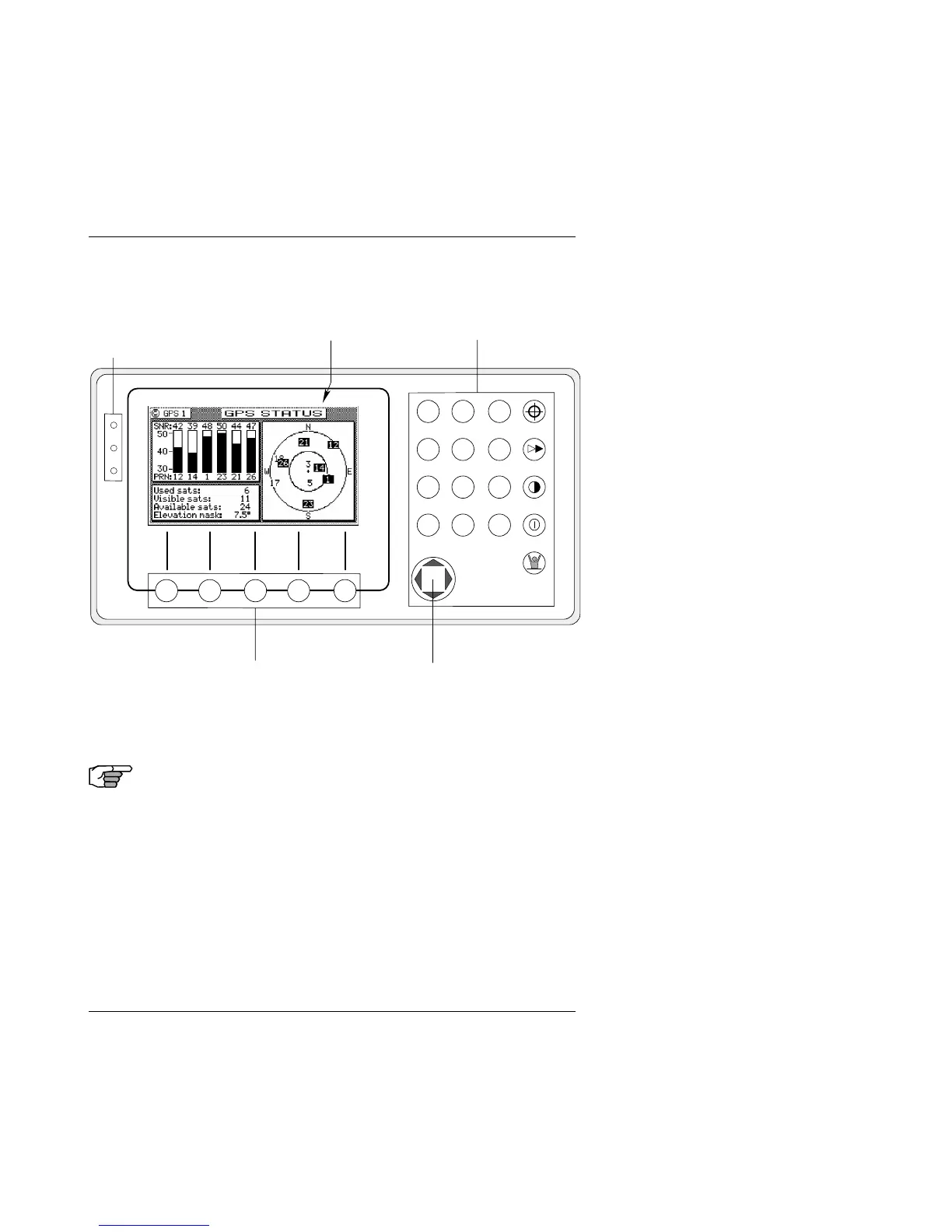
Traffic
Lights
Function KeysDisplay
Softkeys Cursor Key
Refer to the illustration above. The Traffic Lights on the left side
of the display will tell you how your navigator is operating.
Note: You need to take care in reading the traffic light
indications, as there are overlapping possibili-
ties between the GPS and DGPS modes. If you
are unsure of the current operating mode,
select the CFG function key and scroll down to
the DGPS selection. If the DGPS mode is
selected to anything other than Off, then follow
the Differential GPS Traffic Light Operation. If
the DGPS mode is selected to Off, then follow
the GPS Traffic Light Operation.
Differential GPS Traffic Light Operation:



 To Next Page