148 Version 3.3
Operator’s Manual Configuration
Here is a sample of the Brief format without an active route:
(Model) Navigator
====================================
21:24:00 UTC 11 Aug 1997
POS Mode : DGPS 3D Datum:W84
POS: N 33 48.5124 W 118 21.0213
COG: 152T SOG: 0.1 Kn
------------------------------------
Here is a sample of the Brief format with an active route or MOB
condition:
(Model) Navigator
====================================
21:24:00 UTC 11 Aug 1997
POS Mode : DGPS 3D Datum:W84
POS: N 33 48.5124 W 118 21.0213
COG: 152T SOG: 0.1 Kn
BRG: 239T Dist: 27.4 Nm XTE:0.14L Nm
RTE: RL From WPT 1234 To WPT 1357
------------------------------------
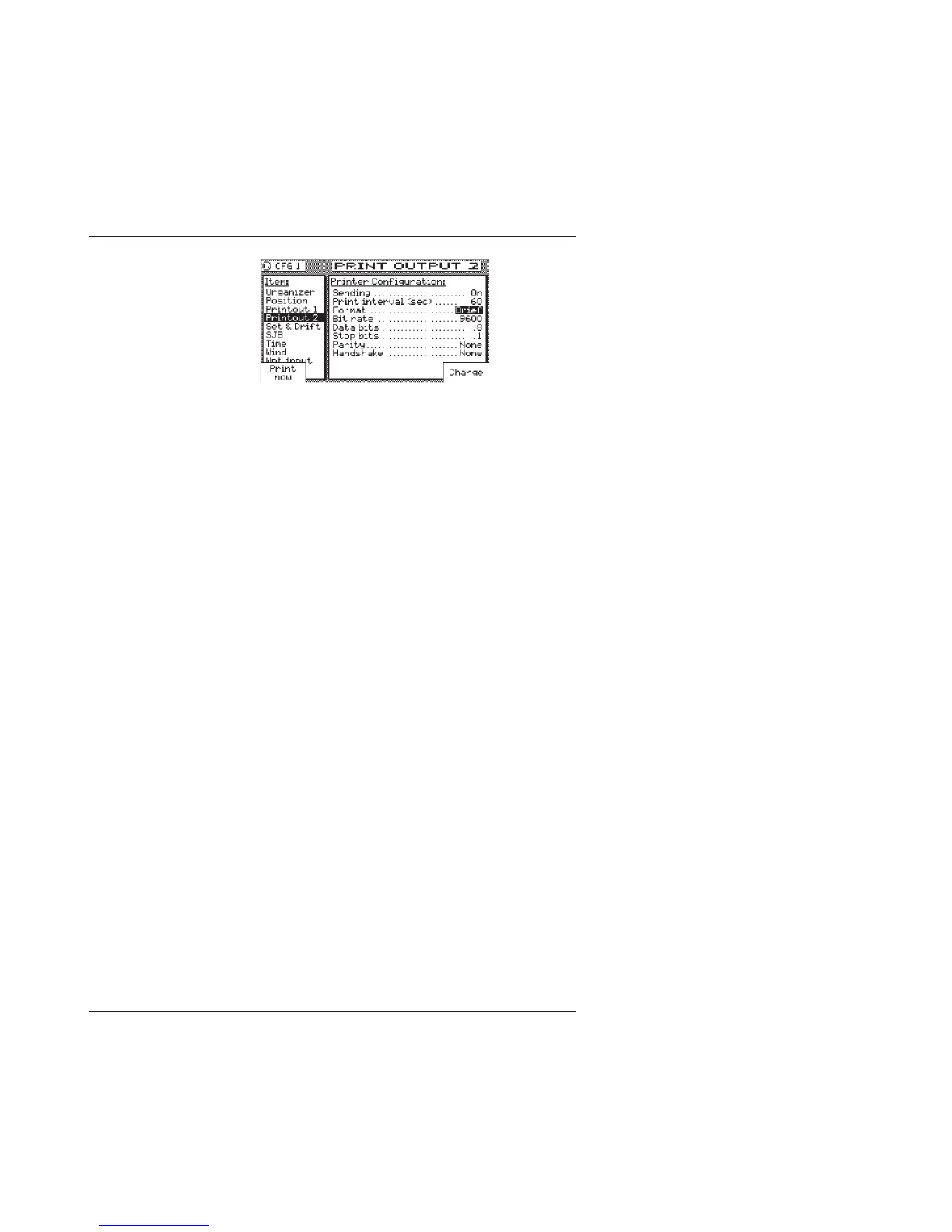
Sending: Causes the printer output to be turned On or Off (default).
Printer Interval (Sec): Allows you to control how often, in seconds,
the print out will be sent out of the printer port. The default
value is 60 seconds, and the valid range is from 1 to 9999
seconds.
Format: Allows you to choose either the Full or Brief formats
described above.
Baud Rate: This allows to control the port interface baud rate to
match the printer or computer you are interfacing with. The
available baud rates are: 600, 1200, 2400, 4800, 9600 (default),
or 19,200.



 To Next Page