Version 3.3 23
Navigate Operator’s Manual
water (LOG). The distance value displayed as the Range (RNG) is
calculated from your present position to the waypoint. Time To Go
(TTG) is the calculated time it will take you to reach the waypoint,
based on your Waypoint Closure Velocity (see NAV4 description).
To keep the screen from jumping around when you are stopped, the
screen freezes the graphic representation when your speed is under
0.5 Kn in DGPS mode or 2.0 Kn in GPS mode. Once you get
underway, your course details will update appropriately.
You will see a RL or GC symbol in the upper right corner of the
display indicating whether you are navigating under Rhumb Line or
Great Circle. This is set in the CFG Navigate menu.
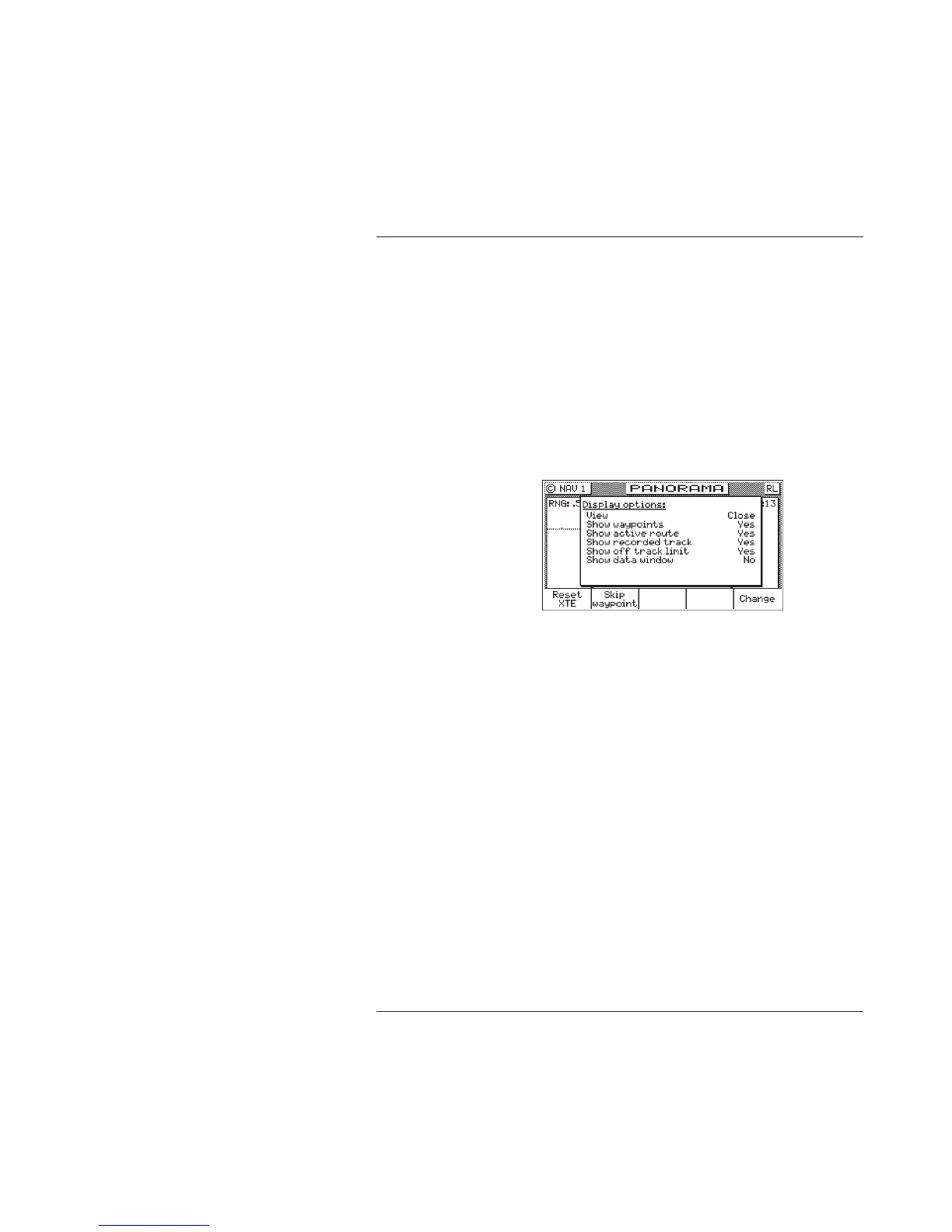
If you press the E key, the Panorama Display Option screen will
allow you to customize the information presented.
View - allows you to adjust the display for a Close (zoomed in)
or a Far (zoomed out) representation of your route,
Show Waypoints - allows you to turn waypoints which are not
part of the active route on and off,
Show Active Route - allows you to turn the course line on or off
on the display (assuming a symbol is entered for the first
character of the waypoint name),
Show Off Track Limit - allows you to turn the cross-track error
limit lines on or off on the display,
Show Data Window - allows you to select between the two
display types depicted at the beginning of this section; where
the data is displayed in various parts of the graphic screen, or
the data is displayed in a separate window to the left of the



 To Next Page