2.Placeasoft,cleantowelorclothonthedeskorotheratsurface.Holdthesidesofyourcomputerand
gentlylayitdownsothatthescreenisagainstthesurfaceandthecoverisfacingup.
3.Removethecomputercover.See“Removingthecomputercover”onpage75.
4.Locatethebatteryonthesystemboard.See“LocatingmajorFRUsandCRUs”onpage66.
5.Removethesystemboardshieldoropenthesystemboardshieldwindowtogetaccesstothebattery.
See“Removingandreinstallingthesystemboardshield”onpage83
.
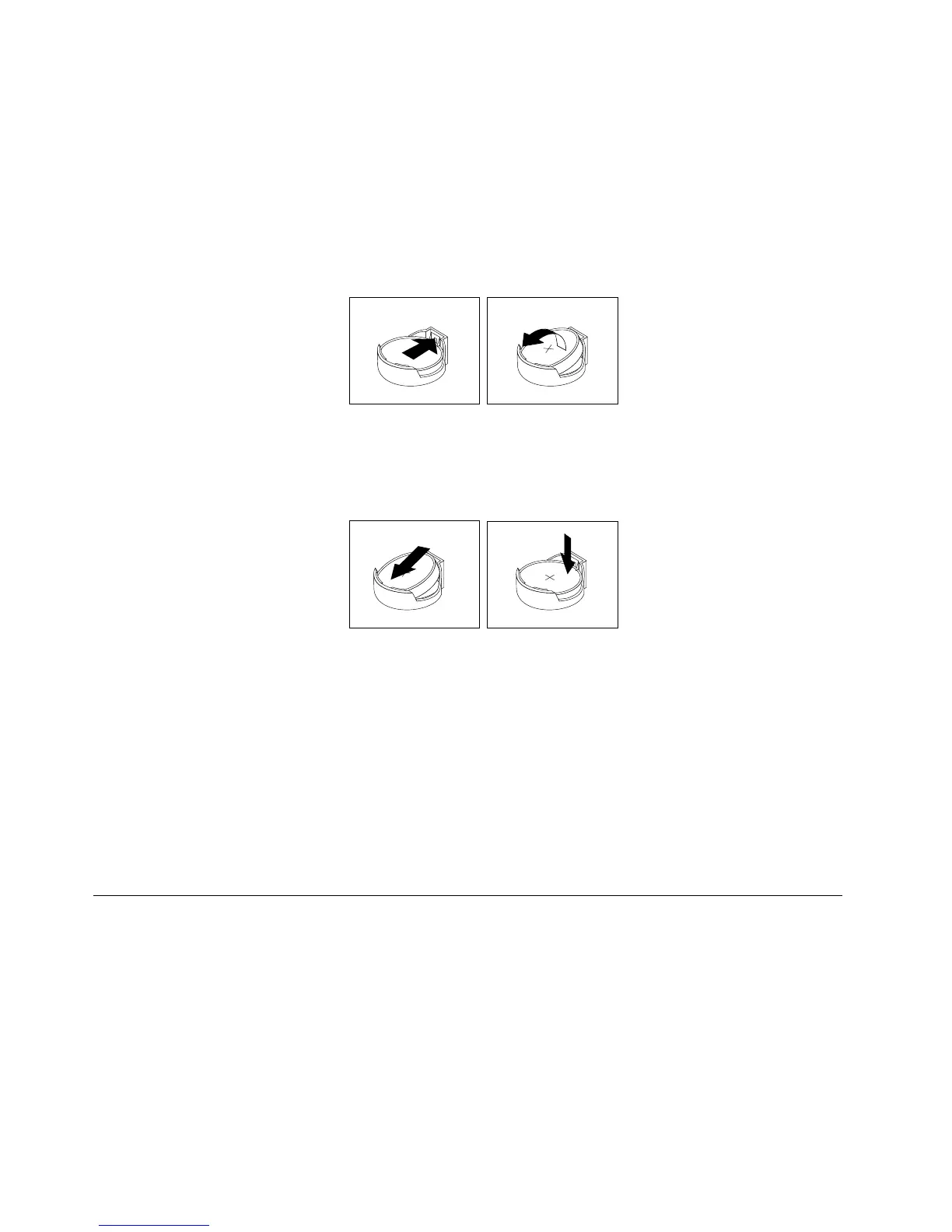
6.Removethebattery.
Figure33.Removingthebattery
7.Installanewbattery.
Figure34.Installinganewbattery
8.Reinstallthesystemboardshieldorclosethesystemboardshieldwindow.See“Removingand
reinstallingthesystemboardshield”onpage83.
9.Reinstallthecomputercover.See“Completingthepartsreplacement”onpage108.
10.Turnonthecomputerandallattacheddevices.
Note:Whenyouturnonthecomputerforthersttimeafterreplacingthebattery,anerrormessage
mightbedisplayed.Thisisnormalafterreplacingthebattery.
11.UsetheSetupUtilityprogramtosetthedate,time,andanypasswords.SeeChapter6“UsingtheSetup
Utilityprogram”onpage55.
Replacingtheconverterboard
Attention:Donotopenyourcomputerorattemptanyrepairbeforereadingandunderstandingthe
“Importantsafetyinformation”onpage1
Thissectionprovidesinstructionsonhowtoreplacetheconverterboard.
Toreplacetheconverterboard,dothefollowing:
1.Removeallmediafromthedrivesandturnoffallattacheddevicesandthecomputer.Then,disconnect
allpowercordsfromelectricaloutletsanddisconnectallcablesthatareconnectedtothecomputer.
2.Placeasoft,cleantowelorclothonthedeskorsurface.Holdthesidesofyourcomputerandgentlylay
itdownsothatthescreenisagainstthesurfaceandthecoverisfacingup.
96ThinkCentreE73zHardwareMaintenanceManual












 To Next Page